

Explore More Possibilities for Your Business
Full-cycle scenario construction to meet your needs from App research, development, and release to operation.
Ready for your soaring growth
It is 11:40 p.m. on Black Friday. Someone types “workout planner” into the App Store, scrolls past three ads, and taps the one that says “Black Friday: 40% off annual.” It is not yours. Yours was the ad with the generic screenshot and a tagline written back in March. You still paid for the impression.
On the App Store, visibility gets you on stage—but relevance turns a glance into an install. This Black Friday (November 27, 2026), traffic is heavier and more competitive than any other week, and tap costs rarely drop to meet it. High-intent users are searching, scrolling, and tapping—but competitor ads and generic pages can easily steal them away.
Custom Product Pages (CPPs) and deep linking are the most direct fix: they align what users see, expect, and experience—turning every ad tap into a conversion opportunity. Most of the work is planning, not engineering, and you can finish it before Thanksgiving.
And when paired with FoxData insights, you can plan, execute, and scale with precision across regions and segments. If you want to test the keyword side with your own app first, create a free FoxData account and start the 7-day free trial now; the Black Friday offer opens on November 19 (details below).
In this guide:
Branded searches are among the most valuable signals on the App Store. But during Black Friday:
1. Competitor ads appear on your branded keywords — pulling attention away. Your own name becomes someone else’s ad inventory.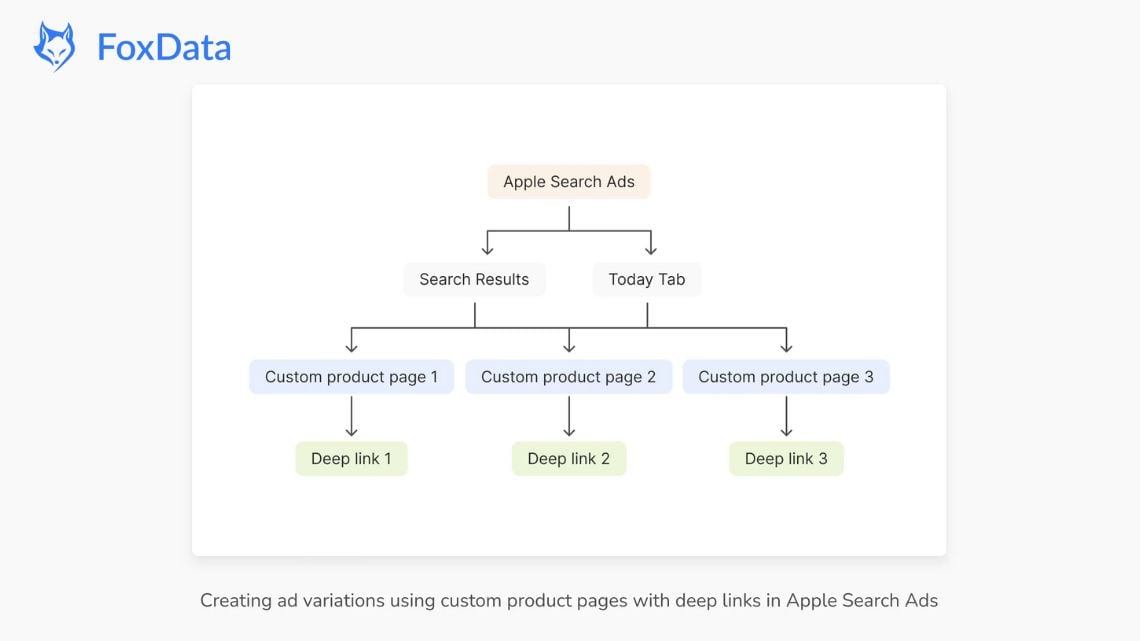
➡ See how your own brand keywords look right now: create a free FoxData account, start your 7-day free trial and open Keywords Ranked for your app. Start the free trial → Free for 7 days. No sales call.
If you built CPPs last year, a few rules moved. Here is the short list, based on Apple’s own documentation:
None of this changes the core idea. It just gives you more room, and more ways to get it wrong.
CPPs are intent-matched landing experiences that speak to exactly why a user searched. They deliver three conversion levers:
Tailor each CPP to what users are searching for:
Even if “similar apps” appear in results, your CPP ensures your app feels most relevant and trustworthy.
Black Friday is noisy. CPPs reinforce why users chose your app, not just that it’s visible.
For example, Temu creates CPPs tailored to searches like “free shipping” or "shop", highlighting the exact value users expect—critical during high-traffic periods like Black Friday.
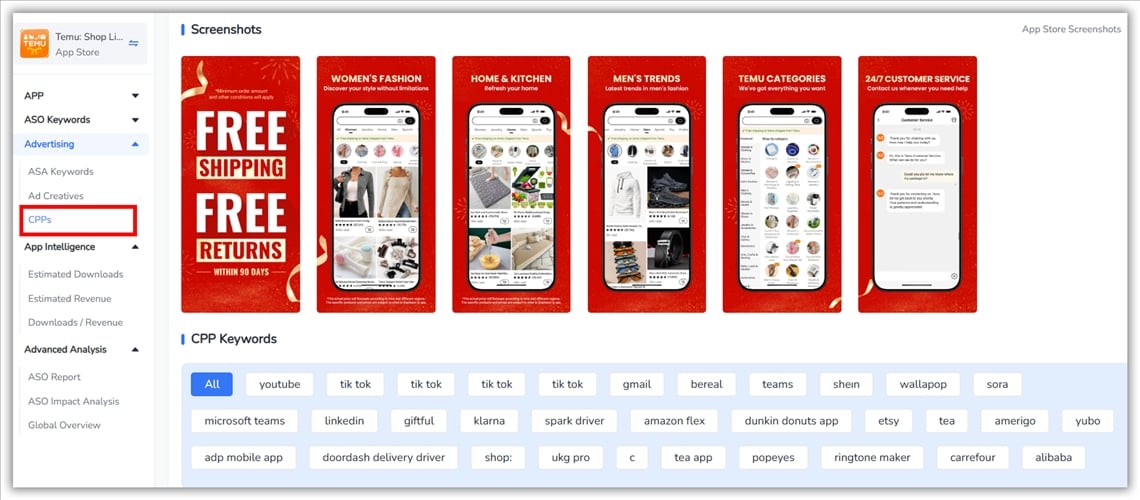
A practical rule: build one CPP per search intent, not one per keyword. “Deals,” “gift ideas” and “free shipping” can share a page if the promise is the same. Split the page only when the promise changes.
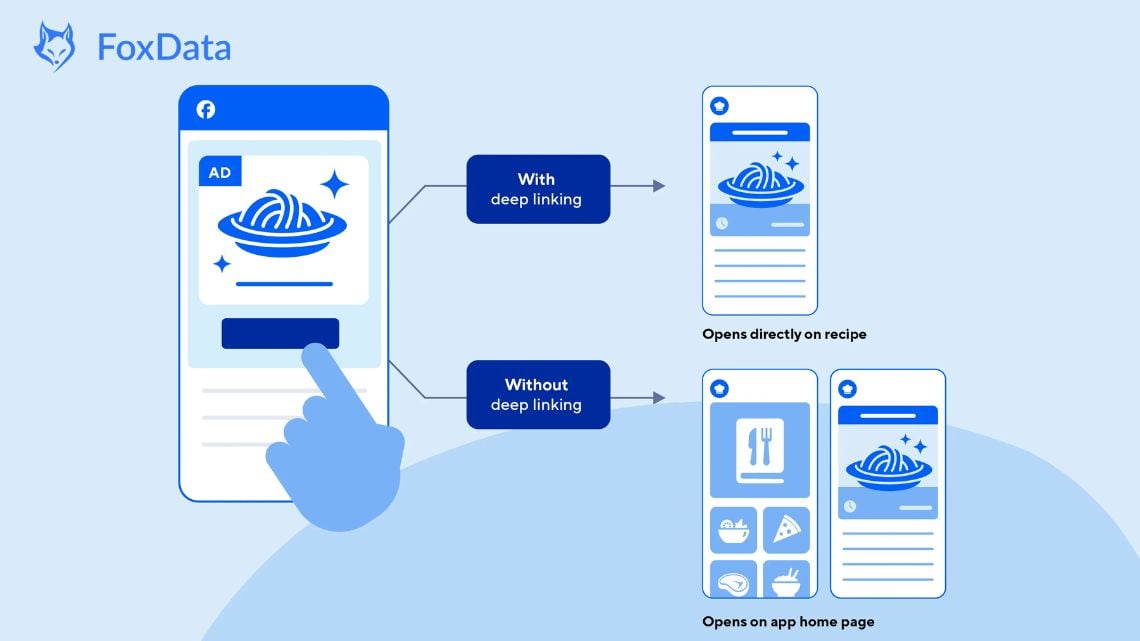
While CPPs optimize the landing experience, deep linking sends users to the in-app moment they expect when they tap Open on your CPP, directly to the content they came for:
|
Without deep linking |
With deep linking |
|
Users land on your default homepage, must navigate manually, lose momentum → lower CVR/ROAS. |
Users jump straight to a page that matches their intent → higher CVR, higher ROAS, stronger loyalty. |
Before you ship a deep link, check three things:
When combined, they deliver:
✔ Consistency: ad → CPP → deep link → in-app value
✔ Reduced friction: less searching, more installs
✔ Higher conversions: users get what they expect
✔ Scalability: replicate across regions, features, and user segments
These are illustrative, not client results. Use them to brief your designer.
Search: “black friday deals.” The default page says “Shop everything.” The CPP says “Today’s Black Friday deals, updated hourly” and shows deal screens first. Tapping Open lands on the deals feed, not the home tab. One search, one promise, one screen.
Search: “free gems” or a competitor’s game name. The default page shows gameplay. The CPP shows the Black Friday bundle and the event timer. Tapping Open goes straight to the in-game store with the bundle highlighted. Be careful with claims on the page: promise only what the store screen actually delivers.
Search: “learn spanish.” The default page lists features. The CPP leads with “Annual plan, Black Friday price” and a “start your lesson” screenshot. Tapping Open lands on the annual-plan paywall. The user sees the price they just read, and the decision takes seconds.
|
Team |
Start with |
Skip for now |
|
Solo or indie developer |
3 to 5 CPPs: brand defense, your top feature, one seasonal page. One deep link each. |
A 70-page matrix and per-country versions. |
|
In-house growth team on Apple Ads |
One CPP per keyword theme (brand, competitor, generic), each with its own deep link. |
Creative tweaks without a test plan. |
|
Agency or multi-app team |
Reusable CPP templates by vertical, then regional versions for your top markets. |
Copying one page across clients. |
|
Game studio |
An event page and a store or bundle deep link for your top two titles. |
Pages for keywords you do not rank or bid on. |
Black Friday moves fast. Teams need a structured, scalable workflow:
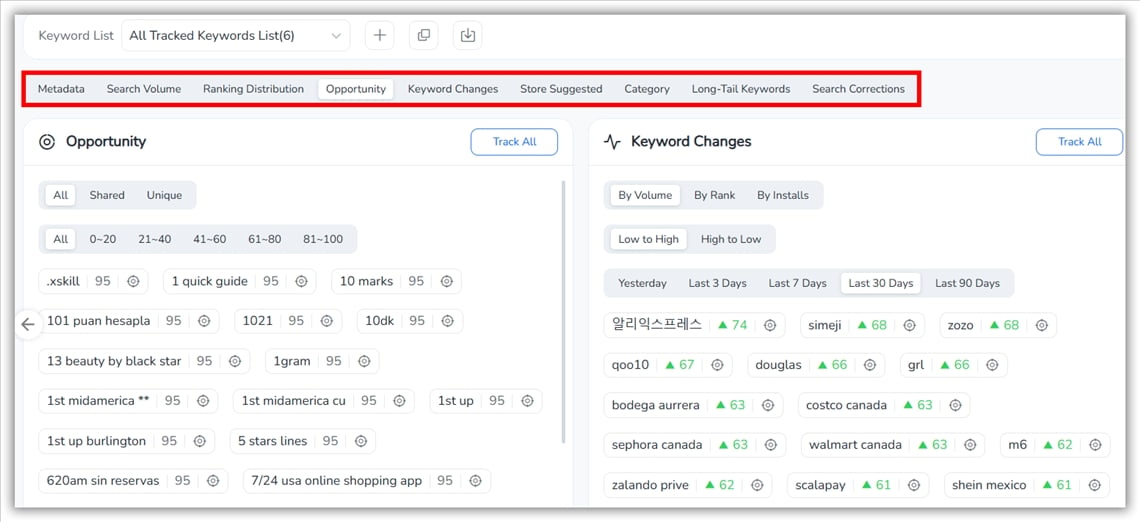
With FoxData Keyword Analytics, filter by brand, competitors, and category. Check search volume, ranking distribution, and opportunity scores. Focus CPPs on high-value, high-risk keywords that can make or break campaigns. You walk away with a list of 10 to 20 keywords worth defending.
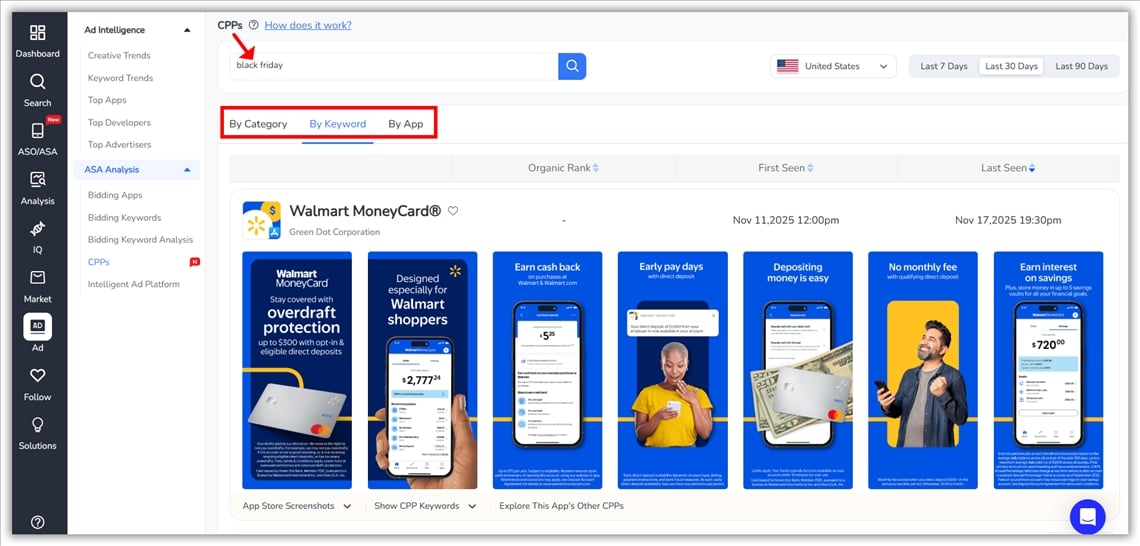
Design pages that stand out and convert:
The result? Pages that match user intent perfectly and encourage downloads immediately. Write a one-line brief per CPP: keyword theme, headline promise, first three screenshots.
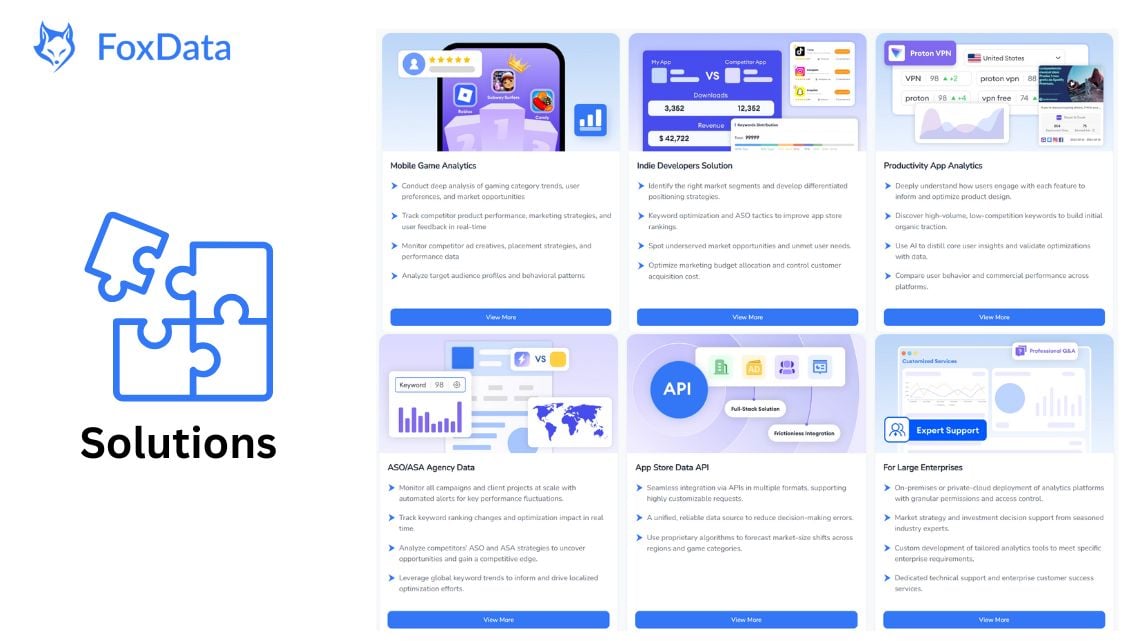
Many teams struggle aligning ad groups, CPPs, and deep links. FoxData Solutions now lets you:
One Apple Ads rule shapes your structure: an ad group runs one active custom ad at a time, so group keywords by intent theme first. You end up with a one-page map: ad group → CPP → deep link.
Launch isn’t the finish line. FoxData lets you track performance in real time:
Scaling across regions and segments becomes measurable, actionable, and efficient. Set a weekly check: keep the CPPs that earn their slot, pause the rest.
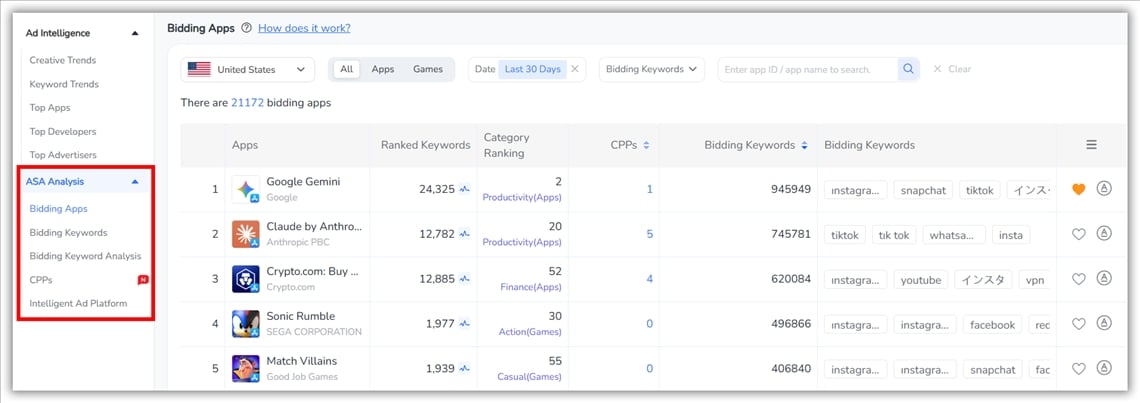
🔍 Learn More: Apple Search Ads Account Structure: The Scalable Blueprint for 2025
High-performing CPPs aren’t just for paid campaigns—they’re a goldmine of ASO insights. FoxData lets you:
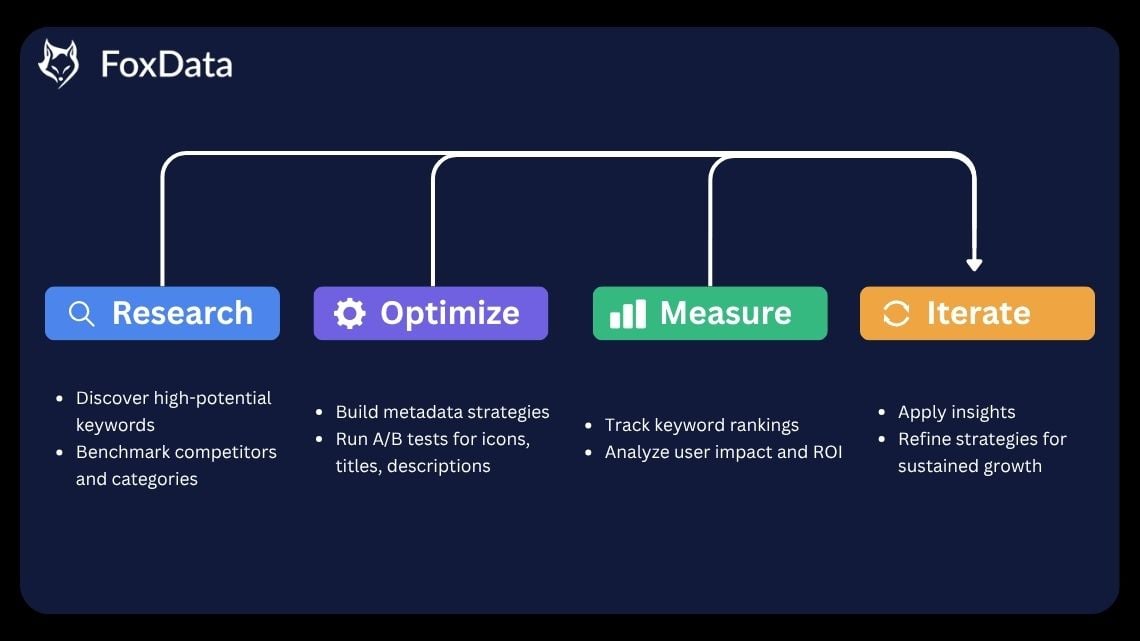
This creates a closed-loop ASO–ASA growth cycle, where each insight drives more installs, stronger brand defense, and better ROI.
|
When |
What to do |
|
Now to Nov 18 |
Pick your keyword themes (brand, one competitor, one feature). Ask engineering which deep-link destinations already exist. |
|
Nov 19 to 22 |
Build the CPPs and submit them. Apple reviews each page and deep link before it goes live, so leave a day or two. |
|
Nov 23 to 25 |
Map ad groups to CPPs. Test every deep link on a device running iOS 18 or later. |
|
Nov 26 (Thanksgiving) |
Freeze changes. Check that approved pages are live. |
|
Nov 27 to Nov 30 (Black Friday to Cyber Monday) |
Watch daily. Pause weak CPPs, keep the winners. |
|
Dec 1 onward |
Feed the winning CPP themes back into your default page and metadata. |
Black Friday traffic is volatile. Teams that prepare early—testing creatives, aligning CPPs with deep links, and locking brand defense—capture high-intent users first. Those that wait risk fighting for scraps.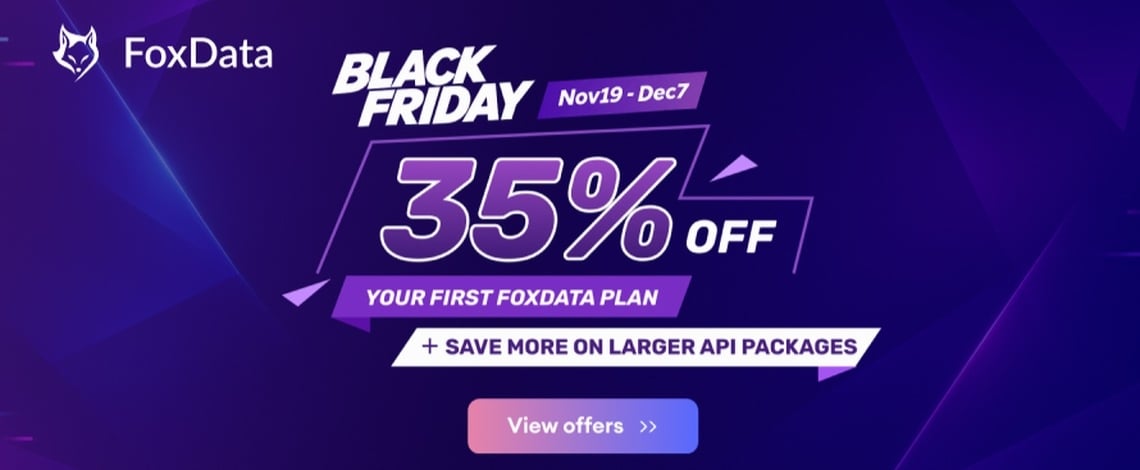
Black Friday 2026 at FoxData opens on Thursday, November 19, 2026 at 15:00 (UTC+8) and ends on Monday, December 7, 2026 at 15:00 (UTC+8). Here is who gets what:
What a new subscriber pays for the first paid period (USD):
|
Plan |
Monthly |
Quarterly |
Yearly |
Regular yearly price |
|
Standard |
$38.35 |
$109.20 |
$391.30 |
$602 |
|
Growth |
$103.35 |
$294.45 |
$1,054.30 |
$1,622 |
|
Pro (Ad Intelligence) |
$259.35 |
about $739 |
about $2,645 |
about $4,070 |
Returning subscribers pay $1,216.50 for annual Growth (regular $1,622) and about $3,052 for annual Pro (regular about $4,070). Yearly billing is where the offer pays off: the discount applies to the first paid period, so a yearly plan collects twelve months of it. Standard on yearly billing is $391.30 instead of $602.
Read the full Black Friday 2026 offer and pricing guide → · See current plans
A trial started now keeps you a new subscriber as long as you have never paid, so you can subscribe once the window opens on Nov 19 and still get the 35%. Here is a one-week path (create a free account first):
Not sure? Book a demo and tell us your app and your market.
A CPP is an alternate version of your App Store product page with its own screenshots, previews, promotional text and a unique URL. You can have up to 70 per app.
Yes. Since July 30, 2025, you can assign keywords to a CPP in App Store Connect, and it can appear in search results for those keywords instead of the default page. Each keyword can map to only one CPP.
Yes, on iOS 18, iPadOS 18 or later. When a user taps Open on the CPP, the app opens at the destination you set. Apple reviews the deep link with the page.
Not as a rule. Competition rises and tap costs rarely fall, which is why matching the page to the search matters more than a bigger bid.
From November 19, 2026 at 15:00 (UTC+8) to December 7, 2026 at 15:00 (UTC+8). New subscribers get 35% off the first paid period on Standard, Growth and Pro. Returning subscribers get 25% off annual Growth and Pro. Starter is excluded for new subscribers; Starter and Standard are excluded for returning ones.
Yes. Trial and expired-trial users who have never paid still count as new subscribers. Aim to subscribe before December 7, 2026 at 15:00 (UTC+8).
CPPs and deep links will not make your app more popular. They make sure the people who already want something find it, in one tap. Paired with FoxData’s actionable insights, you immediately know which keywords, creatives, and pages drive results.
Black Friday is Nov 27. The easiest order is: start your free trial today, build your CPP brief by day 7, then subscribe once the offer opens on Nov 19 and before it closes on Dec 7 at 15:00 (UTC+8).
👉 Create a free account and start your 7-day free trial · See Black Friday plans Free for 7 days. No sales call.
📌 In Case You Missed It (ICYMI):
© 2020-2026 FoxData. All Rights Reserved.