

Explore More Possibilities for Your Business
Full-cycle scenario construction to meet your needs from App research, development, and release to operation.
Ready for your soaring growth
It's Monday, 9:47 AM. You've got a 10 AM standup and your boss just asked in Slack: "why did we drop two spots in the category last week — did the competitor do something?"
You open App Store Connect. That only shows your app. You open a review site in another tab to see what users are saying about the competitor. You dig up last week's spreadsheet to check the ranking trend. Three tabs, three logins, and by the time you've pieced together a half-answer, standup has already started.
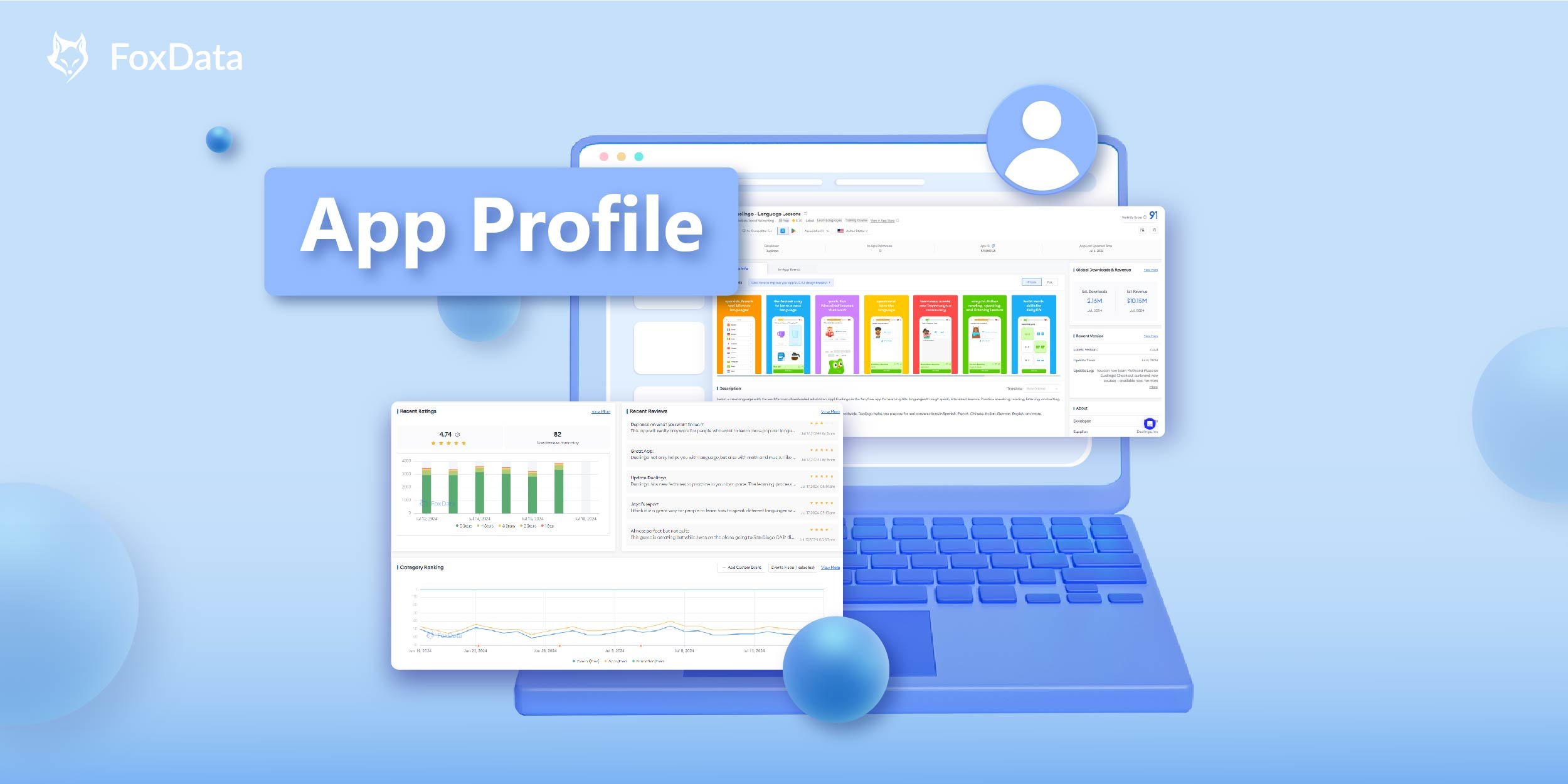
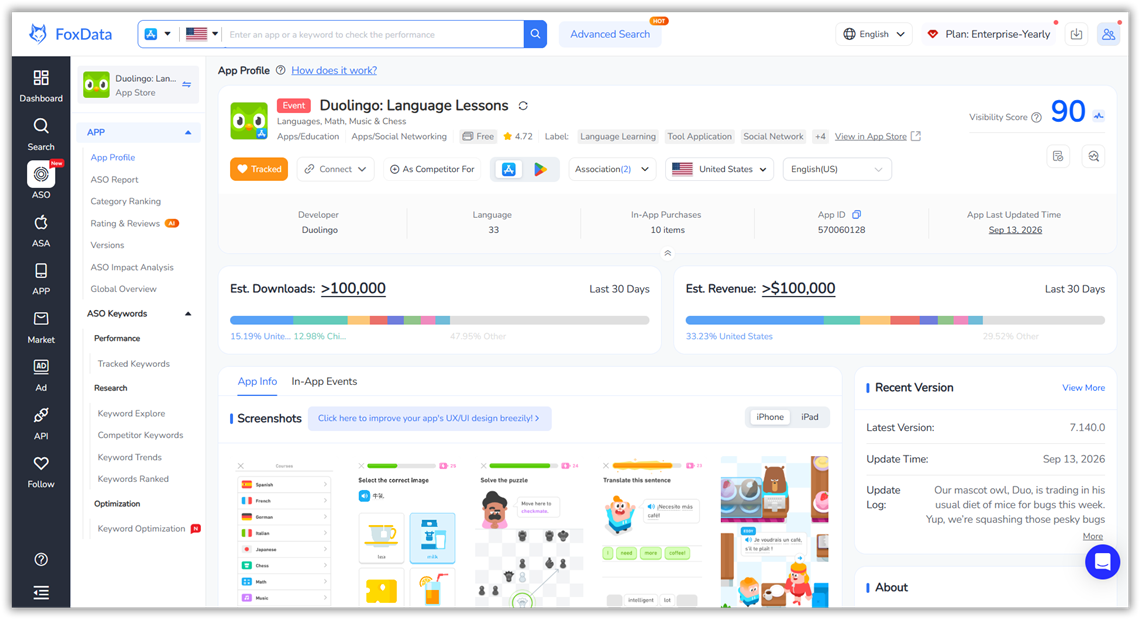
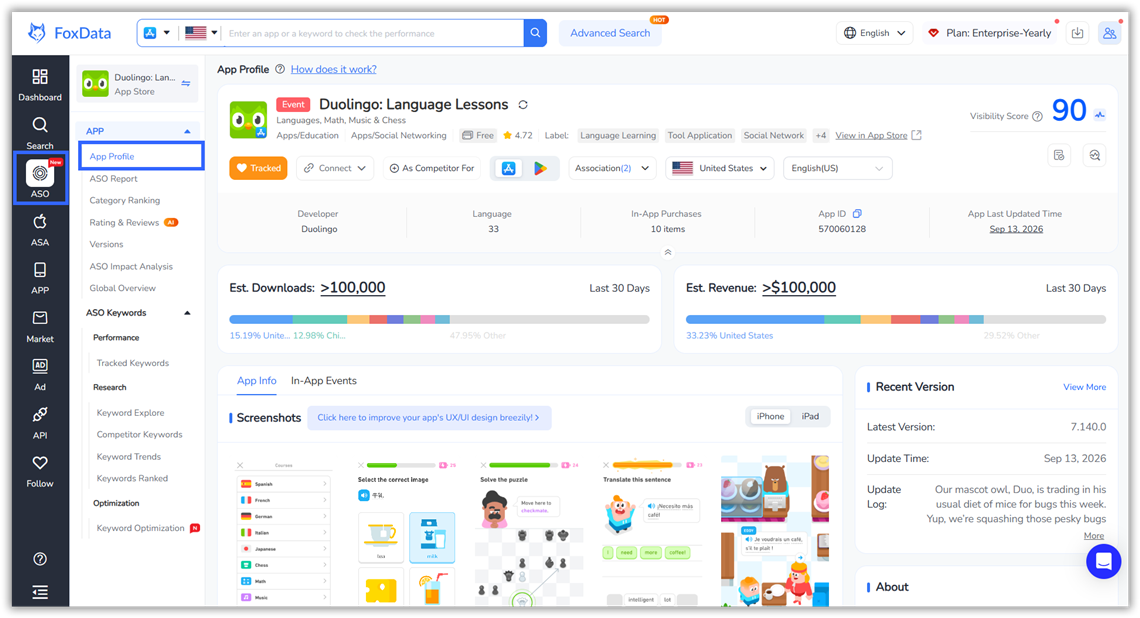
FoxData's free App Profile feature exists so that ten-minute scramble never has to happen again. One page gives you everything — App Info, In-App Events, In-App Purchases, Recent Ratings, Recent Reviews, Category Ranking, and more — for your app or any competitor's, side by side.
|
Without FoxData |
With FoxData—App Profile |
|
App Store Connect → your own listing only |
One page for your app plus any competitor |
|
Third-party review site → user sentiment |
Recent Ratings & Reviews on the same page |
|
Manual spreadsheet → ranking tracking |
Category Ranking chart with trend lines |
|
Digging through store pages → screenshots & descriptions |
App Info with 6-language translation support |
|
Guessing at revenue → no visibility |
Global Downloads & Revenue estimates |
|
Separate research for each data point |
Everything above in one view |
In other words: the next time someone asks "why did we drop," you don't open three tabs — you open one, and you already have the answer before the question finishes being typed.
|
Role |
Your Situation |
Start With |
|
You want a fast read on a competitor before you commit design or pricing time |
App Info + Recent Ratings & Reviews |
|
|
ASO manager |
You need to justify a metadata or screenshot change with evidence |
Category Ranking + ASO Impact Analysis |
|
Market researcher |
You're screening 10+ apps in a category and need a repeatable checklist |
Global Downloads & Revenue + Publisher's Other Apps |
|
A client asks "why did we drop last week" and you need the answer in the same meeting |
Category Ranking + Versions |
|
|
You need App Profile data feeding your own dashboards, BI stack, or product — not another tab to check manually |
If you saw yourself in any row above, you already know which panel to open first — keep that in mind as you read on.
To view key App Profile metrics and insights:
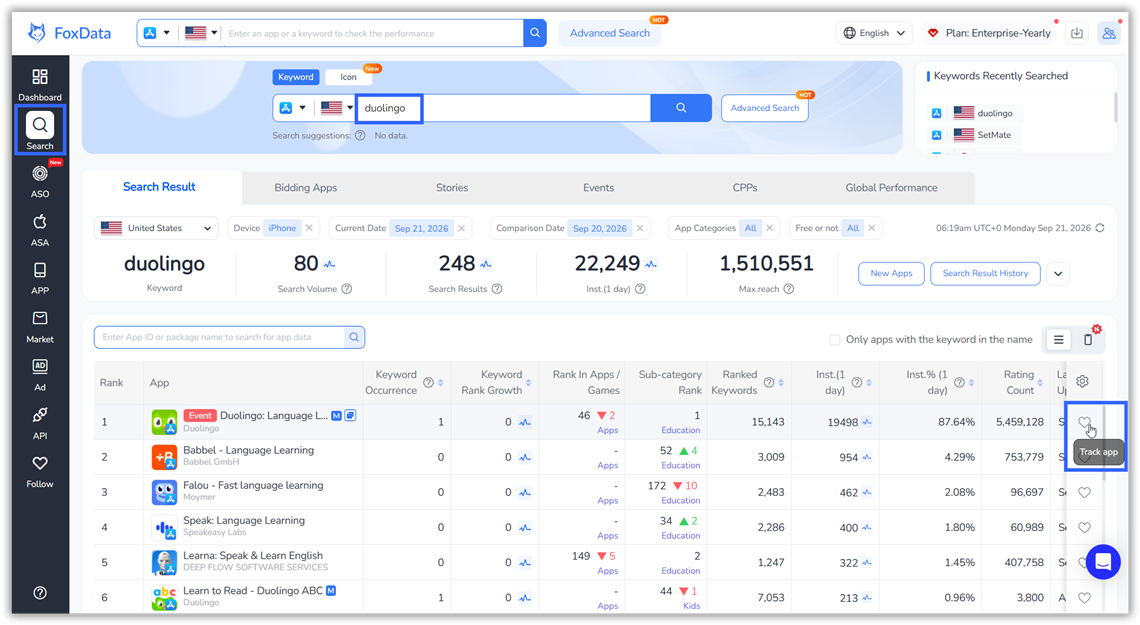

 Click the diagnostic-like button on the far right to effectively diagnose your app's ASO (App Store Optimization) basics.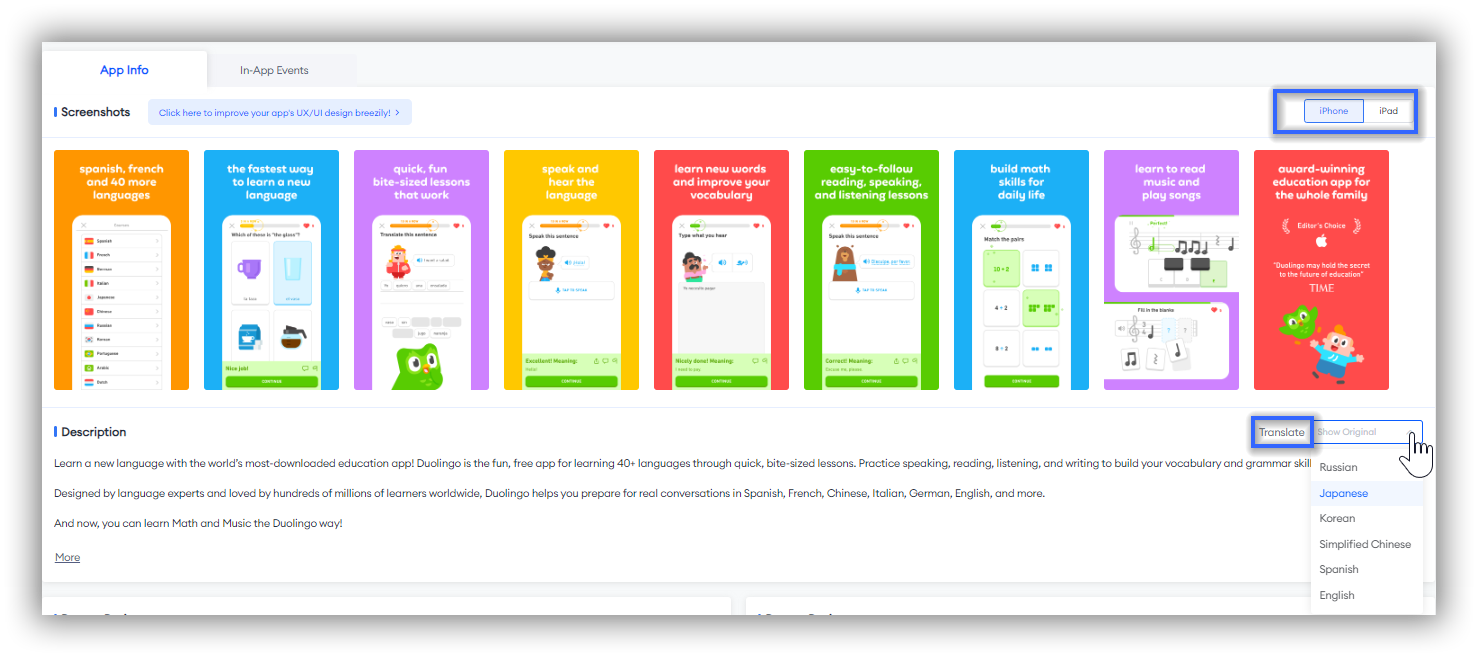
 This provides developers and market researchers with rich data support, helping them better understand user behavior, optimize products, and refine marketing strategies to enhance the app's overall performance.
Scroll down the page to view the basic information on the app's recent ratings and reviews.
App Ratings reflect user satisfaction and popularity.
App Reviews provide real user experiences and feedback, helping developers identify the app's strengths and weaknesses.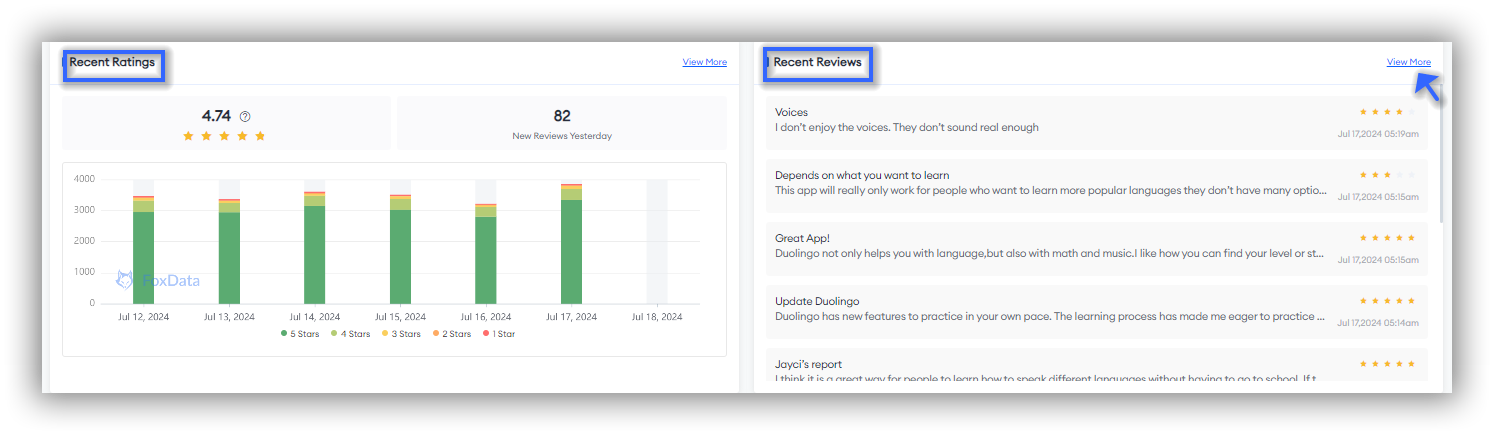 🗒️ Note: The data displayed in the App Profile is from the past few days. If you want to see more, you can click "View More" in the upper right corner of this section to jump to another feature, "Rating & Reviews" for more dimensions and dates of ratings and reviews.
👉 Guide to use the "Rating & Reviews" feature: How to Craft a Targeted Marketing Strategy With the "Review & Ratings" Feature
Category Ranking shows the Overall Trend, Apps Trend, and Category Trend of the app you are tracking.
This feature enables app marketers and developers to better understand the latest trends in the application market.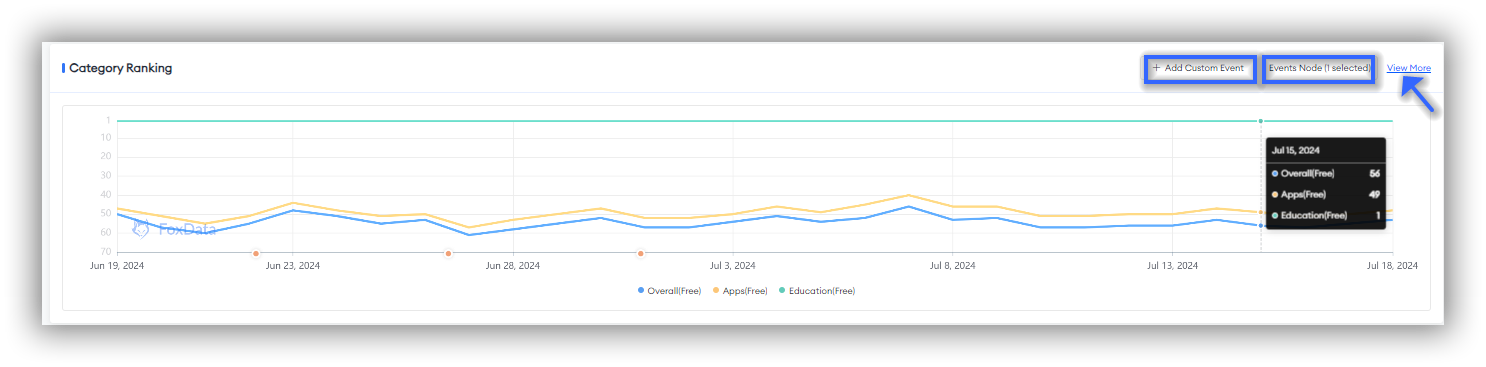
🗒️ Note: If you want to see more dates and dimensions, you can click "View More" to jump to the "Category Ranking" feature page.
👉 Guide to use the "Category Ranking" feature: How to Drive Your App Marketing Efficiency with FoxData "Category Ranking"
At the bottom of this page, you will find Publisher's Other Apps. This section displays basic data of the apps you are tracking, such as Apps/Games Rank, Latest Update, Earliest Release and Status.
The data helps you determine whether it's necessary to continue tracking and monitoring this publisher's other apps. If needed, you can click on the app icons to easily start tracking them in FoxData.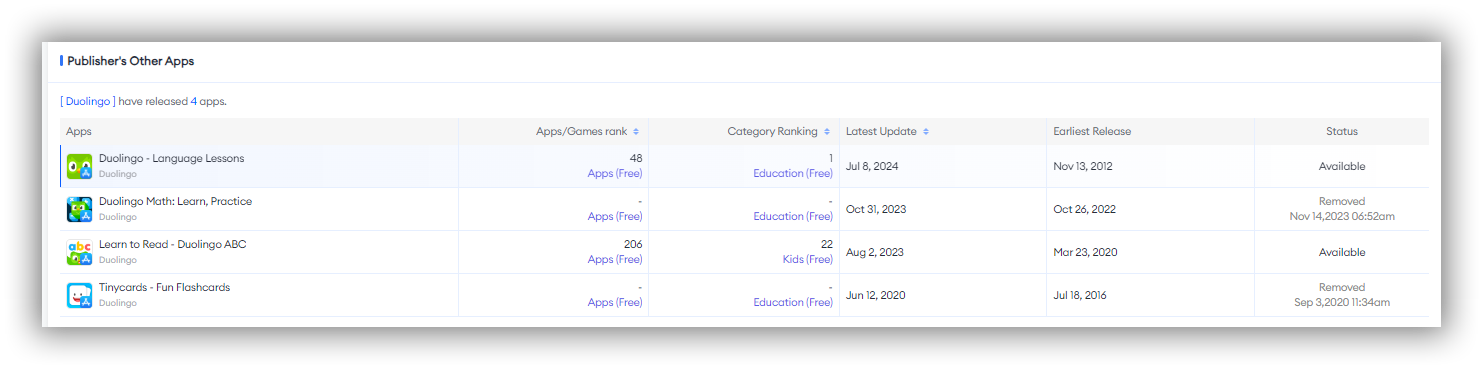
You can see this panel at the top right. This panel displays the app's estimated downloads and estimated revenue, helping you assess the market demand, user acceptance, and profitability of the app you are tracking.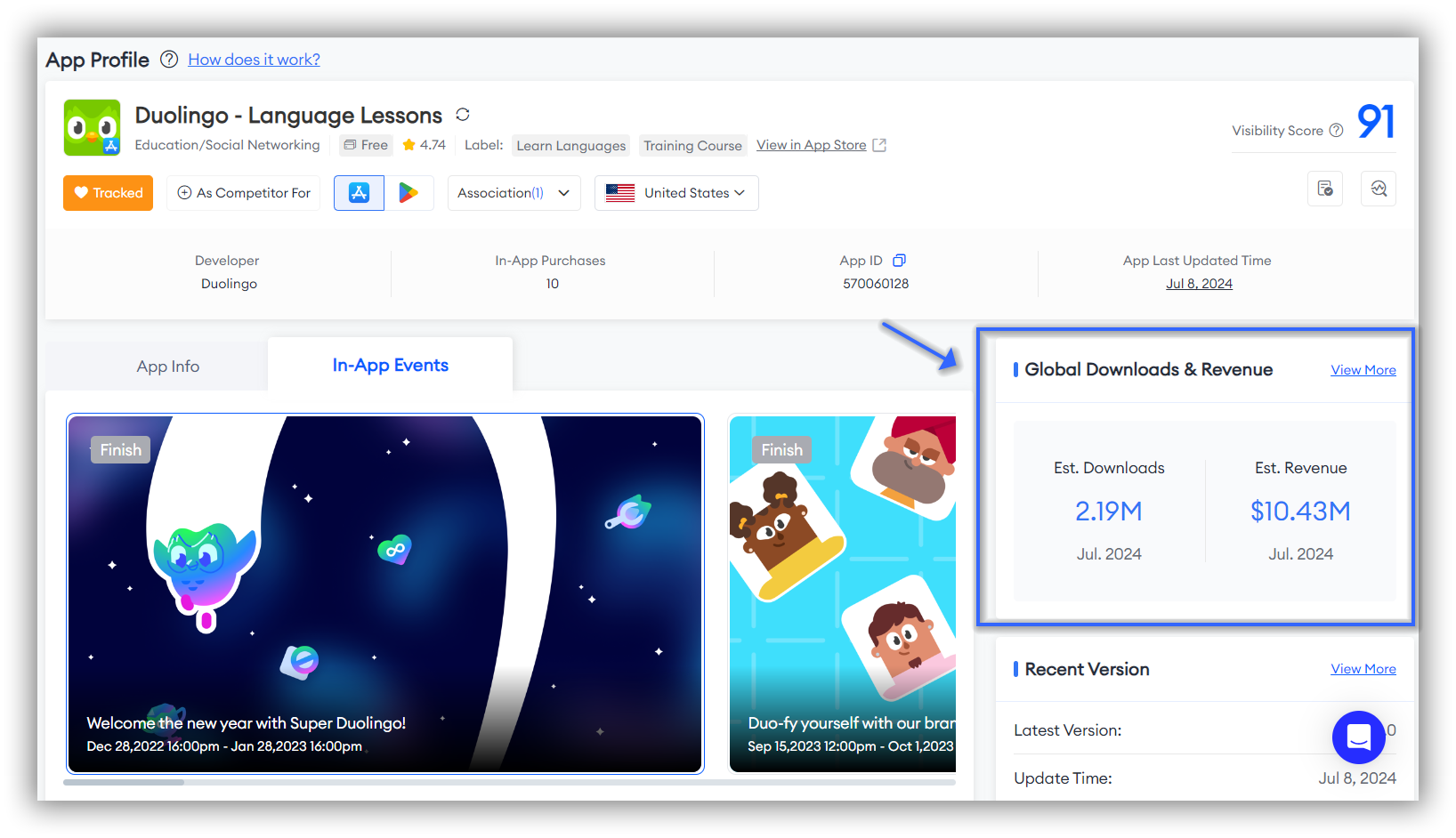
🗒️ Note: If you want to see more details, you can click "View More" to jump to the "Est. Downloads" feature page.
Version information of the selected app can be viewed here, including Latest Version, Update Time and Update Log.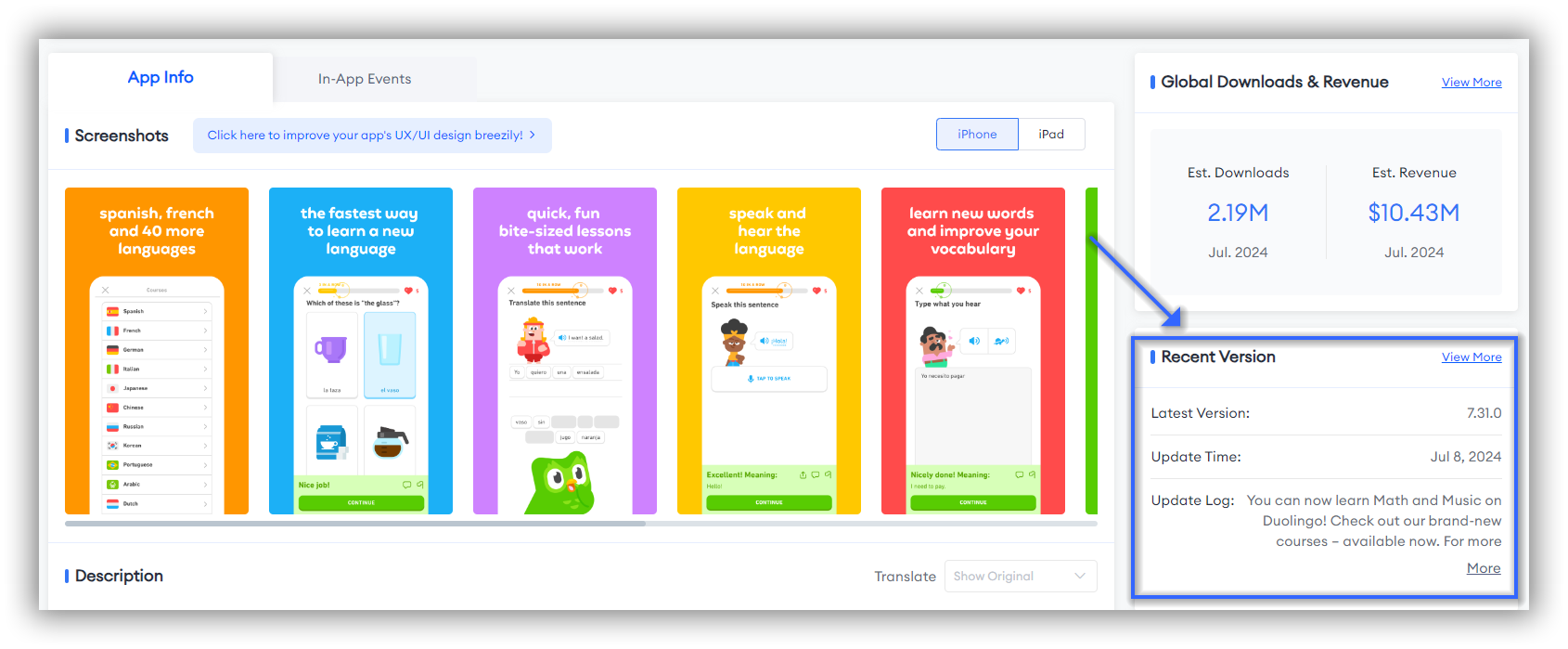 🗒️ Note: Click the button, "View More", in the upper right can learn more details at Versions page.
As you continue to scroll down, you will encounter the "About" section. This section serves as a window to help you understand more detailed basic information about the app you are tracking, including Developer, Supplier, Date of Issue, Last Updated, and other basic information.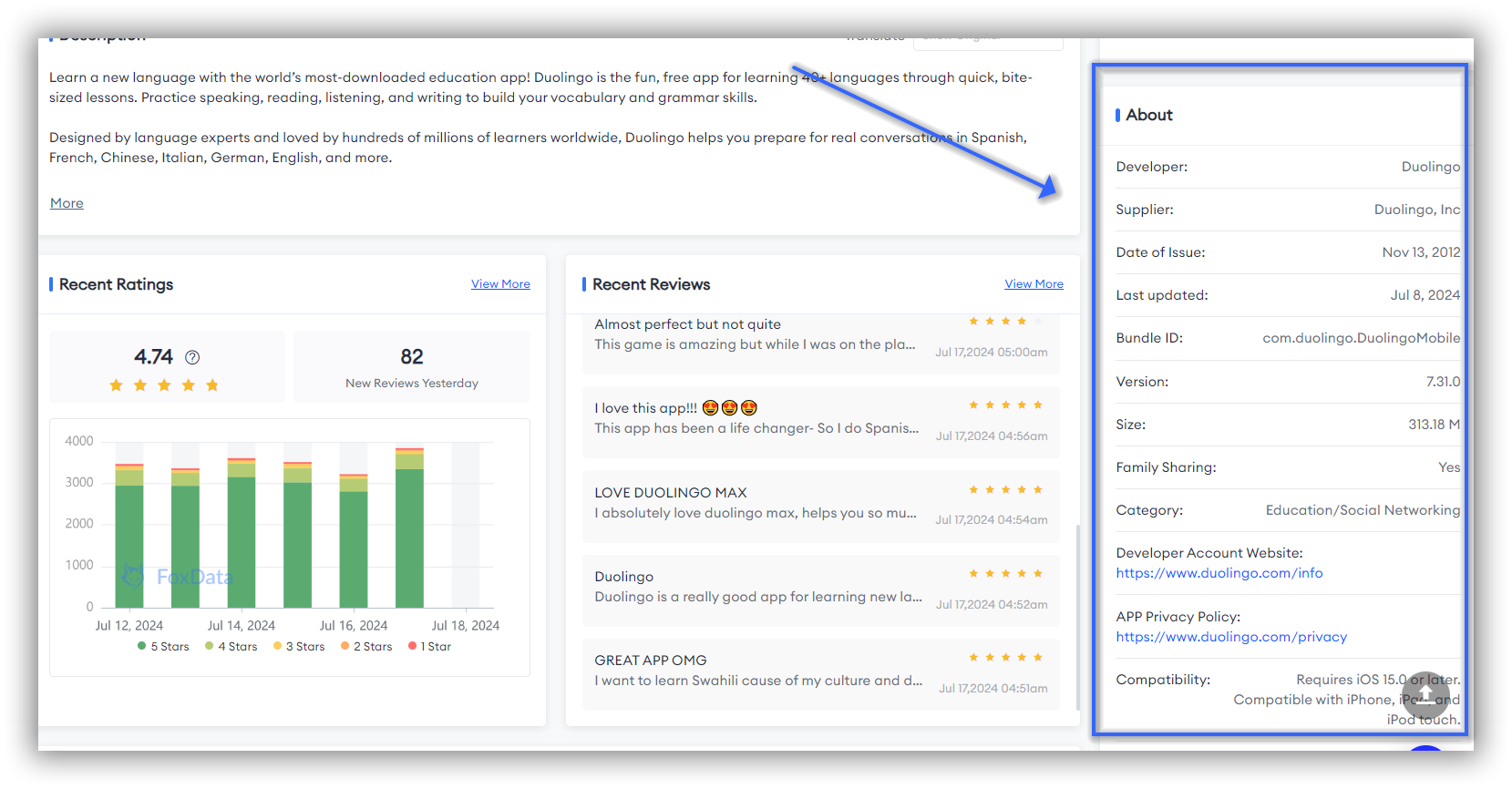
FoxData also provides information on In-App Purchases to help you understand the specific items available for purchase within the app and their prices, identifying the main sources of revenue.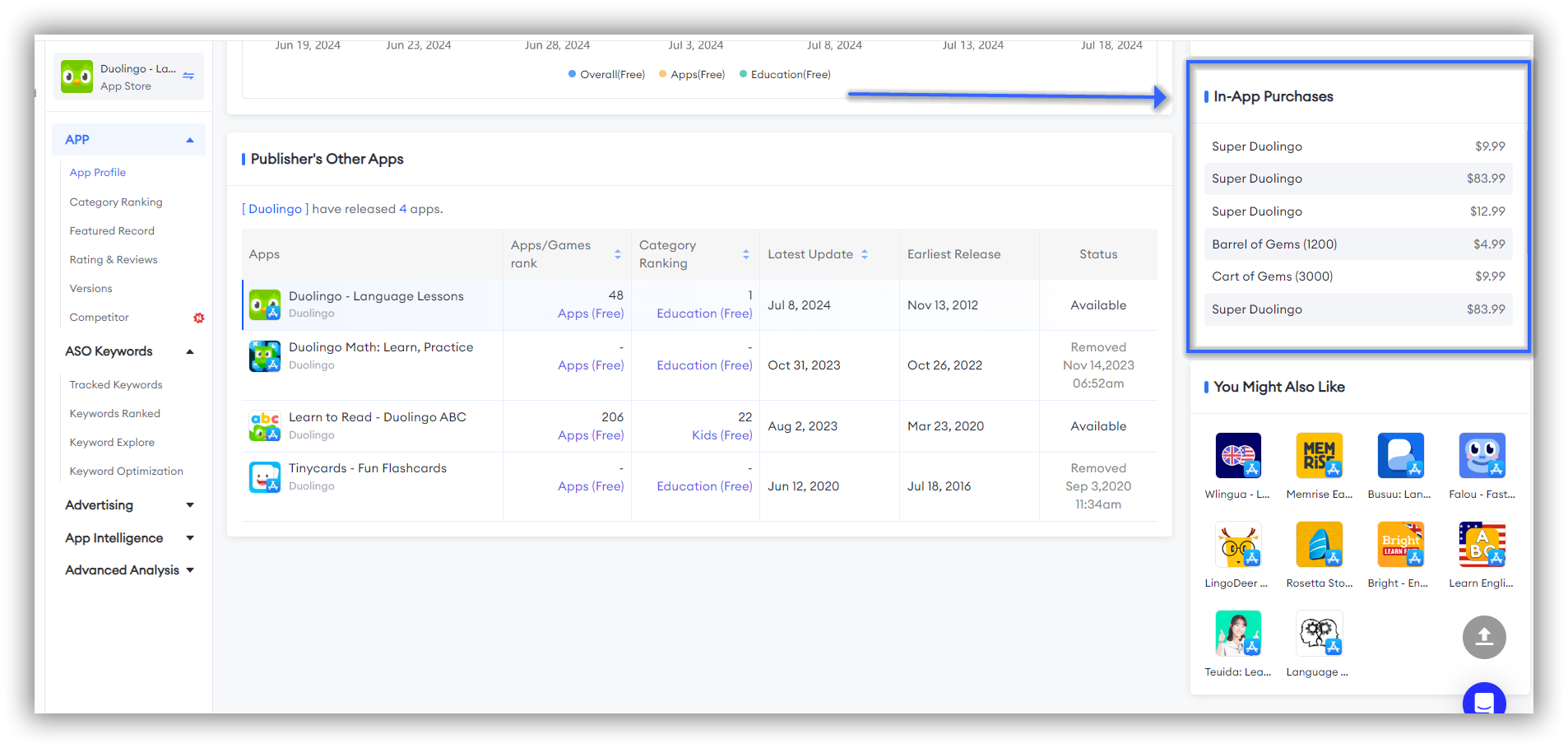
You Might Also Like/Similar apps/games
Located at the bottom right corner of the page, this section recommends similar apps to help you monitor multiple competitors.
This feature allows you to expand your monitoring to include apps and games that are similar to the one you are currently tracking.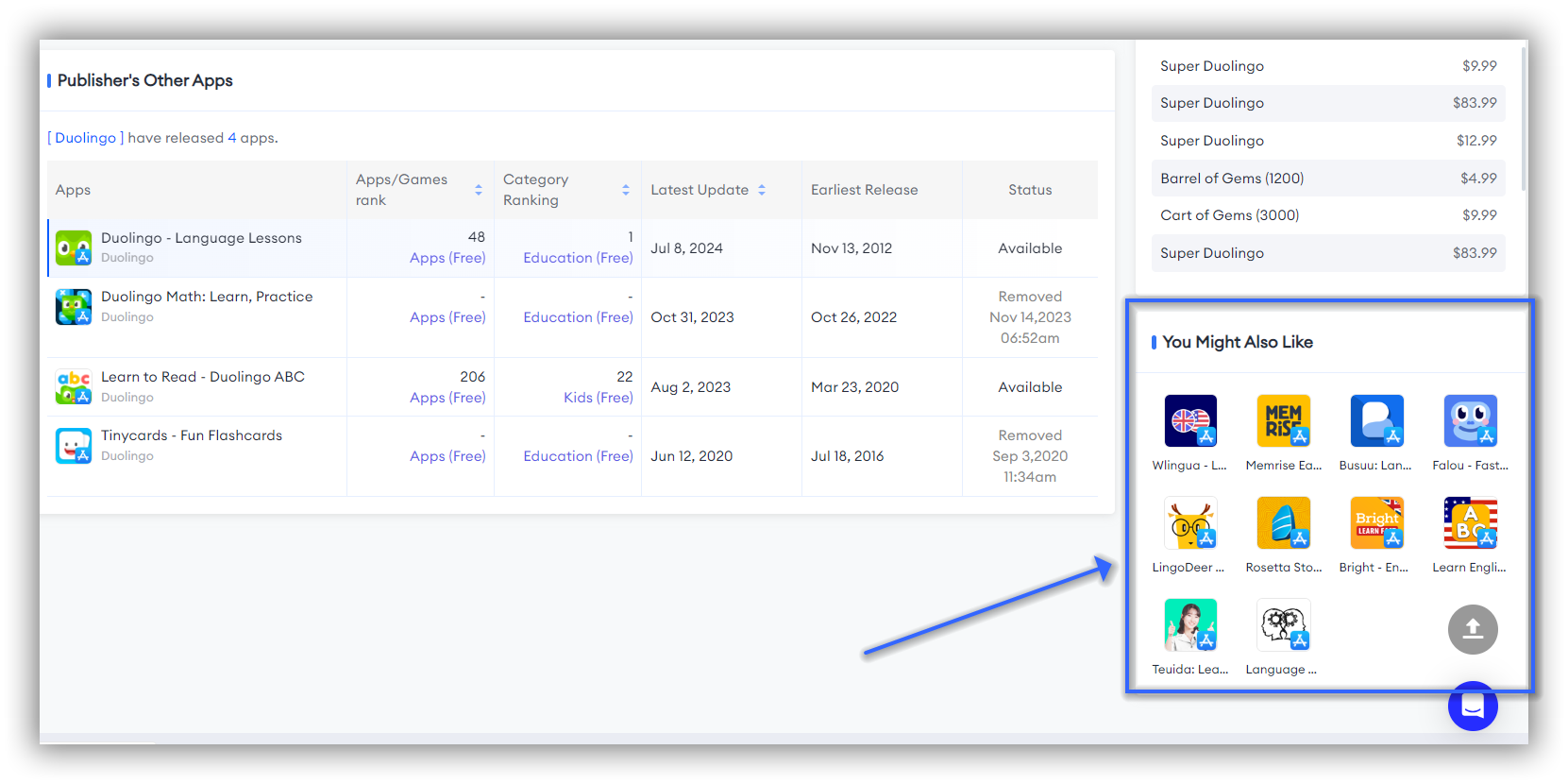
🗒️ Note: In the App Store, this section is displayed as "You Might Also Like", while in Google Play, it is displayed as "Similar Apps/Games".
Here's the shape of a real 10-minute session, not just a list of panels:
An ASO manager tracking a productivity app pulls up a top-3 competitor's App Profile. App Info shows a screenshot refresh two weeks ago. Category Ranking shows the app jumped from #8 to #4 in its category three days after that refresh. Recent Reviews show the word "onboarding" went from appearing in roughly 1 in 8 reviews to 1 in 3 — users are noticing and naming the exact change the competitor made.
That's three independent signals — creative (screenshot refresh), ranking (category climb from #8 → #4), and user sentiment (onboarding mentions tripled) — pointing at the same change, found in one page instead of three separate tools.
That's the actual value of App Profile: not any single panel, but seeing App Info, Category Ranking, and Reviews line up in one view so you don't have to mentally stitch together data from three different tabs to reach a conclusion.
Next: Once App Profile surfaces a ranking move worth investigating, the natural next step is testing a metadata response. See how Keyword Optimization lets you simulate metadata changes and compare ASO Scores before you publish — close the loop from competitor insight to your own action.
An app with moderate downloads but high In-App Purchase revenue may be far healthier than a high-download free app with no monetization. Always cross-check Global Downloads against Revenue.
That panel is the store's algorithmic recommendation — it's a useful starting point, but it won't catch every relevant competitor, especially those ranking for adjacent keywords you haven't explored yet.
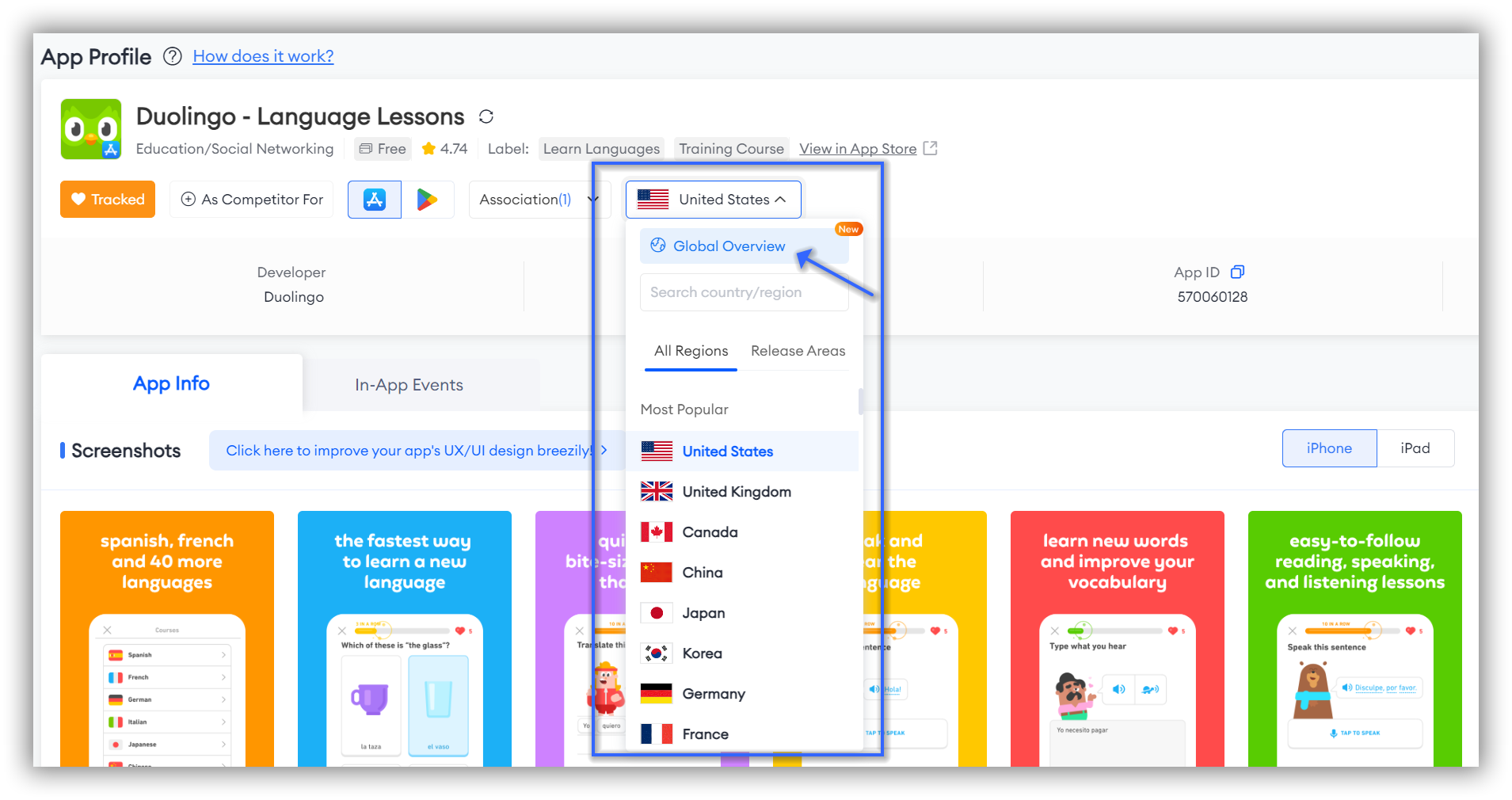
App Profile loads your default market on open. If you're researching a competitor that operates across multiple regions, toggle the flag filter — a ranking chart that looks flat in the US might tell a completely different story in Germany or Japan.
Without tagging the dates of your own metadata changes, launches, or feature releases on the Category Ranking chart, you'll be guessing which action caused which ranking move six weeks later. Tag it while you remember it — it takes ten seconds.
App Profile itself is free on every FoxData plan, including the free tier — there's no reason not to run it on your own app and your top 3 competitors today.
Where plans start to matter is what you do next with what you find here:
See the full plan breakdown to match this to where your team actually is.
The App Profile feature provides comprehensive application information and multi-dimensional data support, helping users to quickly assess an app's market performance and competitiveness.
This is beneficial not only for developers looking to optimize their products and marketing strategies but also for market researchers aiming to gain a deeper understanding of market trends and competitive dynamics, thereby enhancing the app's overall performance and market competitiveness.
Overall, the App Profile feature serves as a crucial tool for stakeholders in the app industry to enhance their understanding and strategic positioning in the market.
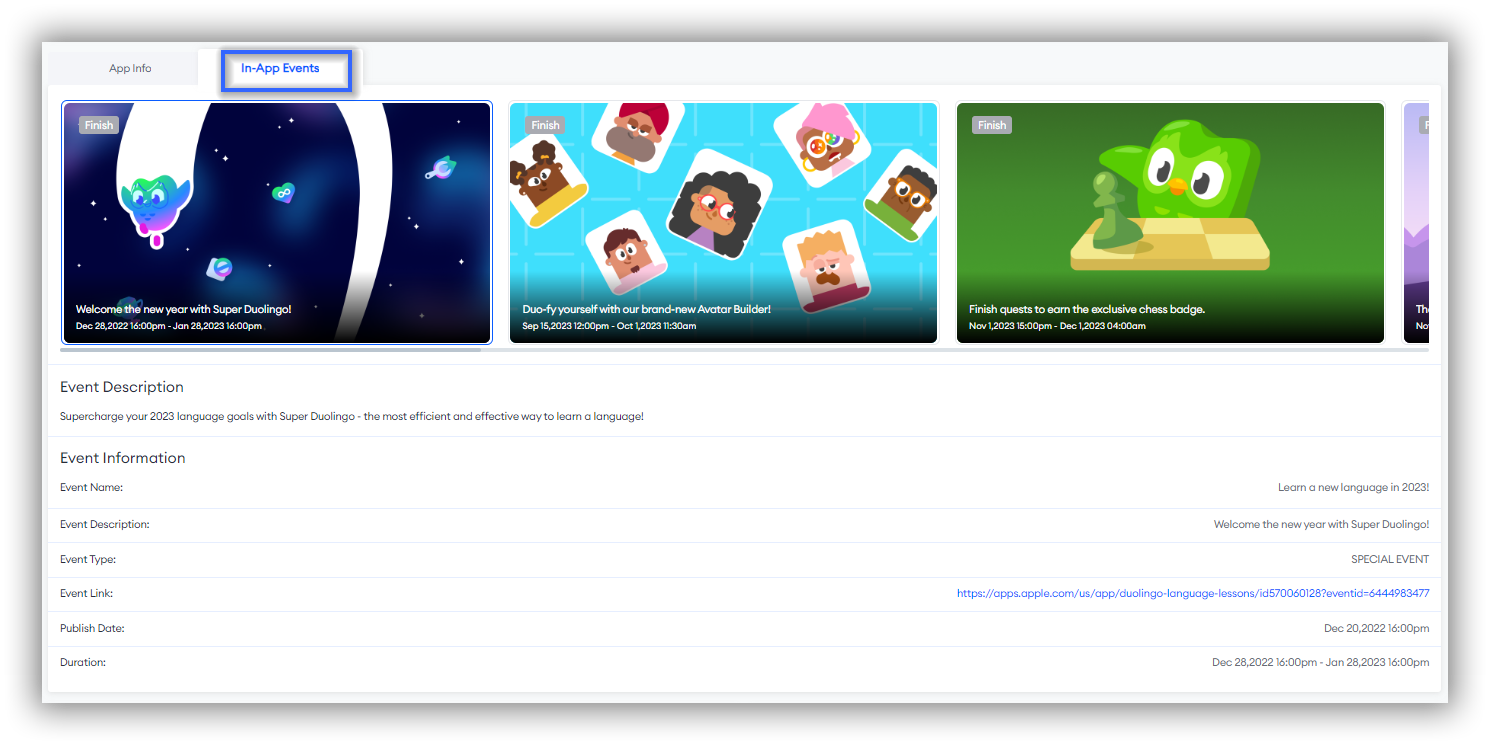
A: If the app you are tracking has not created any in-app events, there will be no related options or information next to App Info. Additionally, apps on Google Play do also not have in-app events.
You've seen what one App Profile check can surface. Do it on your top competitor right now — search for their app, open App Profile, and see what their last ranking move actually lines up with.
© 2020-2026 FoxData. All Rights Reserved.