


Explore More Possibilities for Your Business
Full-cycle scenario construction to meet your needs from App research, development, and release to operation.
Ready for your soaring growth
TL;DR: If you track keywords for more than two or three apps, the spreadsheet is the bottleneck. A keyword data API moves the pulling, checking and reporting into a scheduled pipeline, so your time goes to decisions instead of exports. This guide shows five workflows you can copy, the mistakes that waste the effort, and how to see the same keyword data on your own app with a 7-day free trial, before you decide on API access.
Most ASO teams start with a spreadsheet. They manually pull keyword rankings, copy-paste search volume estimates, and track competitor metadata in a shared tab that nobody fully trusts. For a small app in a niche category, that might be enough to get by.
You know the feeling: it is Monday morning, the client report is due at noon, and you are on the ninth export of the day. Halfway through, a competitor's title change shows up in Slack, and you realize the numbers you just pasted are already a week old.
But once you are managing multiple apps across several markets, or running both organic ASO and Apple Search Ads campaigns simultaneously, manual processes break down fast. Data becomes stale before decisions get made. Opportunities get missed. Teams waste hours on work that should take minutes.
This is where a keyword data API changes everything. Rather than pulling data point by point through a dashboard, an API lets your workflow consume keyword intelligence directly, feeding it into the systems and reports you already rely on. The result is a faster, more accurate, and genuinely scalable approach to optimization.
In this guide, we will walk through what keyword data APIs actually do, why they matter for modern ASO, and how to put them to work in a real workflow starting today. By the end you will know which of the five workflows fits your team first, and what a realistic first week looks like.
|
If you are… |
Your pain |
Start at |
|
ASO / ASA agency |
Re-pulling the same data for every client, every week |
Steps 2 and 4 |
|
In-house growth team |
A keyword sheet nobody trusts |
Steps 1 and 3 |
|
Game publisher / UA manager |
Many titles and markets, ASO cut off from acquisition reporting |
Steps 4 and 5 |
|
Indie developer / small team |
No analyst time to spare |
Step 2, the simplest script |
Before getting into the technical setup, it helps to understand why keyword intelligence is so foundational to app growth.
Research consistently shows that around 65% of app downloads on the App Store come directly from search. A separate analysis found that keyword searches drive more than 60% of all app downloads across both major stores. These are not marginal discovery channels. Search is still the single biggest driver of organic installs, and organic installs account for the overwhelming majority of global downloads when you look across the full app ecosystem.
What this means in practice is that ranking for the right keywords, in the right markets, at the right time is one of the highest-leverage activities an ASO team can perform. And that requires accurate, timely, and comprehensive keyword data. Not weekly snapshots. Not estimates pulled from a tool once a month. Structured, programmatic access to keyword metrics that you can act on at the speed your competitors are moving.
With millions of apps competing on each major store, and research confirming that ASO-controlled metadata fields like title, subtitle, and keyword field are among the most influential ranking factors, the margin for guesswork is razor-thin. Data-driven teams win. Teams working from intuition and outdated reports fall behind.
There is also a cost that never shows up on a report: every hour spent exporting is an hour not spent on the metadata test, the localization push or the bid change that would move installs. Speed of insight compounds. A team that sees a ranking drop on Tuesday and fixes it Wednesday keeps weeks of installs that a weekly-report team loses.
Unlock More with FoxData's Upgraded Plans — Discover newly enhanced plan benefits with ASO Intelligence, Ad Intelligence, and API Solutions. Check it out.
An app keyword data API is a programmatic interface that delivers structured keyword intelligence directly to your systems. Instead of opening a tool, navigating a dashboard, and exporting files, you send a request and receive clean, structured data you can immediately use.
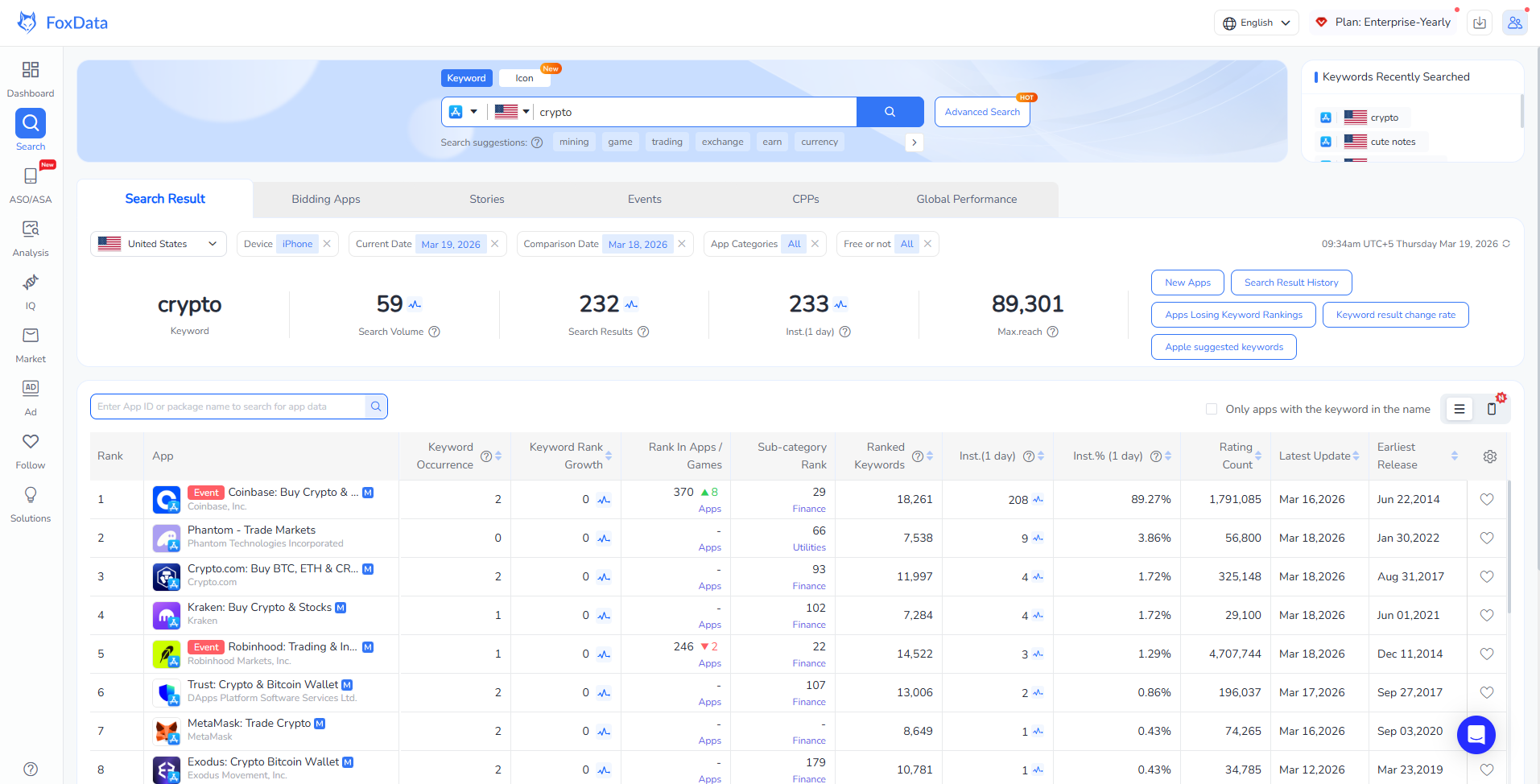
Depending on the platform, a keyword data API typically gives you access to the data below, and what each one lets you do:
Search volume and popularity scores for any keyword across the App Store and Google Play, by country and device type.
→ Decide which terms deserve a slot in your title or subtitle.
Keyword difficulty estimates that indicate how competitive it will be to rank for a given term based on the current field of apps targeting it.
→ Stop chasing terms you cannot win.
Ranking history and position tracking for your app and competitors across hundreds or thousands of keywords simultaneously.
→ Prove which metadata change actually moved rankings.
Keyword suggestion and expansion data that surfaces related terms, long-tail variants, and trending phrases in a specific category or market.
→ Find the long-tail terms competitors have not claimed.
Competitor keyword analysis showing which terms rival apps are ranking for and where gaps exist in your current metadata.
→ Turn a competitor's update into your next opportunity.
When you connect this kind of data source through FoxData's mobile app and game keyword intelligence API, you are no longer limited by what you can manually pull from a UI. You can build automated pipelines, trigger alerts when rankings shift, feed your keyword list directly into your metadata workflow, and synchronize ASO data with your broader reporting infrastructure.
Dashboard vs. API in one line: the dashboard is for a person checking data; the API is for a system delivering it, on your schedule, into the tools your team already uses. Most teams keep both.
Here is a practical, step-by-step approach to integrating keyword API data into your ASO operations.
Before you can optimize anything, you need to know which keywords to track. Most teams start with a seed list built from product knowledge, competitor observation, and category research. The API accelerates this dramatically.
Make a batch request for keyword suggestions based on your core terms. Pull search popularity scores and competition levels. Sort by opportunity, combining high volume with manageable difficulty. The result is a structured keyword universe you can version-control, share across your team, and update on a scheduled basis rather than on a whim.
For a game publisher running titles across multiple genres, this step alone can reduce keyword research time by 80% or more. What took a full analyst day now runs as a scheduled script.
You will know it works when: you open one sheet or table and see a ranked list of opportunity keywords, refreshed automatically, that your whole team trusts.
One of the most immediately practical uses of a keyword data API is automated rank tracking. Instead of manually checking where your app sits for key terms every week, you build a lightweight monitoring layer that fetches current ranking data on a schedule and writes it to a central store.
This gives you a real-time view of ranking movements without anyone having to log in and manually check. If your title drops from position 4 to position 15 for a critical keyword, your system flags it. You investigate. You respond. No delay.
Combine this with metadata change tracking on competitor apps, and you have a system that tells you not just what happened, but likely why. When a competitor updates their title and jumps in rankings, you see both events in context.
Scenario: imagine an agency tracking 25 client apps. Every Monday, someone spends the first two hours exporting and cleaning rankings. With a scheduled pull, the data lands overnight and the report is waiting when the team logs in. The two hours move to the work clients actually pay for: strategy and testing.
You will know it works when: a rank drop reaches you as an alert before a client asks about it.
Want to see your own rankings in this format? Start your 7-day free trial and see the same keyword data on your own app, or read the API documentation first.
The real power of programmatic keyword access is closing the loop between data and action. Most ASO teams have a metadata update cadence, typically aligned to app store review windows.
Research from analysis of top-performing apps found that frequent metadata updates correlate with better rankings, with top apps refreshing screenshots two to four times per year and some game publishers updating even more frequently.
When your keyword data is accessible via API, you can build a workflow where ranking data directly informs your next metadata iteration. Identify which keywords are on the boundary of ranking, terms where your app appears on page two or three. Analyze whether those keywords are present in your title, subtitle, or keyword field. If they are not, that is a gap your next update can close.
This feedback loop is what separates teams doing ASO at scale from teams doing ASO manually. The habit to build: before every metadata submission, pull the "page two or three" list, and let it decide what goes into the next version.
Prefer to work inside a UI? FoxData's Keyword Optimization tool covers the same loop without code.
ASO and Apple Search Ads are not separate disciplines for high-performance teams. They are complementary data sources. Keywords that perform well organically often signal strong intent, which makes them excellent ASA candidates. Conversely, ASA impression data from your campaigns can surface new organic keyword targets you had not previously considered.
When keyword performance data is available through a structured API, you can automate this cross-channel analysis.
Pull organic rankings alongside ASA impression share for overlapping keywords. Identify terms where you rank organically but have no paid presence, or where paid is performing but organic ranking is low. Build the bidding and metadata decisions that follow from that analysis.
This kind of integration is precisely the use case that FoxData's app data API is designed to support, enabling teams to connect ASO and paid intelligence within a unified data layer rather than toggling between disconnected platforms.
Related: How to Automate Apple Search Ads and Scale Campaigns Faster.
Localization is one of the most underleveraged growth levers in ASO. Research consistently shows that expanding metadata into additional markets requires keyword research in each local language, because search behavior differs significantly across regions. You cannot simply translate your English keywords and expect equivalent performance.
With API access, you can batch-pull keyword suggestions and search popularity scores across multiple countries in a single workflow. Build a localization matrix that shows keyword opportunity by market, prioritize the regions with the highest gap between potential and current optimization, and feed that into your localization roadmap.
Teams managing apps in five or more markets will find this workflow a significant unlock. The data that previously required hours of manual research in multiple tool views becomes a single structured output.
|
Day |
Action |
Outcome |
|
1 |
Get access and read the docs |
Know what data you can pull |
|
2 |
Pull keyword data for one app in one market |
Check the data against what you know |
|
3-4 |
Schedule a daily or weekly pull into a sheet or BI tool |
First automated report |
|
5 |
Set one rank-drop alert on your top 10 keywords |
First alert you did not have to check for |
Start with one app and one market. Adding the next ten is cheap once the first pipeline works.
FoxData is built specifically for mobile app and game teams who need structured, programmatic access to keyword intelligence. Rather than a dashboard-first tool that bolts on an API as an afterthought, the FoxData app data API is designed to serve data-driven teams that need clean, reliable data they can build on.
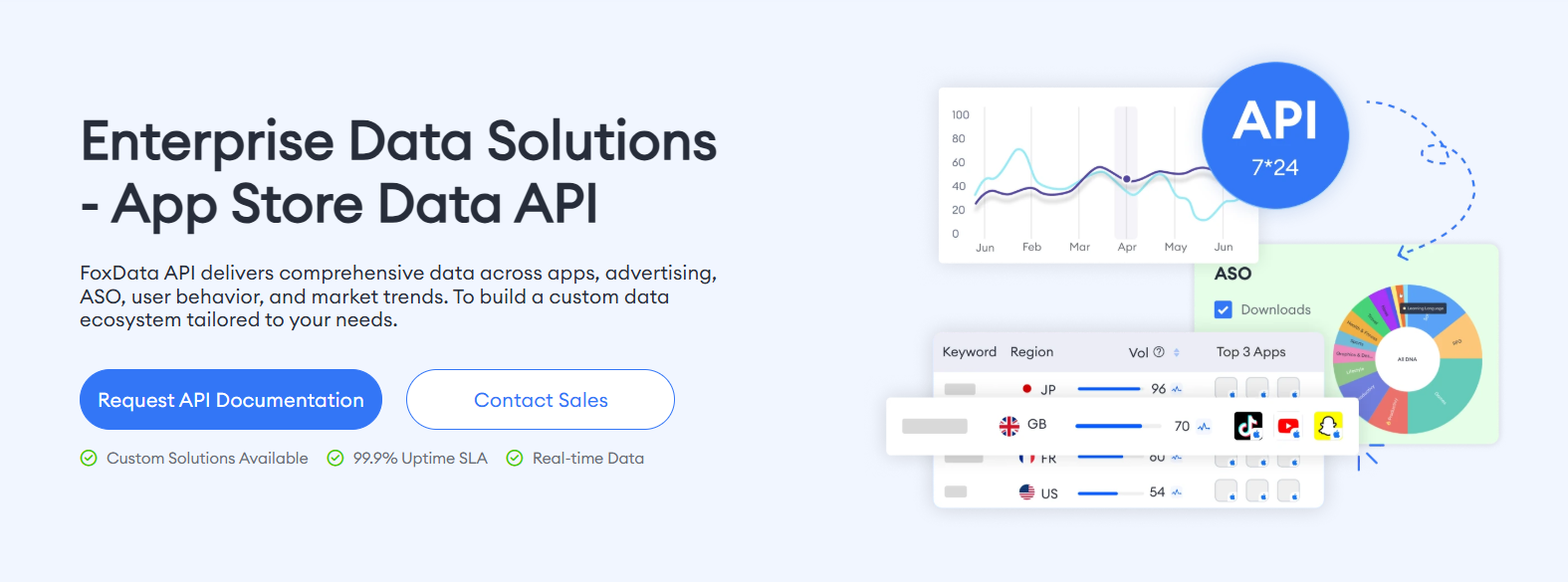
Key capabilities include keyword search volume and difficulty data across App Store and Google Play, multi-country and multi-market keyword intelligence, competitor keyword ranking and metadata tracking, and historical ranking trend data for long-term performance analysis.
The API is structured to integrate with existing data workflows, whether your team works in SQL, Python, BI tools, or custom dashboards.
For game publishers and UA managers who need to connect ASO performance to broader acquisition reporting, having all of this accessible through a single, well-documented API endpoint removes significant operational friction.
What you get, and what it costs to start: you can begin with one app and one workflow for $59, and the credits never expire.
|
Price |
Credits |
Best for |
|
|
Small |
$59 |
75,000 |
Testing, single-app workflows |
|
Medium |
$199 |
350,000 |
Multi-app teams, agencies, automation |
|
Enterprise |
Custom |
Custom |
SaaS platforms, large studios, all-time historical data |
Not sure which tier fits? Talk to the team and bring your expected data volume. See plans
Even teams with the right tools can run into problems if the workflow is poorly designed. Here are the most common pitfalls:
Tracking too many keywords without prioritization. An API makes it easy to monitor thousands of terms. But without a clear scoring model for which keywords actually matter to your growth goals, you end up with noise. Segment your keyword universe into tiers based on relevance, volume, and achievable rank position, and focus your optimization energy accordingly. Rule of thumb: tier 1 gets daily attention, tier 3 gets a monthly look.
Pulling data without acting on it. Keyword intelligence only creates value when it informs a decision. If your monitoring pipeline flags a ranking drop and nobody investigates, the data was wasted. Build alerts and accountability into your workflow so that data triggers action, not just a report nobody reads. Name an owner for every alert.
Ignoring keyword intent in metadata placement. Search volume alone is not a sufficient filter. A high-volume keyword that does not match what your app actually does will generate impressions but not downloads. Keyword intent, how closely a search term maps to your core user need, should be part of how you score and prioritize your keyword list.
Treating keyword data as a one-time exercise. ASO is not a setup task. App store algorithms evolve, competitors update their metadata, new terms emerge, and seasonal trends shift rankings. Your keyword data workflow needs to be continuous, not periodic. The teams who build automated monitoring and act on regular signals outperform those who run a full audit once a quarter.
Failing to align ASO and paid keyword strategy. Many teams run ASO and Apple Search Ads in separate silos. This leaves value on the table. Keyword data API access makes it practical to bridge both, and teams that integrate the two gain a more complete picture of keyword performance than either channel provides alone.
Keyword data is the engine of effective ASO, but only if your team can access it at the speed and scale your workflow actually requires. Manual processes and dashboard-dependent research will always lag behind what is happening in your markets.
Building your ASO operations around programmatic keyword data access means decisions happen faster, opportunities do not get missed, and your metadata stays competitive rather than stale.
The teams consistently outranking their competitors are not working harder. They are working with better data, more frequently, in a more automated way. That is exactly what a well-integrated keyword data API makes possible.
Pick the next step that fits where you are:
🔹 Just exploring? Try the free ASO tools
🔹 Ready to see it on your own app? Start your 7-day free trial.
🔹 Managing many apps or need a custom setup? Book a demo and bring your current reporting workflow.
Ready to move beyond manual keyword research? Explore FoxData's App Data API to see how mobile app and game teams are building scalable, automated ASO workflows powered by real-time keyword intelligence.
What is an app keyword data API and how is it different from a standard ASO tool?
A standard ASO tool delivers keyword intelligence through a visual interface, dashboards, charts, and export files. An app keyword data API delivers the same data in a structured, machine-readable format you can query programmatically.
This means you can automate data retrieval, integrate keyword data into your own reporting systems, and build workflows that respond to keyword changes in real time. The underlying data may be similar, but the API approach is designed for teams building scalable, automated ASO operations rather than those doing manual research.
How often should keyword ranking data be refreshed?
For actively managed apps and competitive markets, daily or near-daily refreshes give you the most actionable signal. Weekly data is workable for stable categories or lower-priority titles, but for a live game or an app in a highly competitive vertical, you want to know about ranking shifts quickly.
One of the core advantages of using an API is that you set your own refresh frequency rather than depending on a tool's update schedule.
Can keyword API data be used to improve Apple Search Ads campaign performance?
Yes, and this is one of the most impactful integrations available. Organic keyword ranking data reveals which terms your app already has traction on, which helps you prioritize ASA bids more intelligently. Organic performance on a keyword signals strong relevance, which typically correlates with better quality scores and lower CPTs in Apple Search Ads.
Teams that use keyword API data to inform both their metadata and their paid campaigns tend to see stronger outcomes in both channels.
Is keyword data API access useful for smaller teams or indie developers?
Absolutely. While API access is often associated with larger publisher teams, the efficiency gains apply at any scale. A small team managing two or three apps across multiple markets can save significant time by automating keyword tracking and research instead of doing it manually.
The key is building simple, focused integrations rather than complex pipelines. Even a basic script that fetches weekly keyword rankings and writes them to a shared sheet is a meaningful improvement over manual monitoring.
Do I need a developer to get started?
Not necessarily. If you can schedule a script or use a no-code automation tool that calls a web endpoint, you can build the Step 2 pipeline. Larger integrations, such as a BI warehouse, usually benefit from developer help.
Which plan includes API access, and how are limits handled?
API Solutions is a separate subscription with three tiers: Small ($59, 75,000 credits), Medium ($199, 350,000 credits) and Enterprise (custom). All tiers include full API access, and credits never expire.
Ready to make your app shine? Optimize your app's visibility with FoxData, the ultimate ASO tool! Maximize downloads and rankings by leveraging our powerful insights today.
App Growth & ASO Tools by FoxData
FoxData supports every stage of app growth with specialized ASO and app analytics tools, helping teams improve keyword visibility, user acquisition, and retention through reliable data.
🔍 Store Keyword Research Tools
Research high-intent keywords, search volume, and competition to strengthen your app store optimization strategy.
📈 App Store Keyword Tools
Analyze keyword rankings and performance across the Apple App Store and Google Play to refine ASO execution.
📊 ASO Monitoring Tools
Monitor keyword ranking changes, visibility trends, and ASO impact over time with continuous performance tracking.
👥 User Activity Monitoring Tools
Understand in-app user behavior, engagement, and retention with real-time user activity analytics.
Together, these tools form FoxData’s ASO analytics and app intelligence ecosystem, designed to help developers, marketers, and growth teams make data-driven decisions and scale sustainably.
Explore it today!
👉 Learn more about FoxData here | 👉 Book a demo with FoxData team today!
© 2020-2026 FoxData. All Rights Reserved.