

Explore More Possibilities for Your Business
Full-cycle scenario construction to meet your needs from App research, development, and release to operation.
Ready for your soaring growth
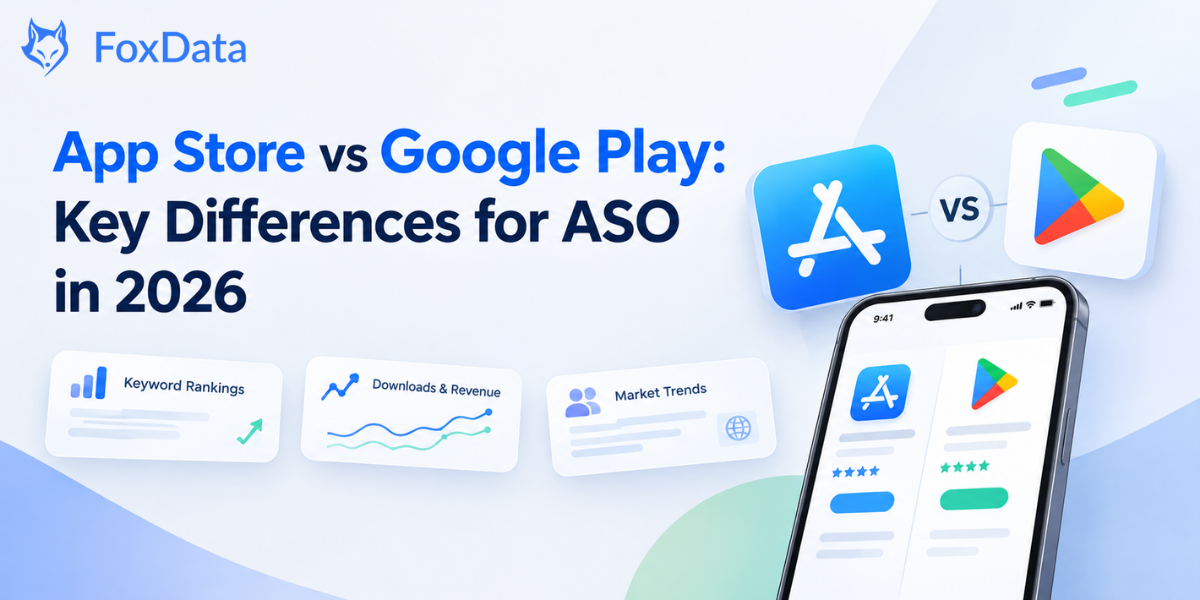
The short answer: the two stores search differently, so one ASO plan can't serve both. Apple matches a search against three fields you control: the app name, the subtitle, and a hidden 100-character keyword field. Google Play reads your title, short description and long description much like a search engine reads a web page, and it also uses technical quality signals from Android vitals. The same keyword can sit near the top on one store and be invisible on the other. Search matters on both: Apple says nearly 65% of App Store downloads happen right after a search. Below: a side-by-side table, the 2026 updates worth acting on, and a plan for running both stores.
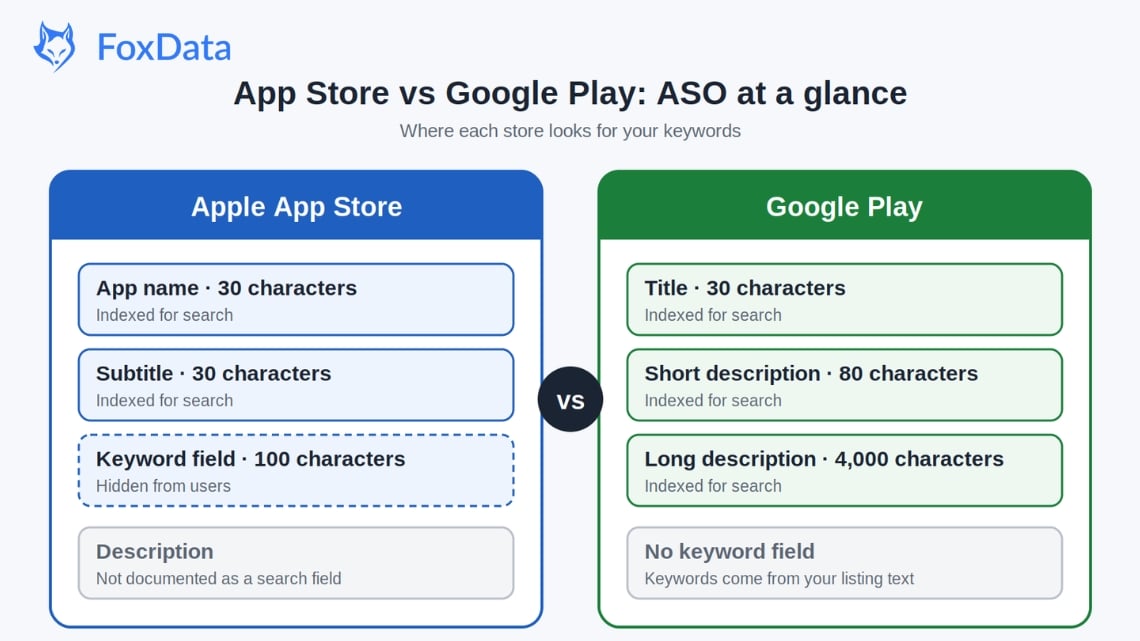
Most ASO confusion comes from one design choice, so let's settle it first.
Apple gives you a 100-character keyword field. Users never see it. Only the algorithm reads it. Put the terms you want to rank for there but don't want in your name or subtitle. Don't repeat words that already appear in your name or subtitle, don't use spaces, separate terms with commas, and use all 100 characters.
Google Play has no keyword field. Its crawler reads your title, short description and long description for natural language and topical relevance. You can rank for a term that never appears in your title, as long as your description covers it in a meaningful way.
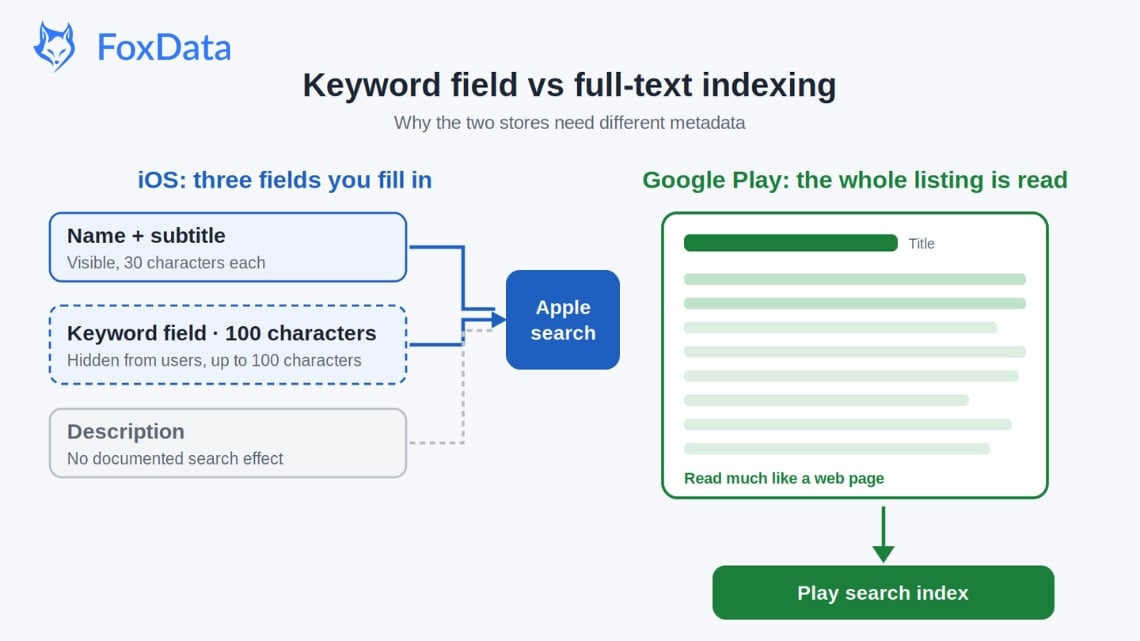
Both stores are crowded, with well over two million apps each, so the way you write for each one matters. This single difference shapes how you research keywords, how you write copy, how you localize and how you measure success.
🚀 Want to see how your app performs on both stores, side by side?
Check your keyword rankings, downloads and competitors on the App Store and Google Play across 60+ countries on FoxData — free for 7 days. No sales call.
Neither store publishes its ranking weights, so the "weight" rows below reflect what ASO teams commonly observe. Fields, limits and the stated quality thresholds come from Apple and Google documentation.
|
ASO Factor |
Apple App Store |
Google Play |
|
Keyword Indexing |
App name, subtitle and the 100-character keyword field. Apple does not document the description as a search field. |
Title, short description and long description are all indexed, similar to a full-text crawl. |
|
Keyword Strategy |
Precise placement. No repetition across fields. Use all 100 characters. |
Natural integration. Semantic variety matters. Description depth helps long-tail rankings. |
|
Text Limits |
Name: 30 characters. Subtitle: 30 characters. Keywords: 100 characters. |
Title: 30 characters. Short description: 80. Long description: 4,000. |
|
A/B Testing |
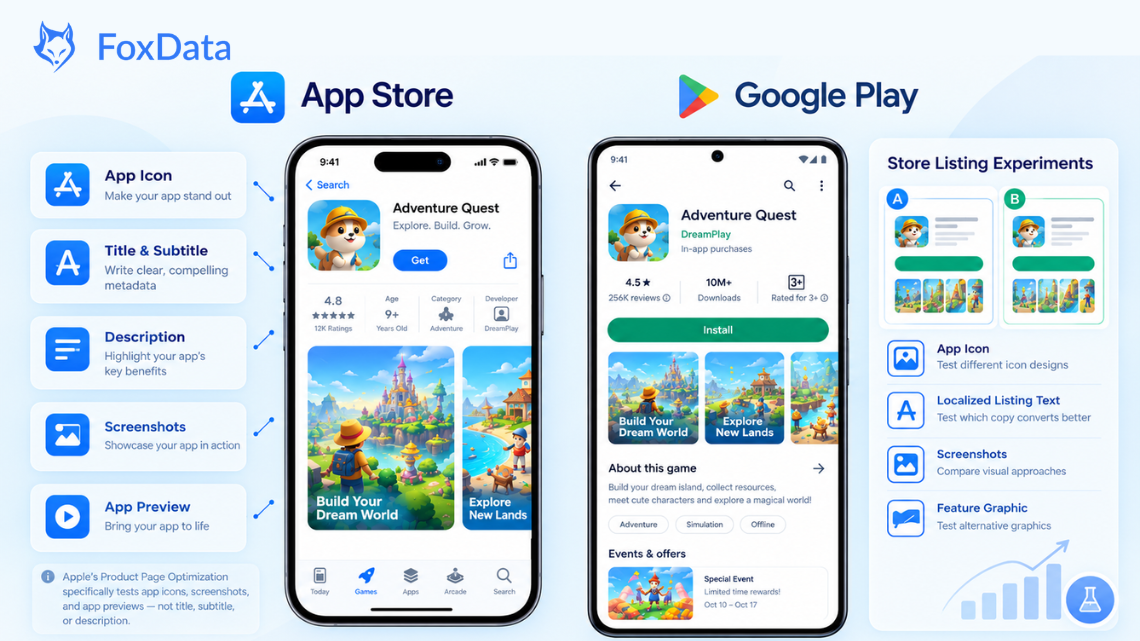
Product Page Optimization in App Store Connect: test icon, screenshots and app preview videos (up to 3 treatments). |
Store listing experiments in Play Console: test icon, feature graphic, screenshots, video, and short and long descriptions. The title can't be tested. |
|
Ratings |
Widely treated as a major ranking and conversion factor. Apple also shows an AI-written review summary on product pages in a growing number of storefronts. |
Matters for ranking and conversion, alongside engagement and quality signals. |
|
Download Velocity |
Commonly observed to influence chart position and short-term visibility. |
Important, but sustained engagement tends to matter more than a burst of installs. |
|
Off-page Links |
No documented effect on in-store ranking. |
Play listing pages are indexed on the open web, so links and mentions can help web visibility. Google doesn't document backlinks as an in-store ranking factor. |
|
Visual Assets |
Up to 3 app preview videos and 10 screenshots. The first 3 screenshots appear in search results. |
1 promo video (YouTube URL), a feature graphic, and up to 8 screenshots. The feature graphic dominates browse impressions. |
|
Categories |
Primary and secondary category. Category choice affects discovery and chart competition. |
One category plus tags. Tags influence related-app suggestions and browse placement. |
|
Localization |
Separate keyword field per locale, each with its own 100-character budget. |
Translated listings are indexed in each language, so translation quality affects ranking. Google announced Gemini-assisted listing translation at I/O 2026. |
|
Review Management |
Ratings can be reset with each new version, but that is your choice. Developers can reply publicly. |
Ratings persist across versions. Developer replies are public. |
|
Technical Quality |
Indirect. Poor performance hurts ratings, which hurts rankings. |
Direct. Google lists user-perceived crash rate, ANR rate and excessive partial wake locks as core vitals that affect visibility. Overall bad-behavior thresholds: 1.09% crash, 0.47% ANR. |
|
AI Features (2026) |
LLM-written review summaries on product pages; more Apple Ads placements in search results. |
Ask Play on listings and in search, Gemini app discovery, Play Shorts. |
|
In-App Events / Promo |
In-app events appear on the product page, in search results and in editorial curation. |
Promotional content appears on your listing and in Play's discovery surfaces. |
Pull up your top 10 keywords and see where you rank on each store, then compare against two competitors. It takes a few minutes, not a spreadsheet.
"Conversion rate" and "popularity" mean different things on each store. Here is how each metric works and where it comes from.
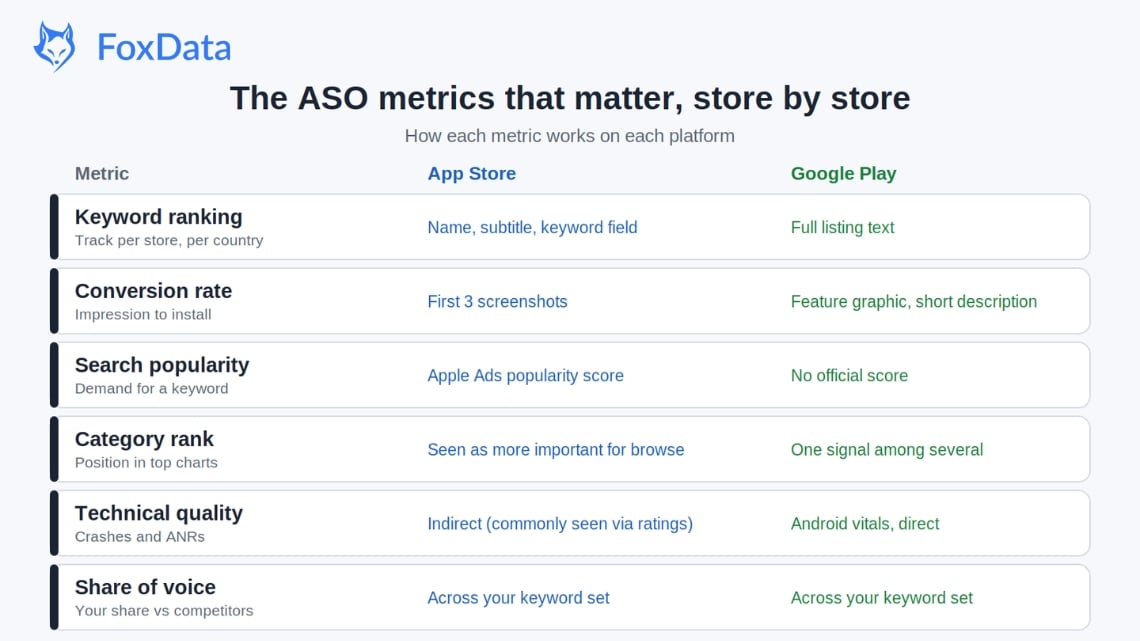
Keyword ranking position. Where your app appears for a given search term. On the App Store it comes from your name, subtitle and keyword field. On Google Play it comes from your full listing text. Track each store separately, because one keyword can rank very differently on each.
Impression-to-install rate (conversion rate). The share of people who see your app in search or browse and then install it. On the App Store, the first three screenshots do most of the work. On Google Play, the feature graphic and short description carry more of it. Benchmarks vary widely by category and country, so compare against your own category rather than a single target.
Keyword volume (search popularity). Apple shows a relative Search Popularity score for keywords inside Apple Ads, not App Store Connect. It is a score, not a search count. Google Play publishes no equivalent, so Android keyword volume has to be estimated. FoxData's Keyword Explore shows search volume, difficulty and chance for each keyword, so you can rank candidates before you commit them to your metadata.
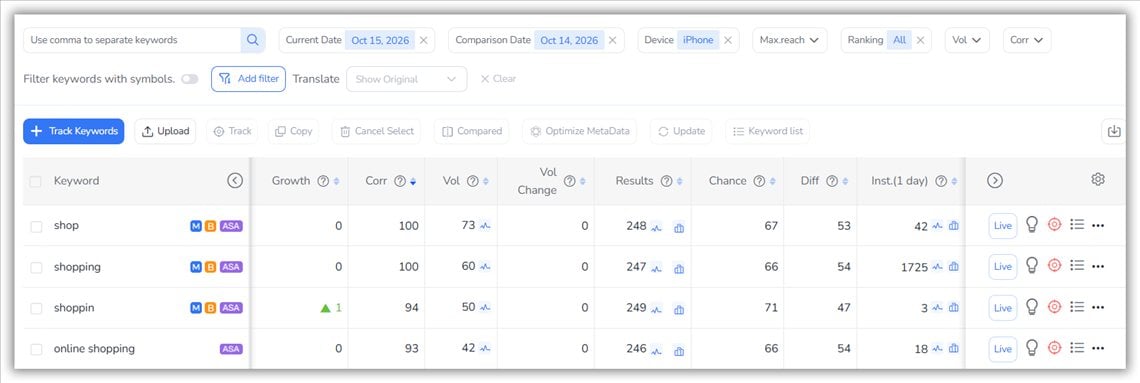
Keyword list in FoxData: compare volume and difficulty before you pick terms.
Category rank. Your position in your primary category's top charts. It matters more on the App Store, where chart position feeds browse visibility. On Google Play it is one signal among several, and related-app suggestions can surface you regardless of chart position.
Retention rate. The share of users who keep the app installed after day 1, day 7 and day 30. Android vitals measures crashes, ANRs and wake locks, not retention. Neither store publishes how it weights retention, but both reward apps people keep using, and an early crash is a common reason people uninstall.
Share of voice. The percentage of keyword impressions your app captures across your target keyword set, compared with competitors. It tells you whether your ASO work is winning market share or just holding position while competitors pull ahead.
Four changes this year affect what you should do on each store.
Apple raised the limit from 35 to 70 custom product pages per app, and you can now assign keywords from your keyword field to individual pages so they can appear in organic search results. App Store Connect also added per-page analytics. In 2026 Apple is adding more Apple Ads placements in search results too, so the organic results sit lower on the screen. Matching a page to a search intent is now a practical way to earn the tap.
Apple's LLM-written review summaries have reached more storefronts. Shoppers can read the gist of your reviews without opening them, so the themes in your reviews are now part of your product page. Answer the recurring complaints in your updates and in your review replies.
At I/O 2026 Google expanded Ask Play, a Gemini-powered Q&A that already appears on listings, into search results and conversational discovery. It also announced app discovery inside the Gemini app, Play Shorts, and a tool that creates a custom store listing from a keyword recommendation in Play Console. Your description is now read by the crawler and by an AI that answers shoppers' questions about your app. Write it so a clear, accurate answer can be lifted straight from it, and keep your store listing and website saying the same thing.
Google says an app that exceeds the bad-behavior thresholds can lose visibility. The overall thresholds are 1.09% for user-perceived crashes and 0.47% for user-perceived ANRs, with a per-device threshold of 8% for both. If you haven't opened the dashboard this quarter, check it before you rewrite a single description. For an app with stability problems, fixing crashes can do more for visibility than any metadata edit.
Both stores treat ratings as important, but they give you different levers. On iOS, the system rating prompt can only be shown three times per app in a 365-day period, so choose the moment carefully, such as right after a user completes something they care about. Apple also shows an AI-written summary of your reviews in a growing number of storefronts, which makes the recurring themes in your reviews more visible than any single review. On Google Play, ratings carry across versions, and technical quality is a separate signal, so a crashing app can lose visibility even if the rating is fine. On both stores, a public reply to a recurring complaint is read by everyone who checks that review.
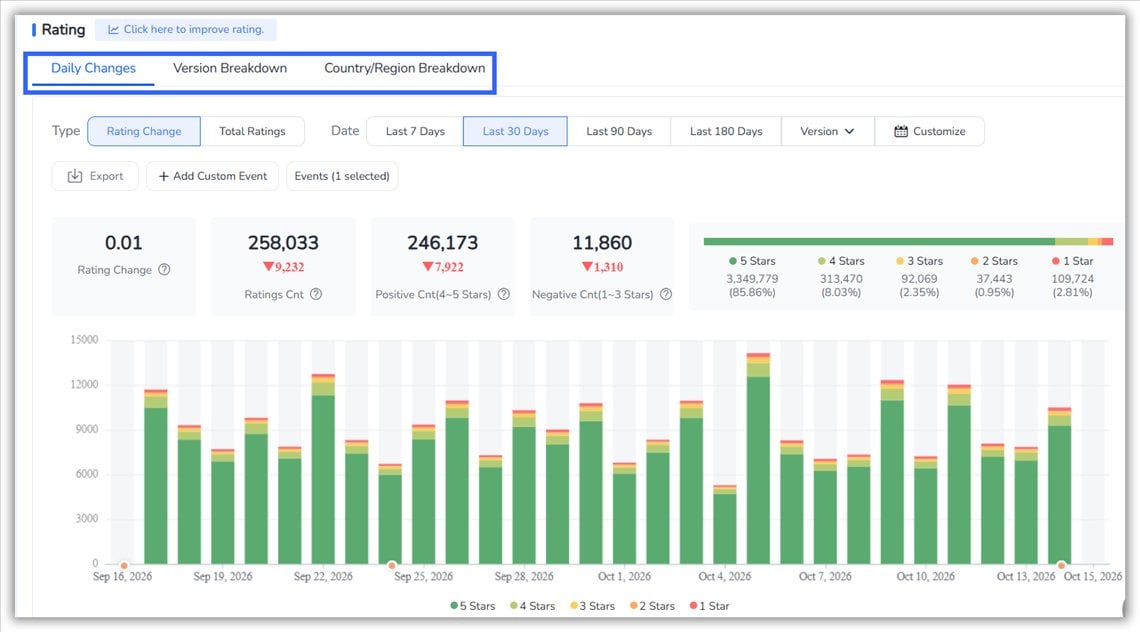
In FoxData, the Ratings & Reviews views break down ratings by version and by country, so you can see whether a release moved your score.
On the App Store, every locale has its own name, subtitle and 100-character keyword field. Adding a language means adding a keyword budget, so a translation of your English keywords is not enough. Research what people in that country search for. On Google Play, the translated listing text is what gets indexed, so a weak machine translation hurts ranking in that language. Google announced Gemini-assisted listing translation at I/O 2026, which speeds up the first draft but still needs a native review.
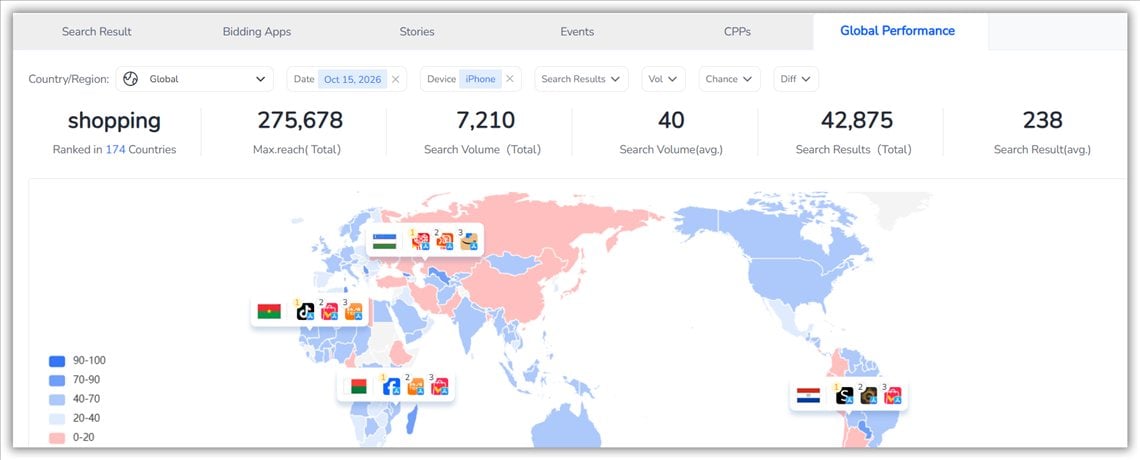
Whichever store you work on, track rankings per country. FoxData's Global Performance show how a keyword or app performs across markets, so you can tell which localization is working.
Where to start depends on where your users and revenue are. Check your own App Store Connect and Play Console numbers, or FoxData's estimated downloads and revenue by country if you're researching a market you're not in yet.
Take a made-up budgeting app called Penny. This is an illustration, not real data. Here is how the same app would be set up on each store.
|
|
App Store |
Google Play |
|
Name / title (30) |
Penny: Budget Planner (21 characters) |
Penny: Budget & Expense App (27 characters) |
|
Subtitle/ short description |
Subtitle (30): Track spending and save (23 characters) |
Short description (80): Track spending, split bills with a partner and hit your savings goals. (70 characters) |
|
Keyword field (100) |
expense,money,bills,savings,finance,debt,income,cashflow,wallet,goals,couple,family,shared,monthly (98 characters) |
None. Terms like "couple", "bills" and "savings goals" go into the long description, in sentences. |
|
What goes where |
Words already in the name or subtitle ("budget", "planner", "track", "spending") are left out of the keyword field, and there are no spaces after the commas. |
The title carries the main term, the short description carries the benefit, and the long description covers use cases such as splitting bills, monthly budgets and savings goals. |
Most of the work on iOS is choosing which 100 characters to spend. On Android it is writing a description that covers the topics people search for, without stuffing. A few mistakes cost rankings on both:
One campaign copied across both stores wastes the second one. Work in this order:
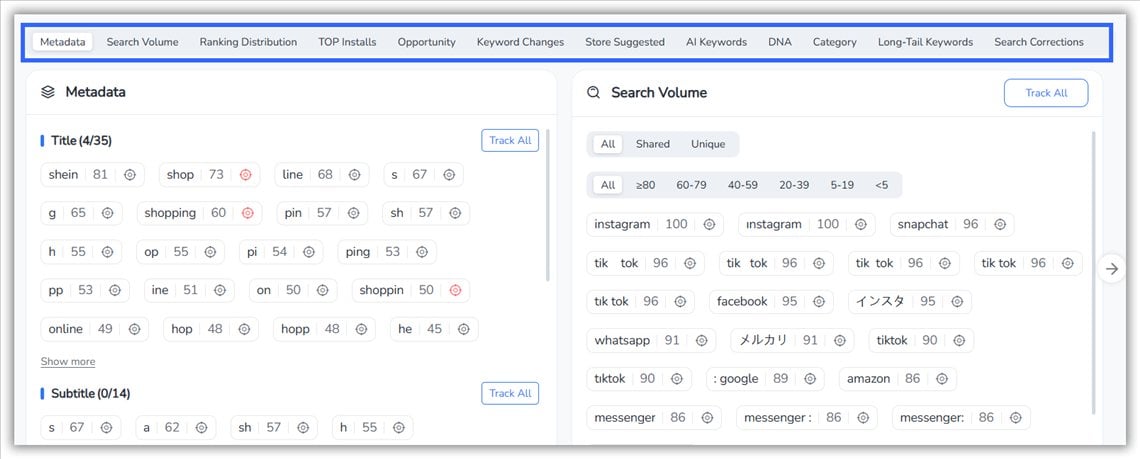
Keyword Explore: terms from your metadata alongside their search volume.
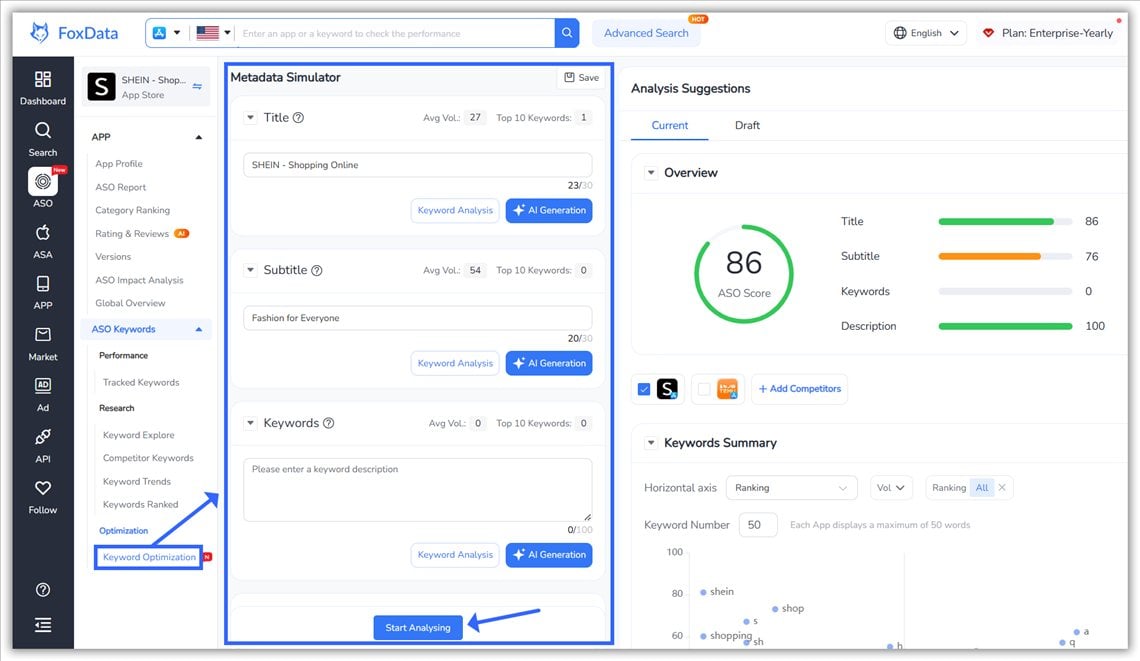
Metadata Simulator: edit the fields and see the expected result before you submit.
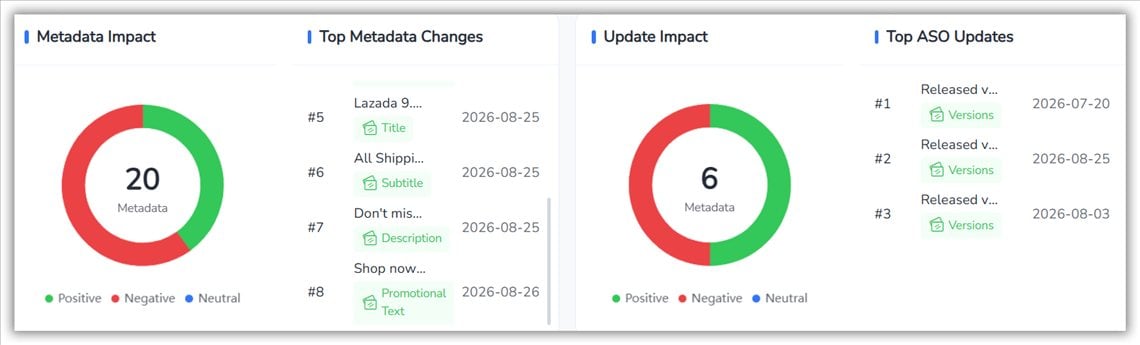
ASO Impact: which metadata changes moved rankings, and which didn't.
Want the data in your own tools? The FoxData API (see the App Data API) lets you pull it into your own dashboards.
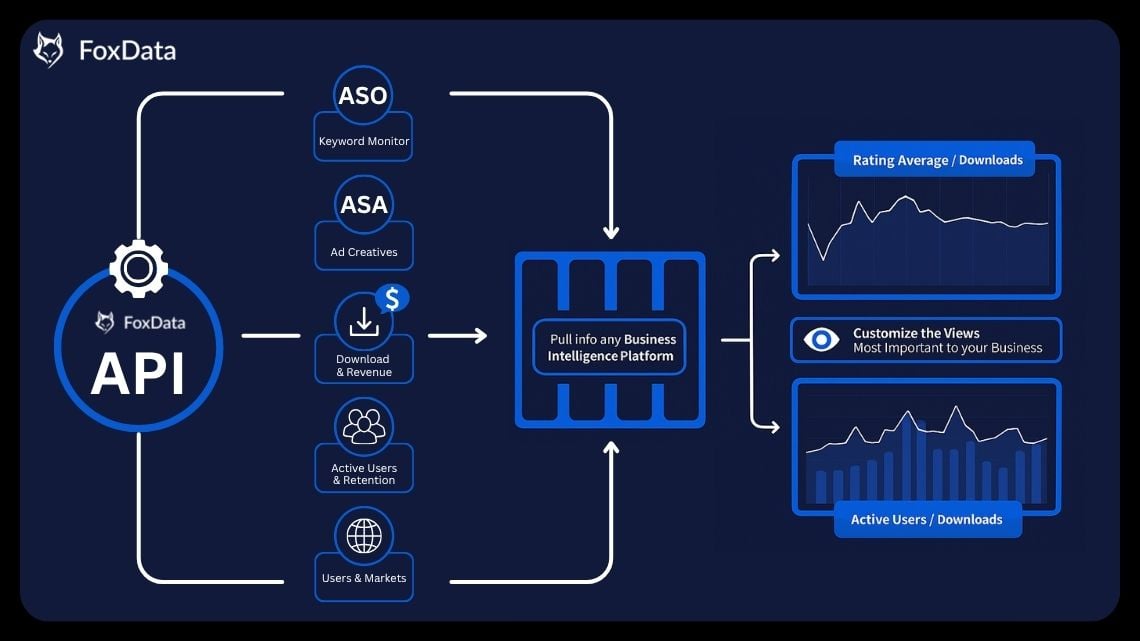
A trial only pays off if you use it on a real question. This is how to spend the 7 days if you manage both stores.
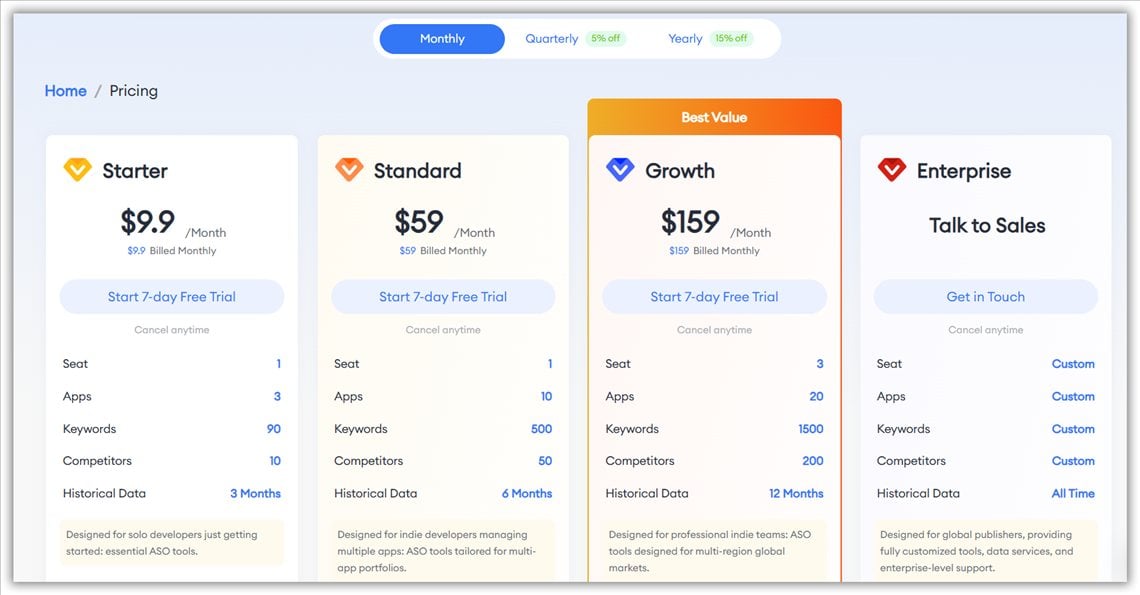
Every paid plan starts with a 7-day free trial and can be cancelled anytime. Prices below are monthly billing; quarterly billing is 5% off and yearly is 15% off.
|
Plan |
Price |
Apps |
Keywords |
Who it fits |
|
Starter |
$9.9/month |
3 |
90 |
Solo developers getting started. 1 seat, 10 competitors, 3 months of history. |
|
Standard |
$59/month |
10 |
500 |
Indie developers with several apps. 1 seat, 50 competitors, 6 months of history. |
|
Growth |
$159/month |
20 |
1,500 |
Professional teams working in several regions. 3 seats, 200 competitors, 12 months of history. |
|
Enterprise |
Custom |
Custom |
Custom |
Global publishers that need custom data and support. |
The 7-day plan above fits inside Starter: 20 shortlisted keywords, a few competitors and one app per store. If you manage several apps or work with a team, start on Standard or Growth. Compare the full plans on the pricing page, or book a demo and we'll go through your setup with you.
Apple doesn't document the description as a search ranking field. It still matters for conversion, because people read it when deciding to install. Put your keywords in the name, subtitle and keyword field.
You can, but you probably shouldn't. The App Store shows screenshots in search results and on the product page. Google Play leans on the feature graphic for browse impressions, so the screenshot gallery plays a different role. Test each store on its own.
Check rankings at least monthly. If a keyword is dropping, find out whether a competitor passed you or search demand shifted. Save big keyword overhauls for a major release or a new market.
Google doesn't list backlinks as an in-store ranking factor. Play listing pages are indexed on the web, though, so reviews, comparison pages and blog mentions can help people find your listing in web search. They do little for App Store rankings.
Up to 70 per app. You can assign keywords to a page so it can appear in organic search, and each page has its own analytics in App Store Connect.
Apple now shows AI-written summaries of your reviews on product pages in a growing number of storefronts, and Google's Ask Play answers questions about your app. Keep your listing clear and factual, make sure your website says the same thing, and respond to the themes that come up in your reviews.
Fix your metadata first. On iOS, use all 100 characters of the keyword field with no repeated terms. On Android, rewrite the short and long descriptions with natural keyword use and real depth. Then check Android vitals, and on iOS try custom product pages for your top search intents.
The App Store and Google Play are two different search systems. Apple wants a tight, structured list of the terms that matter. Google wants rich content it can read like a web page, and it watches how well your app runs. Treat each store as its own search system: research, write and test separately. And remember that AI summaries are now one more reader of your listing.
🚀 Optimize for both stores in one dashboard.
Track keywords, monitor competitors and test metadata changes for iOS and Android on FoxData, free for 7 days. No sales call.
👉 Start Free Trial → Or try the free ASO tools first, no sign-up needed
💡You Might Also Like:
© 2020-2026 FoxData. All Rights Reserved.