


Explore More Possibilities for Your Business
Full-cycle scenario construction to meet your needs from App research, development, and release to operation.
Ready for your soaring growth
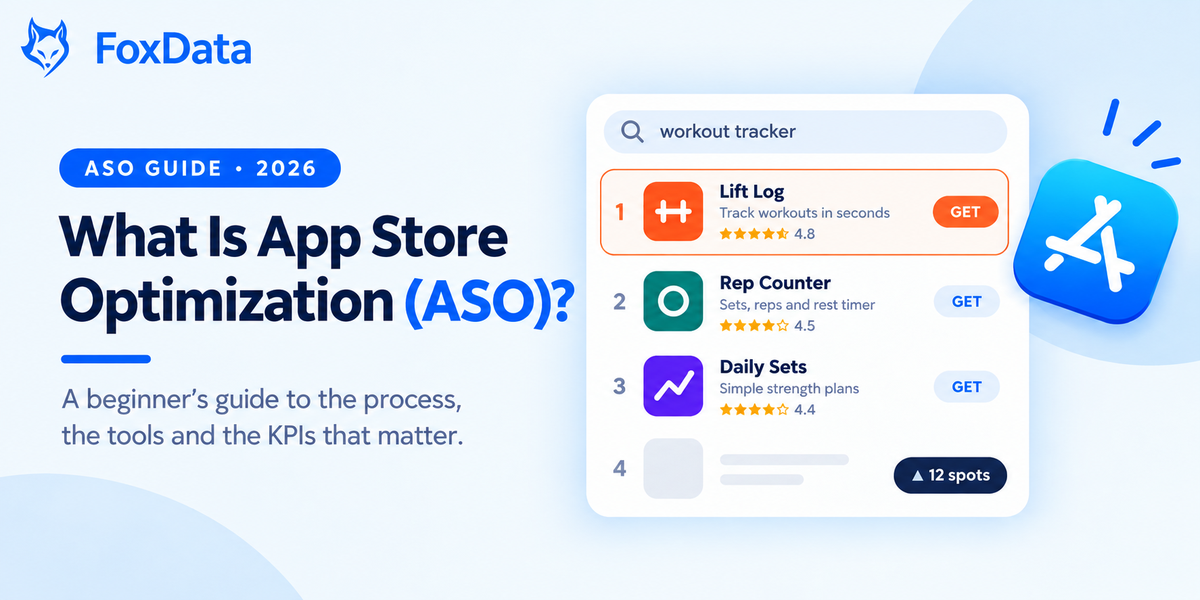
Short answer: App Store Optimization (ASO) is the work of getting your app found in App Store and Google Play search, then turning those views into installs. It has two halves: keywords decide whether people see you, and your icon, screenshots, rating and copy decide whether they tap Install. Done well, a ranking you earn keeps sending installs without a per-tap fee.
Not sure where your app stands today? Run a free keyword gap check on FoxData →
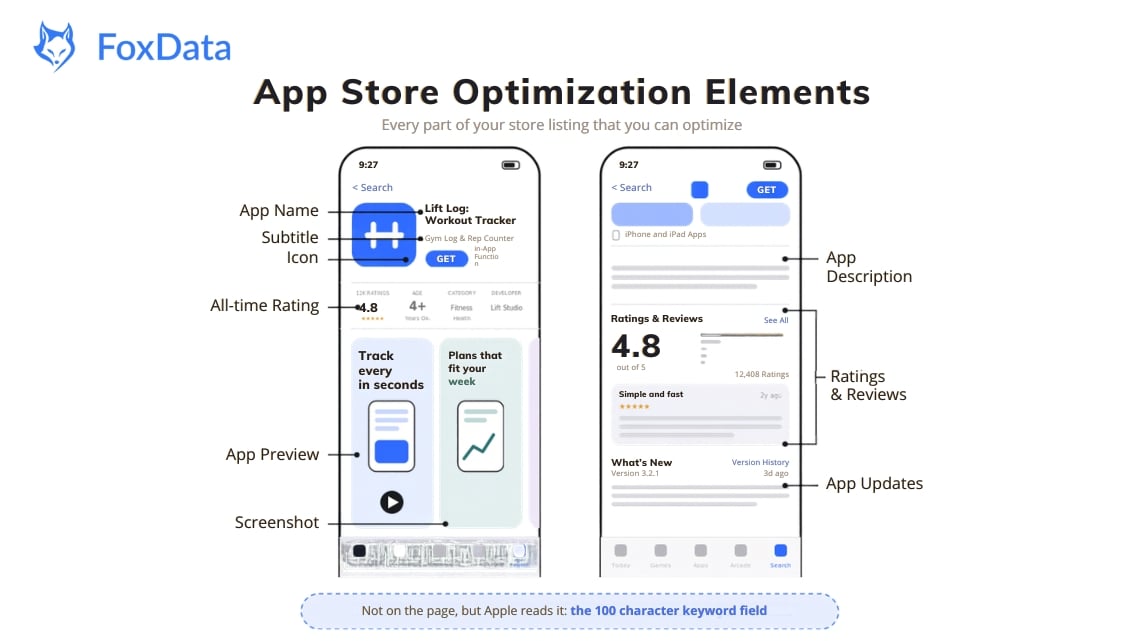
ASO is the process of making your store listing more visible and more persuasive.
Visibility comes from keywords. When someone searches "workout tracker" or "expense splitter," each store ranks apps using its own algorithm, based on your title, subtitle, keyword field, description (on Google Play) and download signals. Search matters: Apple says 70% of App Store visitors use search to discover apps.
Persuasion is what happens next. People see your icon, first screenshots and rating and decide in a few seconds whether to tap or scroll on. ASO is search optimization and conversion optimization on a very small screen.
The most common mistake we see: treating ASO as a one-off launch task. Stores change their algorithms, competitors move into your keywords, and users' expectations drift. A listing you wrote 12 months ago is probably costing you installs today.
Apple Search Ads is now called Apple Ads (rebranded in 2025). Apple has also started rolling out a second ad placement inside App Store search results (seen from March 2026 on iOS/iPadOS 26.2+), which pushes organic results further down the page. Every organic impression you still win is worth more, so converting those impressions matters more.
Since July 2025 you can assign keywords from your App Store Connect keyword field to a custom product page, so the matching page can appear when your app ranks for that term. Only keywords already in your keyword field can be assigned (not title or subtitle), and a keyword should map to one page only.
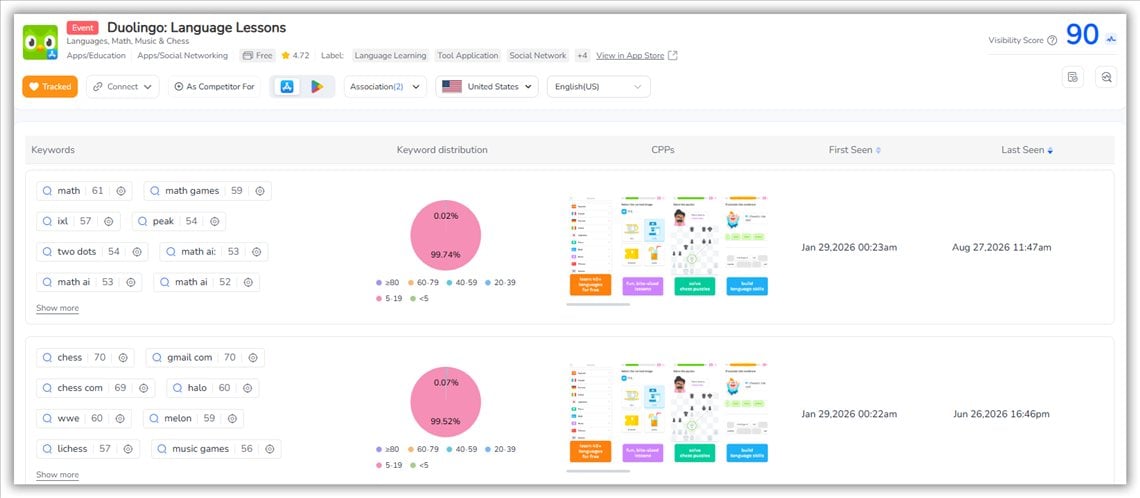
Source: FoxData's CPP
People ask ChatGPT, Perplexity and Google's AI answers for app recommendations. These systems tend to quote clear, specific, well-structured pages. That favors listings and articles that say plainly what the app does, who it is for and how it compares.
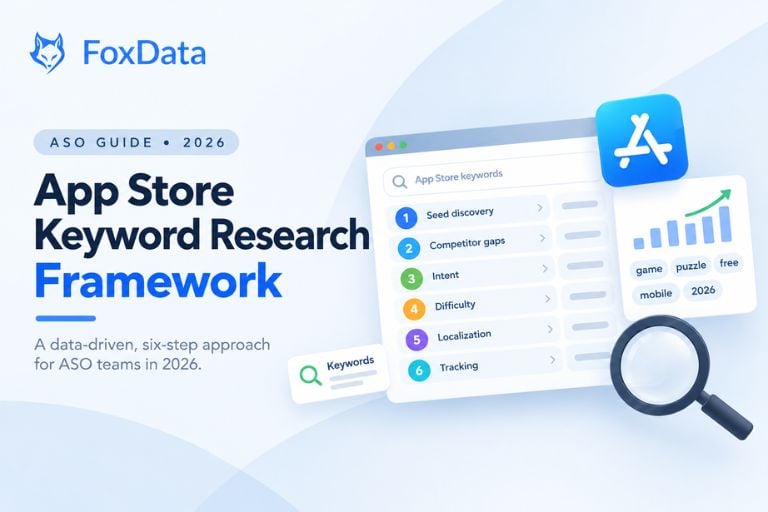
Your first keyword list is usually wrong, because you write it from the inside. Start with broad seed terms ("meditation," "budget tracker"), expand into long-tail phrases, then check what your competitors rank for and where they leave gaps.
The output is not a list but a decision: which 15 to 30 keywords go into the title, subtitle, keyword field and description, each with a reason (volume, low competition, strong intent, or a gap nobody fills).
Quick example: a budgeting app targeting "expense tracker" (high volume, brutal competition) might add "split bills with roommates" (smaller volume, clear intent, far fewer rivals) and win a top-5 spot sooner.
Use Apple Ads as a keyword lab. If you run Apple Ads, Discovery campaigns and search term reports show which queries actually produce taps and installs. Add the winners to your organic metadata.
FoxData lets you pull a competitor's keyword profile, compare ranking overlap across apps and filter for high-popularity, low-competition terms, which usually deliver the fastest wins.
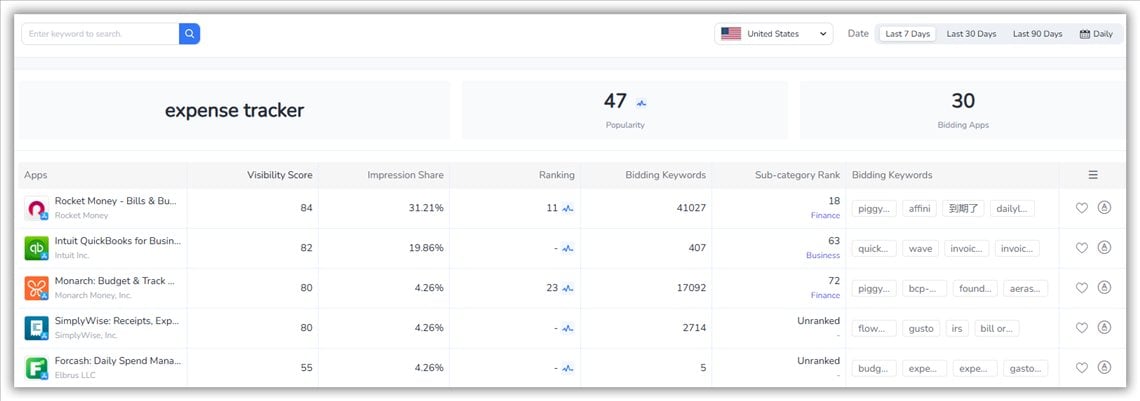
Apple App Store: title (30 characters), subtitle (30), keyword field (100, hidden). Apple does not index the description for search; it only helps conversion.
Google Play: title (30 characters; reduced from 50 in 2021), short description (80), full description (4,000). Google indexes the full description, so natural long-tail phrases belong there.
The craft is trade-offs. Every character goes to a keyword, a brand or a benefit, and the best titles do two at once. "Track Calories and Macros" beats "The Best Health Application" because it contains searchable terms and says what the app does.
Picture a utility app stuck around position 15 to 20 for its main term. The team blames the description. The real problem is that the subtitle repeats a word already in the title, while a synonym competitors rank for appears nowhere. Cutting the repeat and adding the synonym would do more than any description rewrite. You only spot that by checking the whole listing, not the field you suspect.
Checklist before you publish: no keyword repeated across title, subtitle and keyword field on iOS; localized per market, not just translated; character counts checked per locale; description's first two lines written for a human, not a crawler; coverage balanced across fields instead of stuffed into one.
Here is the part most teams skip: testing. The usual way to test a metadata change is to ship it and wait a couple of weeks, never knowing whether your edit, a competitor's update or an algorithm shift moved the rankings. FoxData's Metadata Simulator removes that blind spot. It loads your live title, subtitle, description and keywords, shows each field's covered keywords, average search volume and Top 10 keyword count, and scores them (including keyword repetition rate and keyword value). You can draft a new version, with AI suggestions tied to your chosen goal, and see your ASO Score and Visibility Score recalculated before anything goes live. Keyword Optimization and the Simulator are free on every plan.
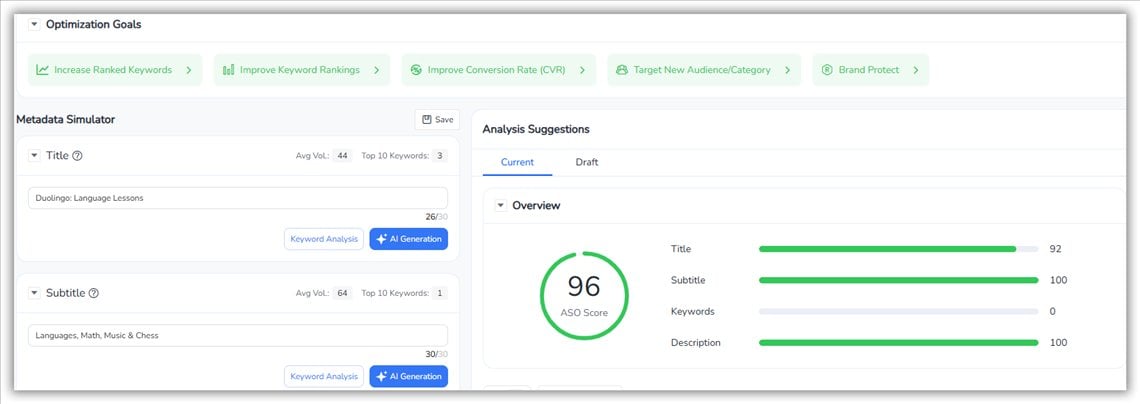
➡️ Want the full walkthrough, step by step? Read the guide: How to Turn Metadata into a Predictable Growth Engine with FoxData's Keyword Optimization
Screenshots should communicate value within two seconds. The first one states the core benefit, not a feature list; the next two answer the top objections ("What does daily use look like?" "Is setup painful?").
Know which tool does what on each store: on Google Play, store listing experiments test icon, screenshots and descriptions. On Apple, Product Page Optimization is the native A/B test for your default page, while custom product pages create separate versions for different audiences, keywords or ad campaigns (up to 70 per app).
Results vary widely by category and starting point, so treat any published lift figure as a rough guide and run your own test before rolling a change out to every market.
See which screenshots your top competitors changed this month. Start tracking competitors with a 7-day free trial →
Track target keywords daily and watch for sudden drops, which can mean a competitor update or an algorithm change. Read reviews for recurring friction: it's your product backlog and a source of the exact words users use to describe your app.
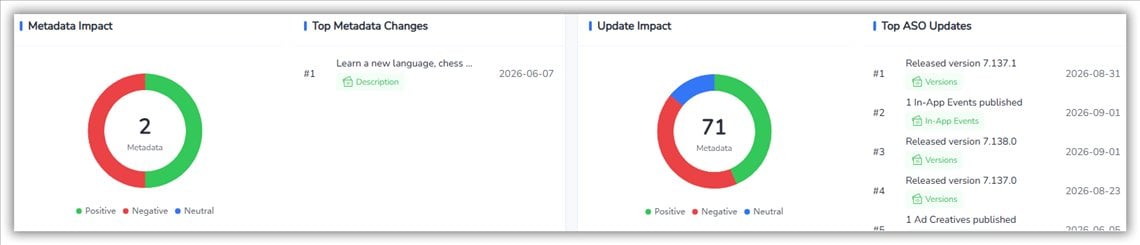
Source: FoxData's ASO Impact Analysis
When a competitor rewrites a subtitle or ships new screenshots, they are reacting to something. Seeing it early gives you a head start.
Ask for ratings at the right moment. On iOS the system review prompt can only be shown a limited number of times per year (three per 365 days), so trigger it after a win such as finishing a workout or hitting a streak.
|
KPI |
What it tells you |
How to read it |
|
Keyword ranking position |
Where you appear for a target term |
Always pair with search popularity. Position 10 on a 5,000-search term beats position 1 on a 50-search term. |
|
Impression-to-install rate |
Conversion efficiency of your listing |
Benchmark by category using App Store Connect / Play Console, not a single number. If impressions rise but installs don't, check creatives and rating first. |
|
Category rank |
Position in your category or subcategory |
Top 10 placement drives browse traffic from people who never searched. |
|
Organic install share |
Installs from store discovery vs. paid |
Rising share = ASO is compounding. Falling share = you're leaning on ads. |
|
Review velocity and rating |
Social proof and freshness |
Rating drives conversion on both stores; review text and volume influence Google Play ranking. |
FoxData provides search popularity per keyword per country, and download estimates so you can connect ranking changes to install volume, the number stakeholders actually ask about.
If you report these numbers every week, don't copy them by hand. FoxData's API can feed app performance, ASO metrics, ad insights and market trends straight into your own dashboard.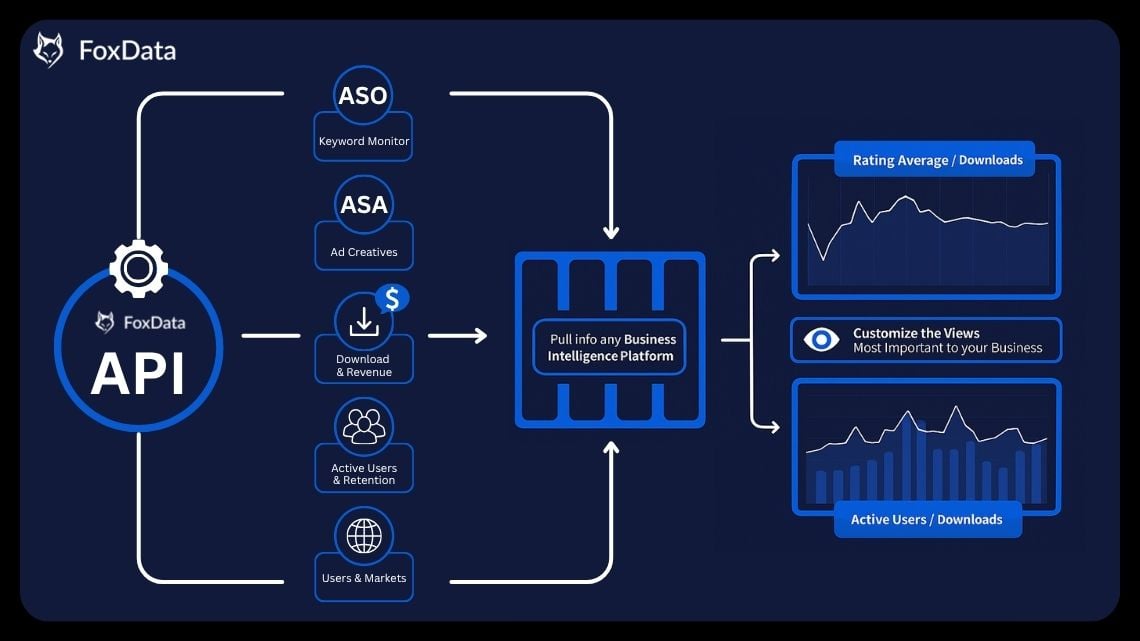
|
FoxData |
AppTweak |
Sensor Tower |
|
|
Best for |
Unified ASO + ASA + Market Intelligence Platform without enterprise pricing |
Dedicated ASO workflows, AI visibility add-ons |
Enterprise market intelligence |
|
Keyword research and tracking |
Yes |
Yes |
Yes |
|
Competitor keyword analysis |
Yes |
Yes |
Yes |
|
Download / revenue estimates |
Yes |
Yes |
Yes, large dataset |
|
API access |
Yes |
Yes |
Yes |
|
Pricing |
From $9.9/month or $8.42/month billed annually (Starter Plan) with a 7-day free trial |
From $99/month or $79/month billed annually (Essential, 500 keywords) |
Quote-based, no public price list |
🔍 Find Out More:FoxData vs. AppTweak: A Practical and Cost-Effective ASO Showdown
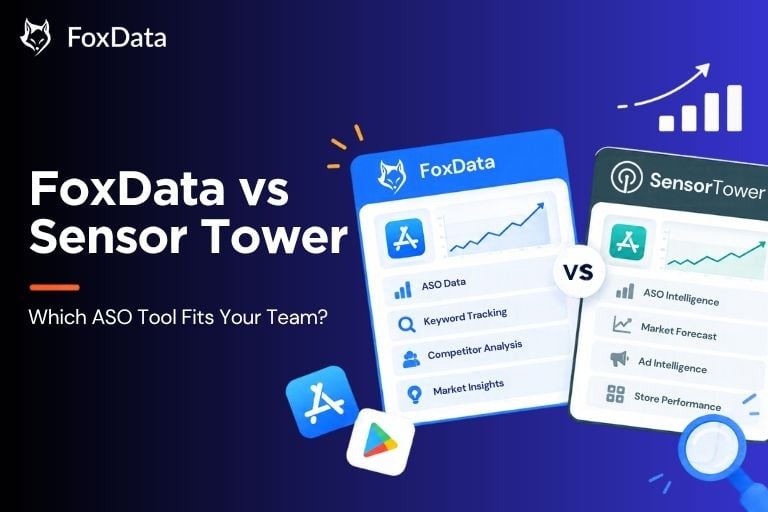
How to choose: Solo developer or small studio → an affordable entry plan and transparent pricing. Several apps across many countries → API access and bulk reporting. Market sizing for investors → Sensor Tower-class data.
Comparing tools? Try FoxData free for 7 days and judge the data yourself →
Keyword cannibalization. On iOS, repeating a word across title, subtitle and keyword field wastes space because Apple counts it once. Give each field distinct terms.
Ignoring localization. Ranking well in the US tells you nothing about Japan, Germany or Brazil. Localize metadata and screenshots for each market. FoxData's multi-storefront view lets you manage this in one place.
Setting and forgetting. Teams that treat ASO as an ongoing practice compound their gains. Teams that optimize once watch rankings erod.
Chasing volume over intent. "Best workout tracker for weightlifting" will out-convert "fitness" despite far fewer searches.
Neglecting reviews. Reply to reviews, fix the bugs behind the one-star ones, and ask happy users for a rating at moments of delight.
Stopping at organic. ASO and Apple Ads work best together: ads reveal which keywords convert, ASO makes those keywords pay off without ongoing bids, and custom product pages let both channels share the same message.
ASO optimizes for app store search (App Store, Google Play); SEO optimizes for web search engines. Concepts overlap, but ranking factors, tools and character limits differ. AI search is blurring the line because assistants can draw on both store pages and web articles when recommending apps.
ASO earns organic visibility; Apple Ads (formerly Apple Search Ads) pays for placement in search results, Today tab and product pages. Use ads to test keywords and creatives quickly, then bring what works into your organic listing.
Rankings often settle within days of a metadata update, while meaningful download impact usually takes a few weeks. Competitive categories take longer, and low-competition keywords are the fastest wins.
Updating your store listing costs nothing. Tools cost money, but organic installs carry no per-install fee. Compared with paid acquisition, ASO is usually the most cost-efficient channel over time.
Yes. Apple indexes title, subtitle and the keyword field; Google Play also indexes the full description and weighs engagement signals. Share your keyword research across stores, but write metadata and creatives per platform.
You can start with App Store Connect and Google Play Console data. Manual tracking becomes unmanageable at around 30 keywords across several countries, and consoles don't show competitor data.
Check rankings weekly, revisit metadata every 4 to 8 weeks or when rankings move, and refresh screenshots when the UI changes or test results say so. Small, frequent changes beat rare overhauls.
ASO isn't a dark art. It's a measurable habit, and the apps at the top of search quarter after quarter are the ones that treat their listing as a product.
Try it yourself with a 7-day free trial →
Questions about which plan fits? Talk to our team
🔗 Further Reading:
© 2020-2026 FoxData. All Rights Reserved.