





Explore More Possibilities for Your Business
Full-cycle scenario construction to meet your needs from App research, development, and release to operation.
Ready for your soaring growth
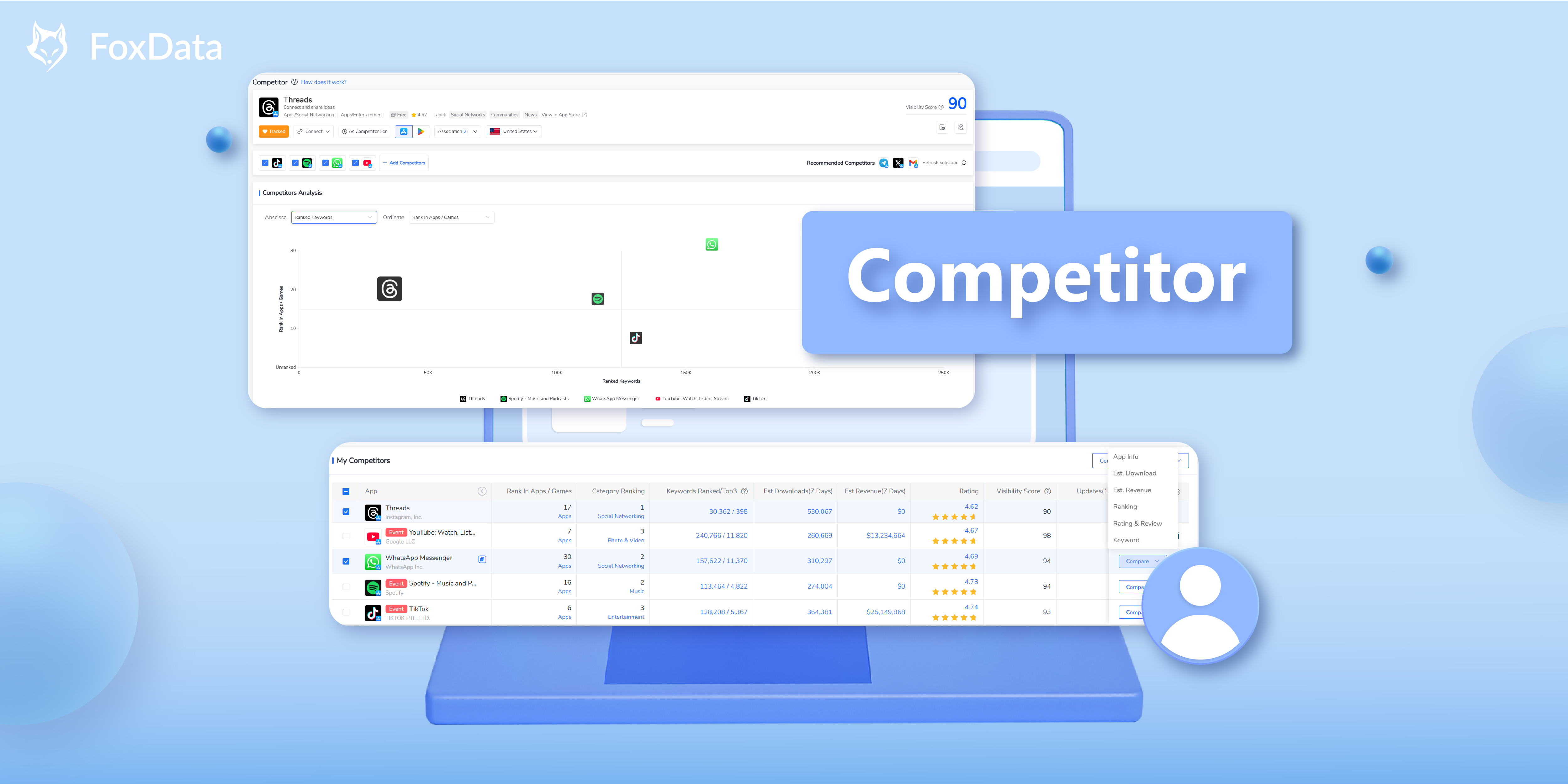
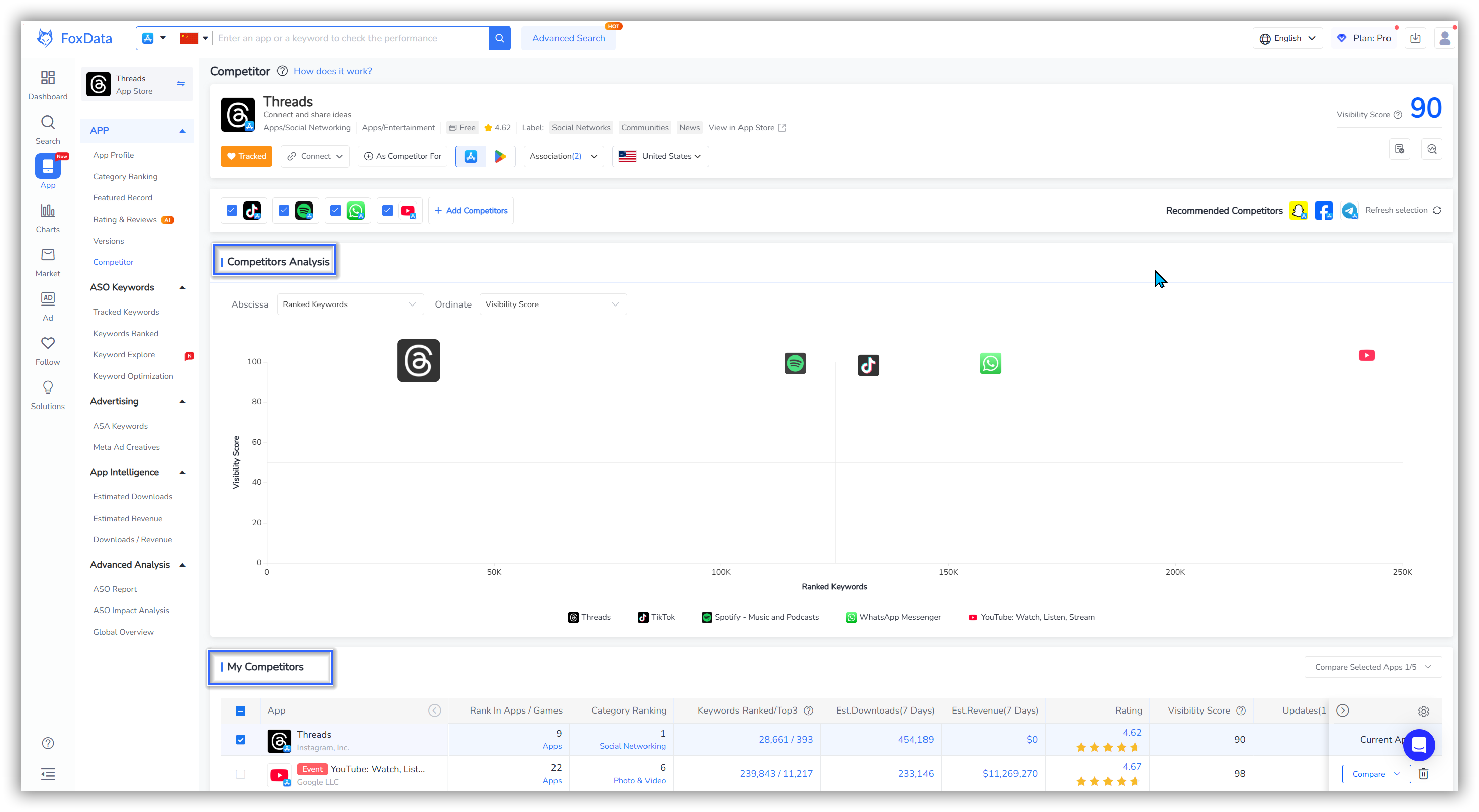
To view key Competitor metrics and insights:
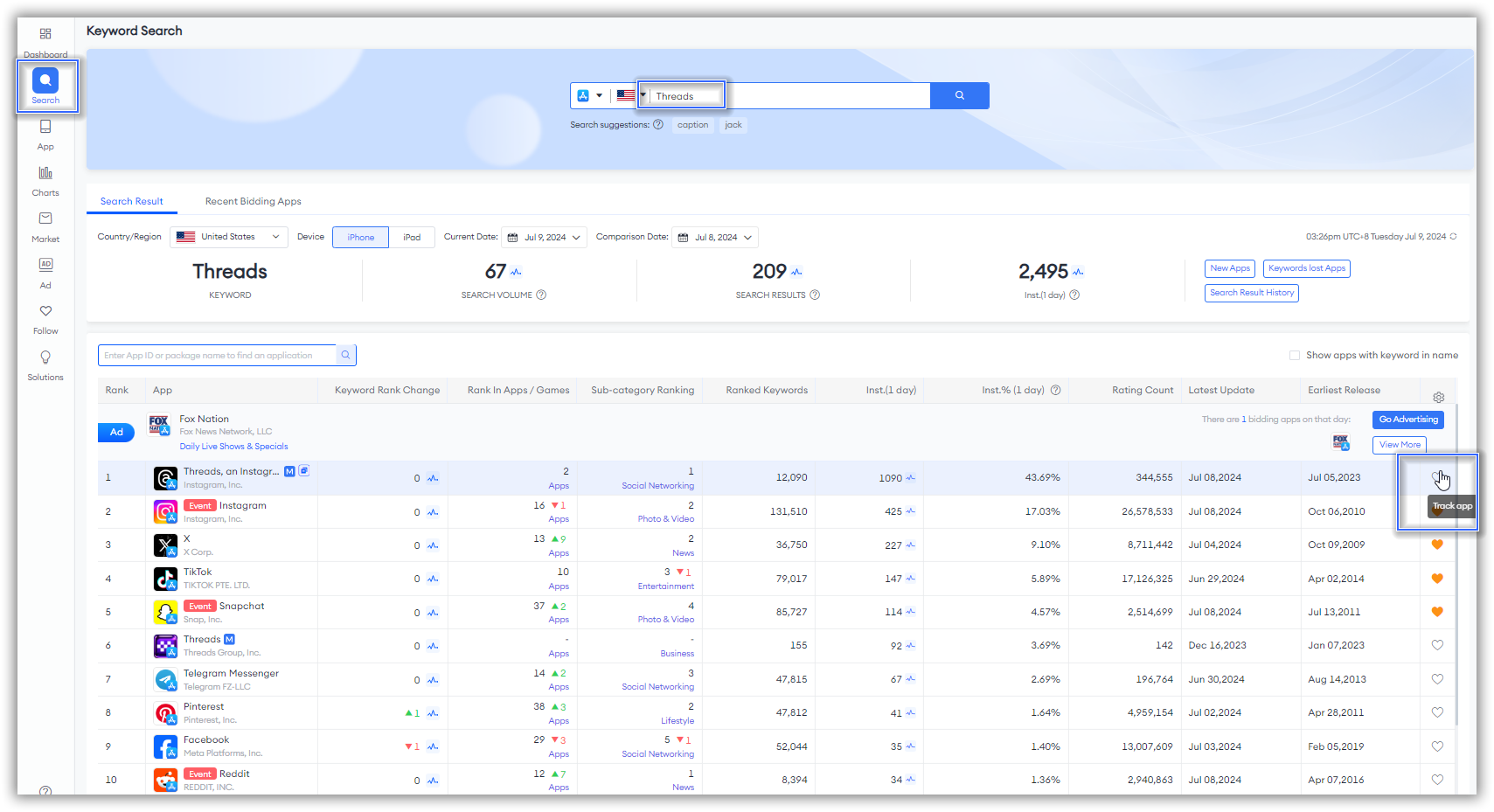
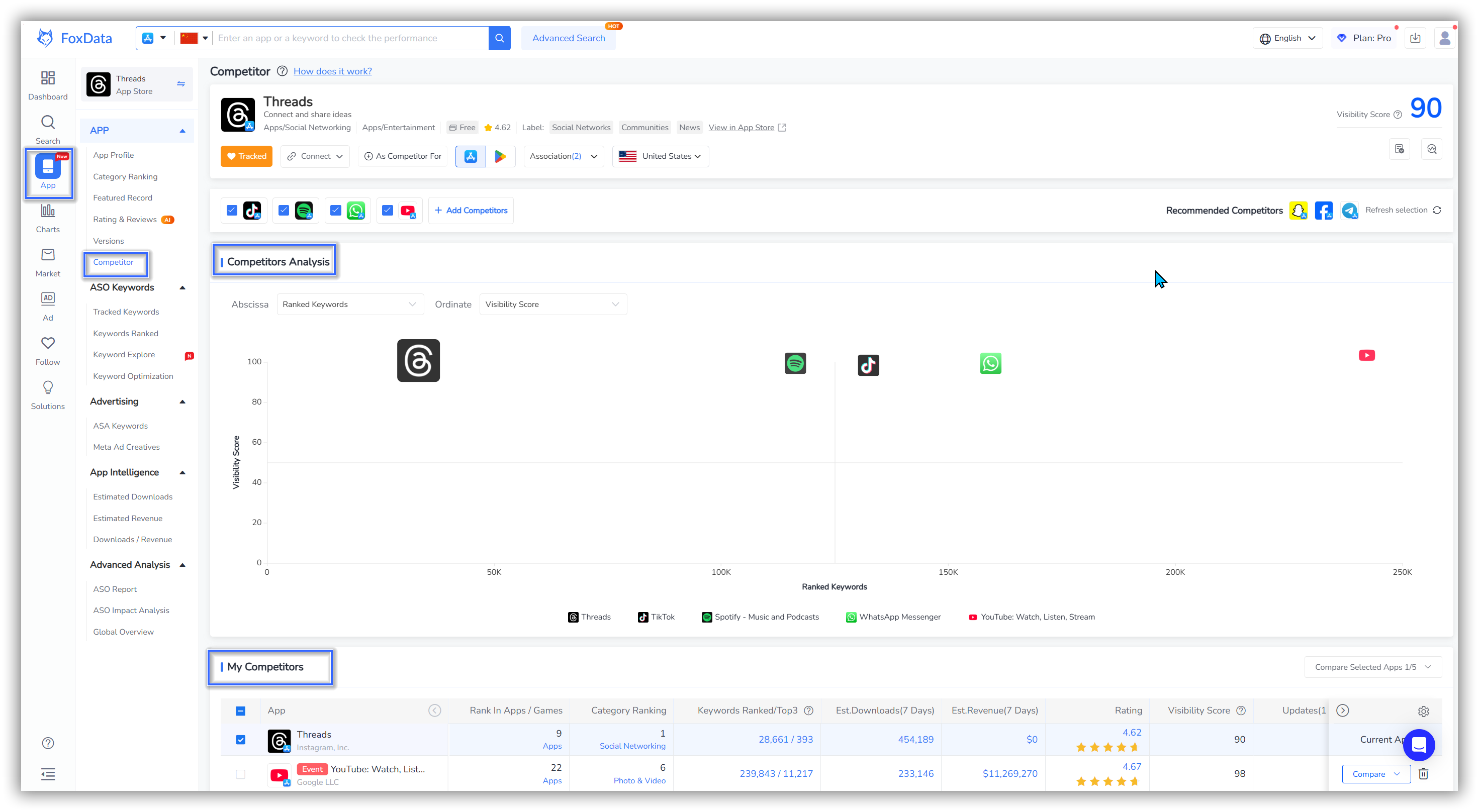
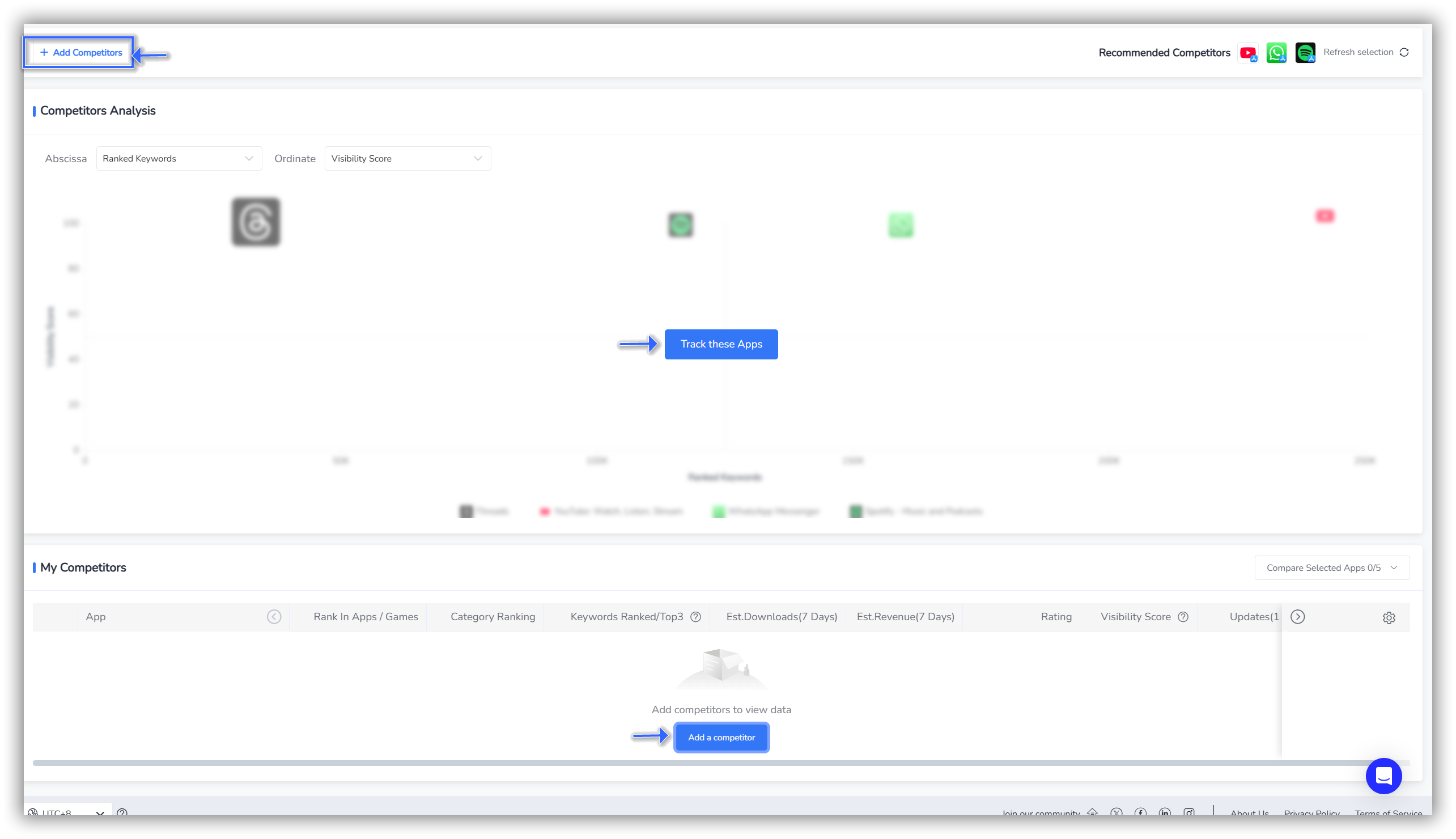
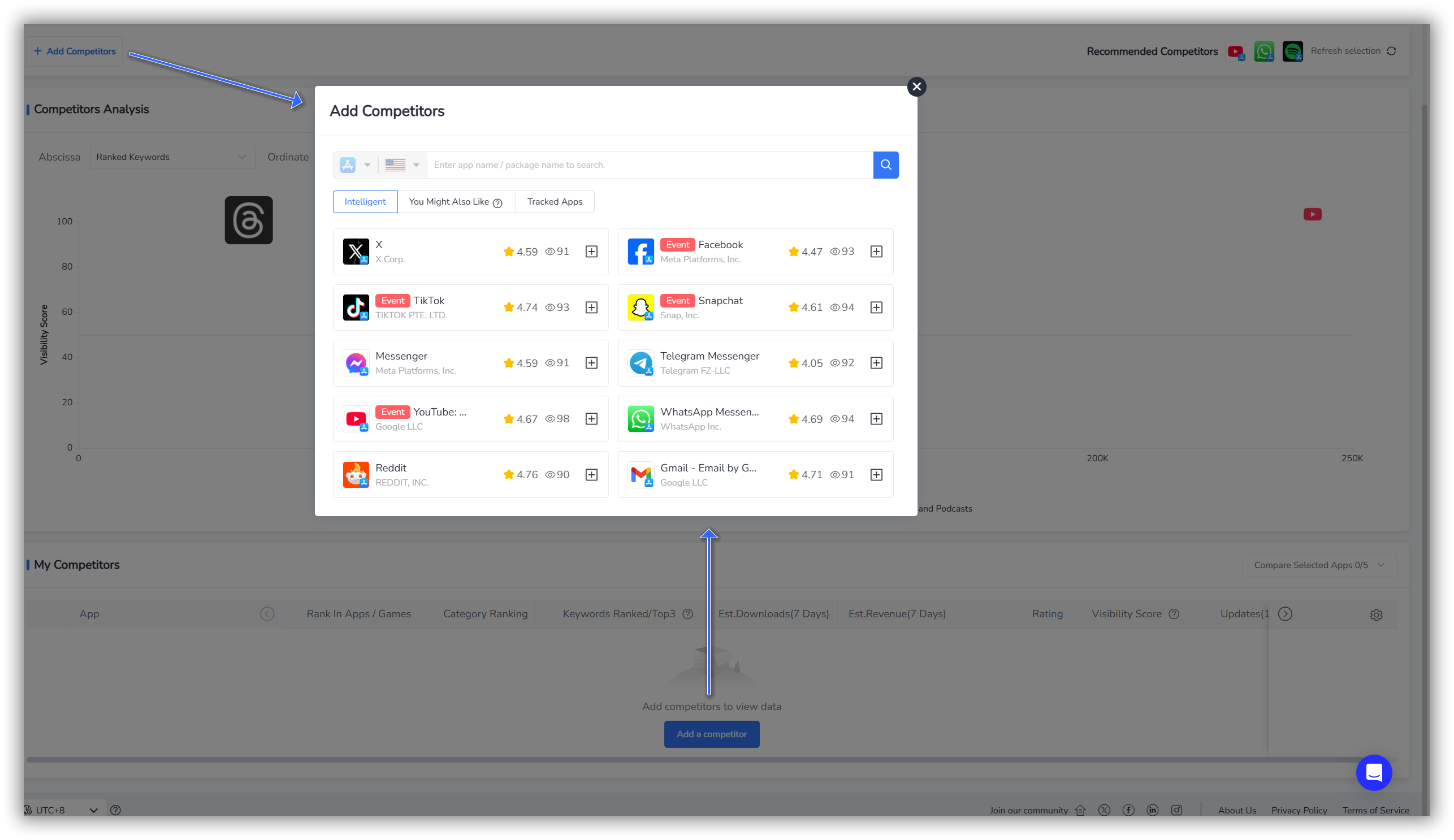
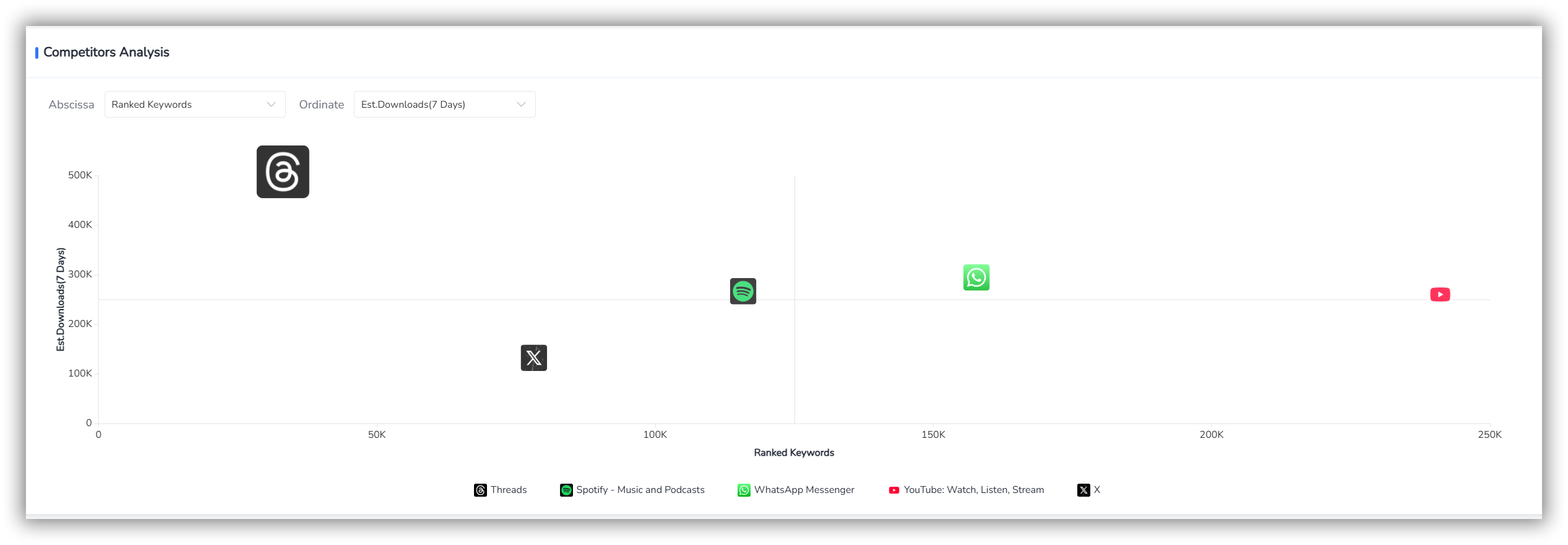
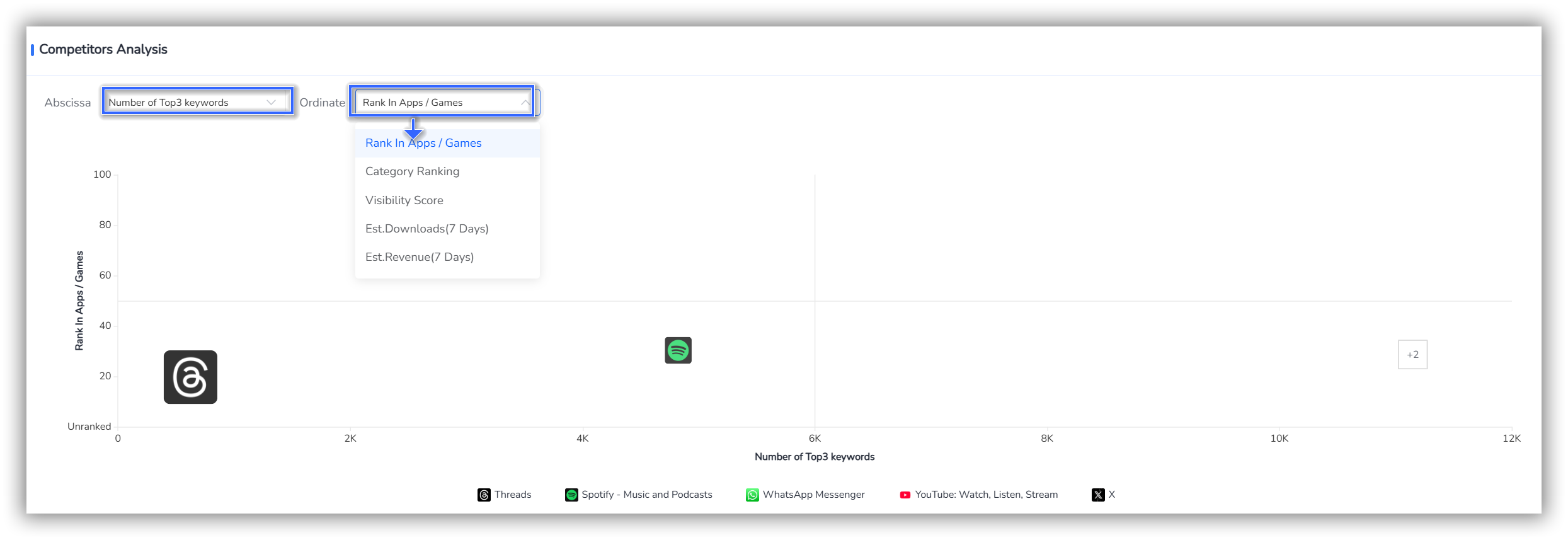
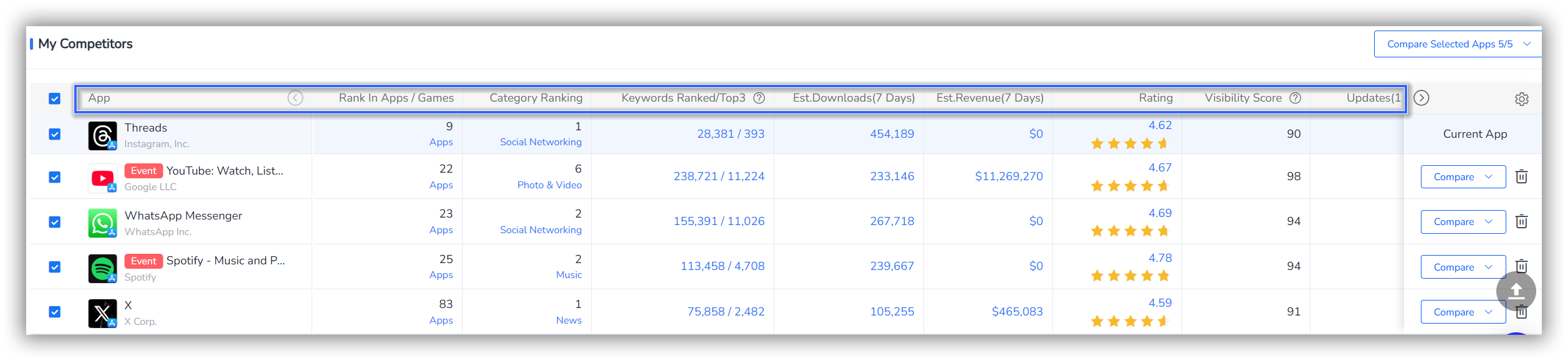
The second section "My Competitors" corresponds to the specific data details of the eight dimensions in the first section "Competitors Analysis" chart.
By understanding these specific data details, you can gain a better understanding of your competitors' market strategies and performance, enabling you to develop more effective market competition strategies and enhance your own market competitiveness."
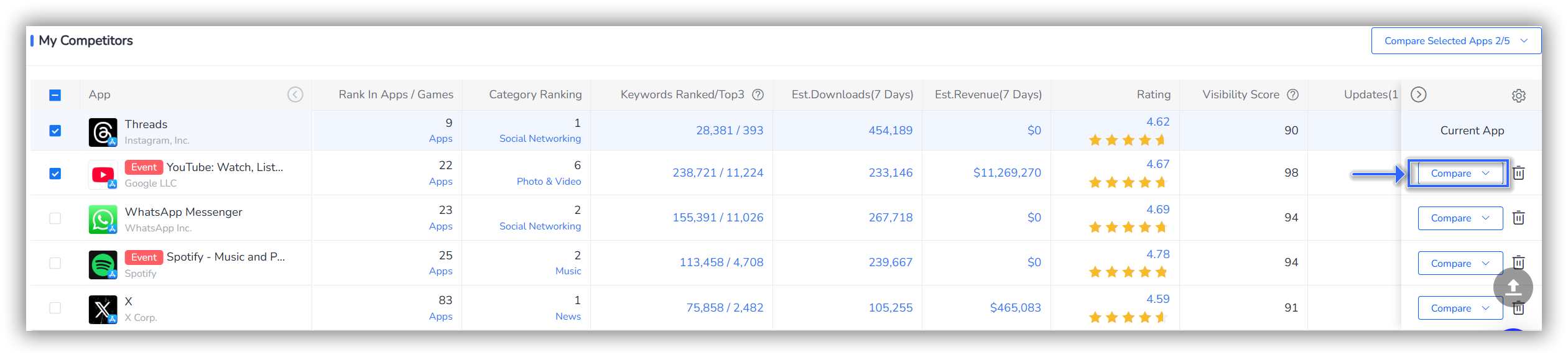
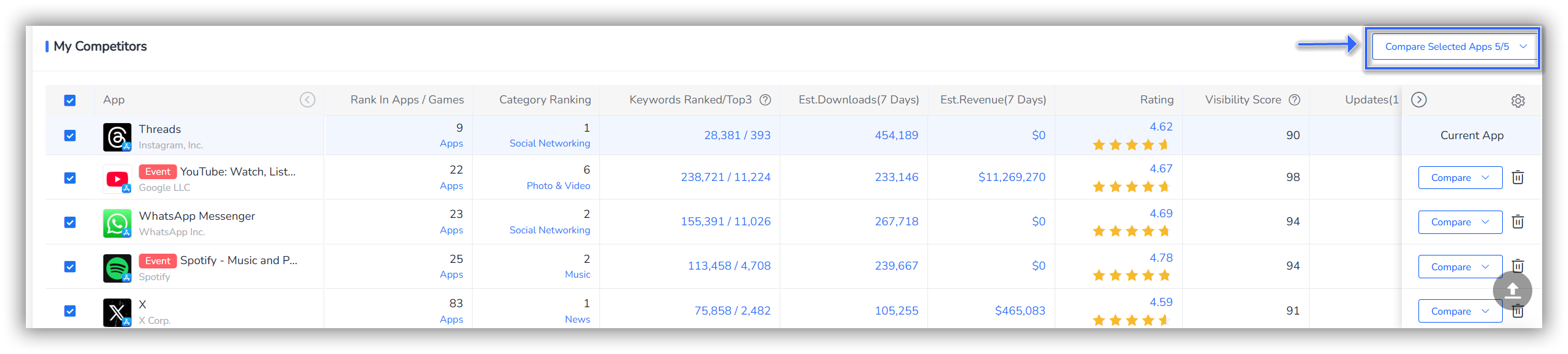
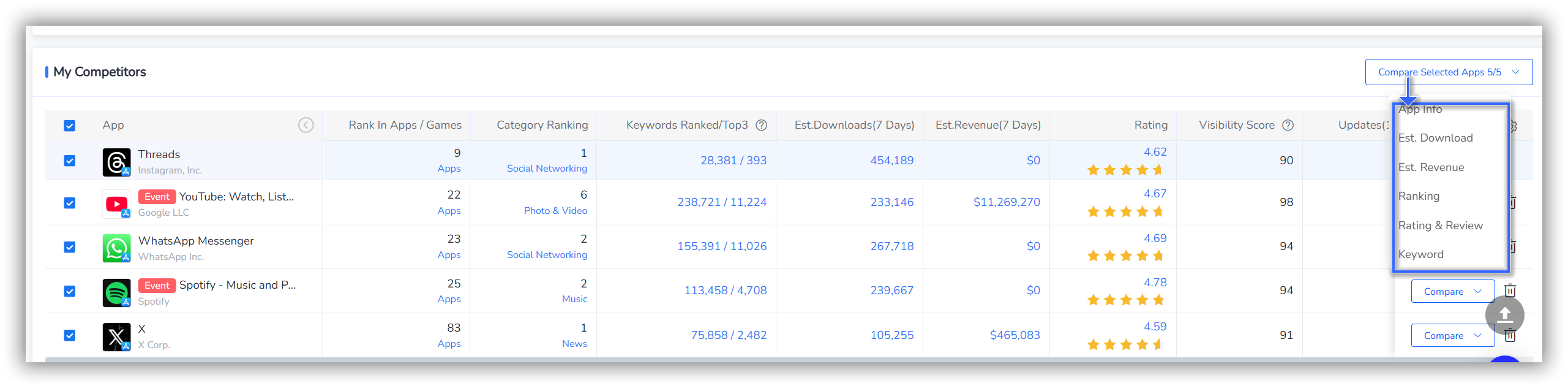
Regardless of the type of competitor analysis, we offer the following six dimensions: App Info, Est. Download, Est. Revenue, Ranking, Rating & Review, and Keyword.
Simply click on the data dimension you're interested in to jump to the corresponding feature section for more in-depth competitor analysis.
Before diving into a deep competitor analysis, we recommend that you first gain a basic understanding of the competitor app.
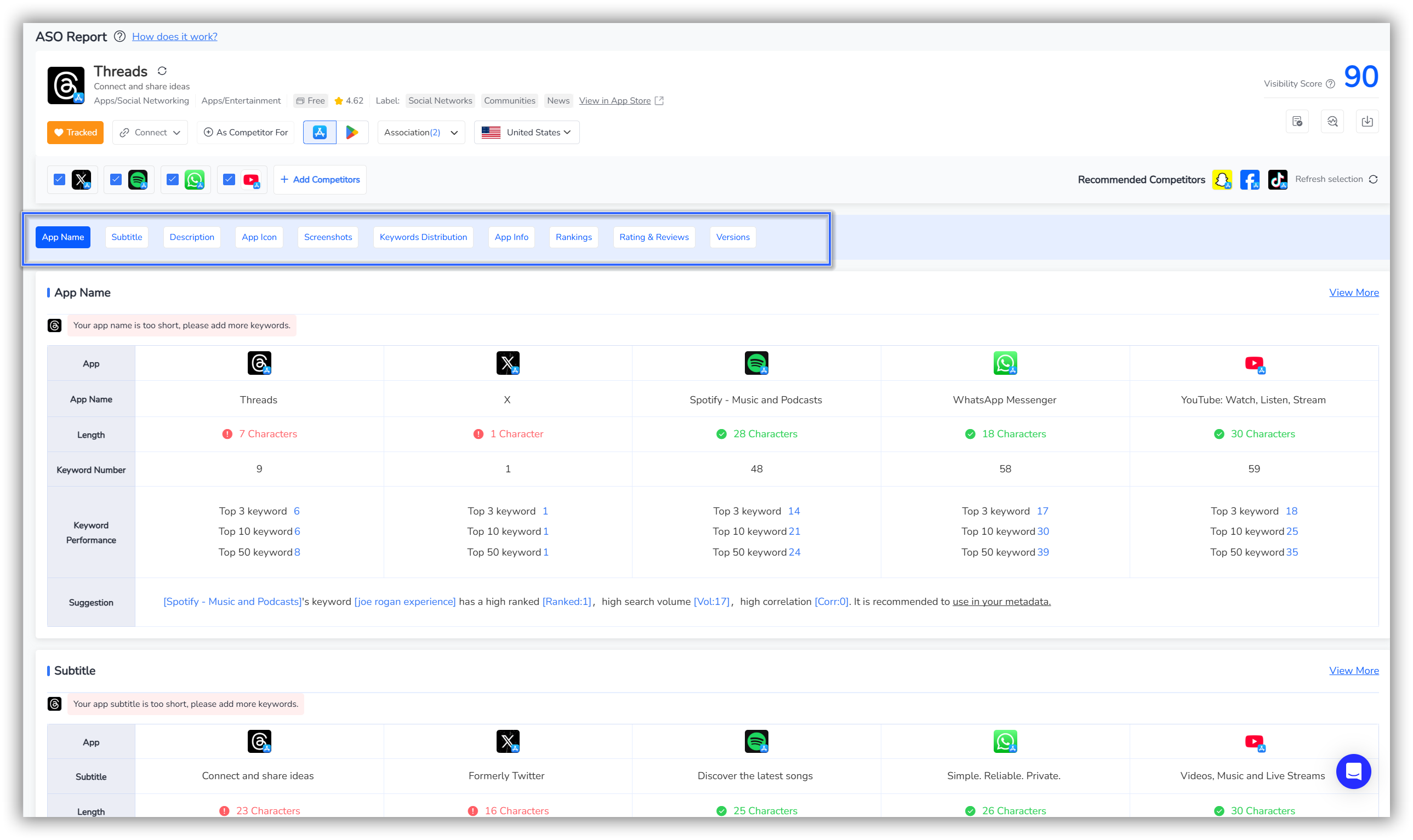
"App Info" allows you to conduct a comprehensive examination of your competitors.
By clicking on this dimension, you can jump to the ASO Report to conduct an in-depth study of the competitor's App Name, Subtitle, Description, App Icon, Screenshots, Keywords Distribution, App Info, Rankings, Rating & Reviews, and Versions.
💡Read More: How to Optimize Your App's Matadata Effortlessly with "ASO Report"
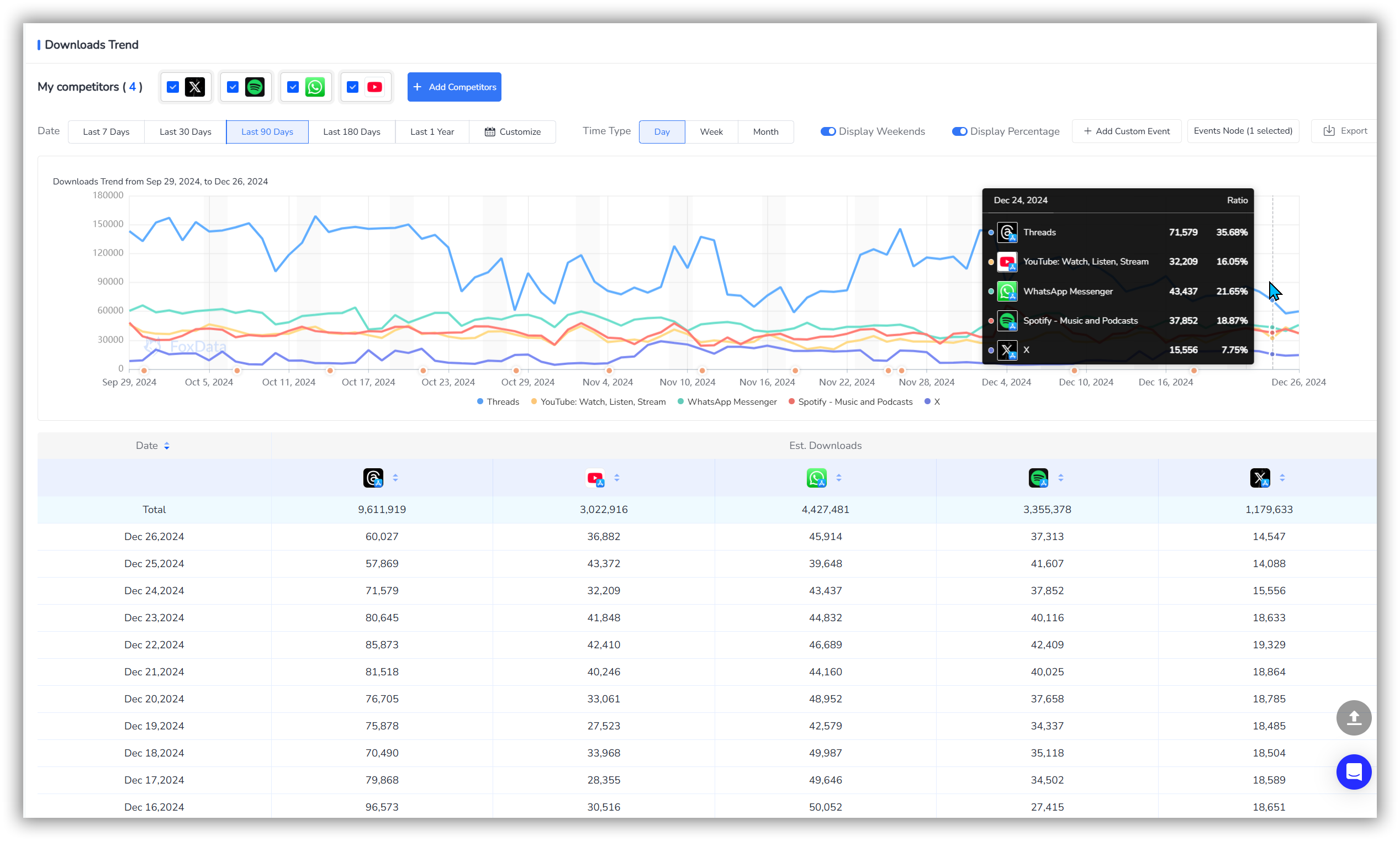
FoxData supports you in viewing the download comparison performance of the apps you track along with their competitors.
This helps you quickly gain insights into market trends and competitive dynamics, allowing you to develop more effective business strategies and product optimization plans.
By clicking on the "Est. Download" dimension, you can directly jump to the "Estimated Downloads" feature to view competitor performance.
FoxData's "Estimated Downloads" feature not only provides a line chart of competitor download volumes but also offers specific data details.
By analyzing the line comparison chart, you can understand changes in competitors' performance over specific periods, helping you identify successful marketing campaigns or product updates.
📒 Note: The orange dots on the horizontal axis of the line chart below represent Event Nodes. You can click on these to see if the event is related to changes in downloads.
By examining specific download numbers, you can conduct more precise market share analysis to assess competitors' user growth rates and market penetration.
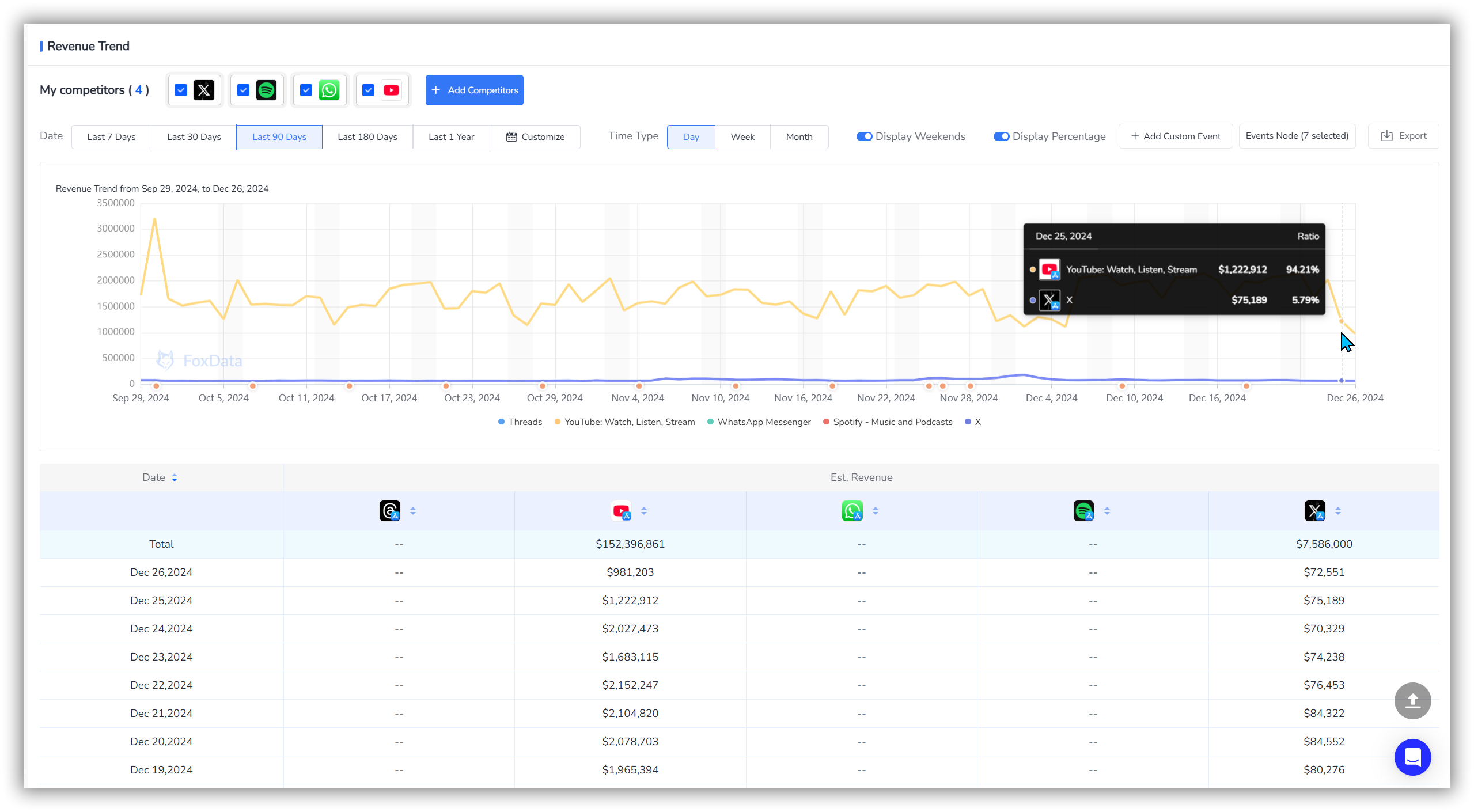
FoxData allows you to view the revenue comparison performance of the apps you track along with their competitors. This helps you quickly gain important financial insights into market dynamics and competitive landscapes.
By clicking on the "Est. Revenue" dimension, you can directly jump to the "Estimated Revenue" feature to view competitor performance.
FoxData's "Estimated Revenue" feature not only provides a line chart of competitor revenue but also offers specific data details.
By observing revenue trend changes, you can identify seasonal market fluctuations and long-term growth trends.
Identify which competitors performed exceptionally well at specific times and analyze their strategies and actions.
📒 Note: The orange dots on the horizontal axis of the line chart below represent Event Nodes. You can click on these to see if the event is related to changes in downloads.
Use specific data to identify market opportunities and threats, and adjust your product strategy and market positioning accordingly.
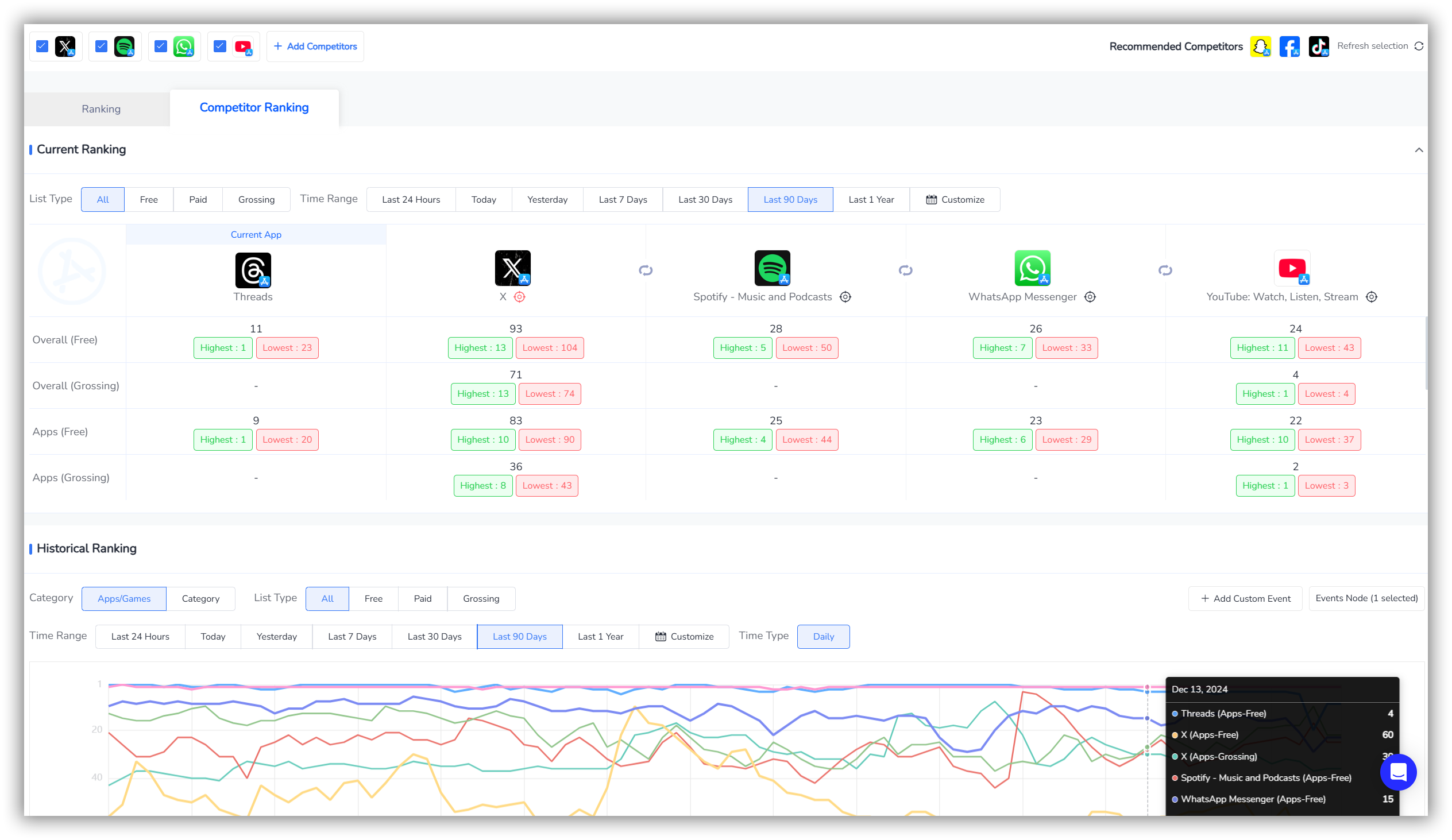
When conducting a competitive analysis, reviewing competitors' rankings is a crucial step to understand their market performance and user recognition.
Ranking data can help you identify competitors' strengths and market positions, allowing you to adjust your own strategy to enhance competitiveness.
Simply click on "Ranking" to navigate to "Category Ranking-Competitor Ranking" for competitor ranking research.
FoxData enables you to view both Current Ranking and Historical Ranking to analyze competitors' market positioning and user appeal.
💡Read More: How to Drive Your App Marketing Efficiency with FoxData "Category Ranking"
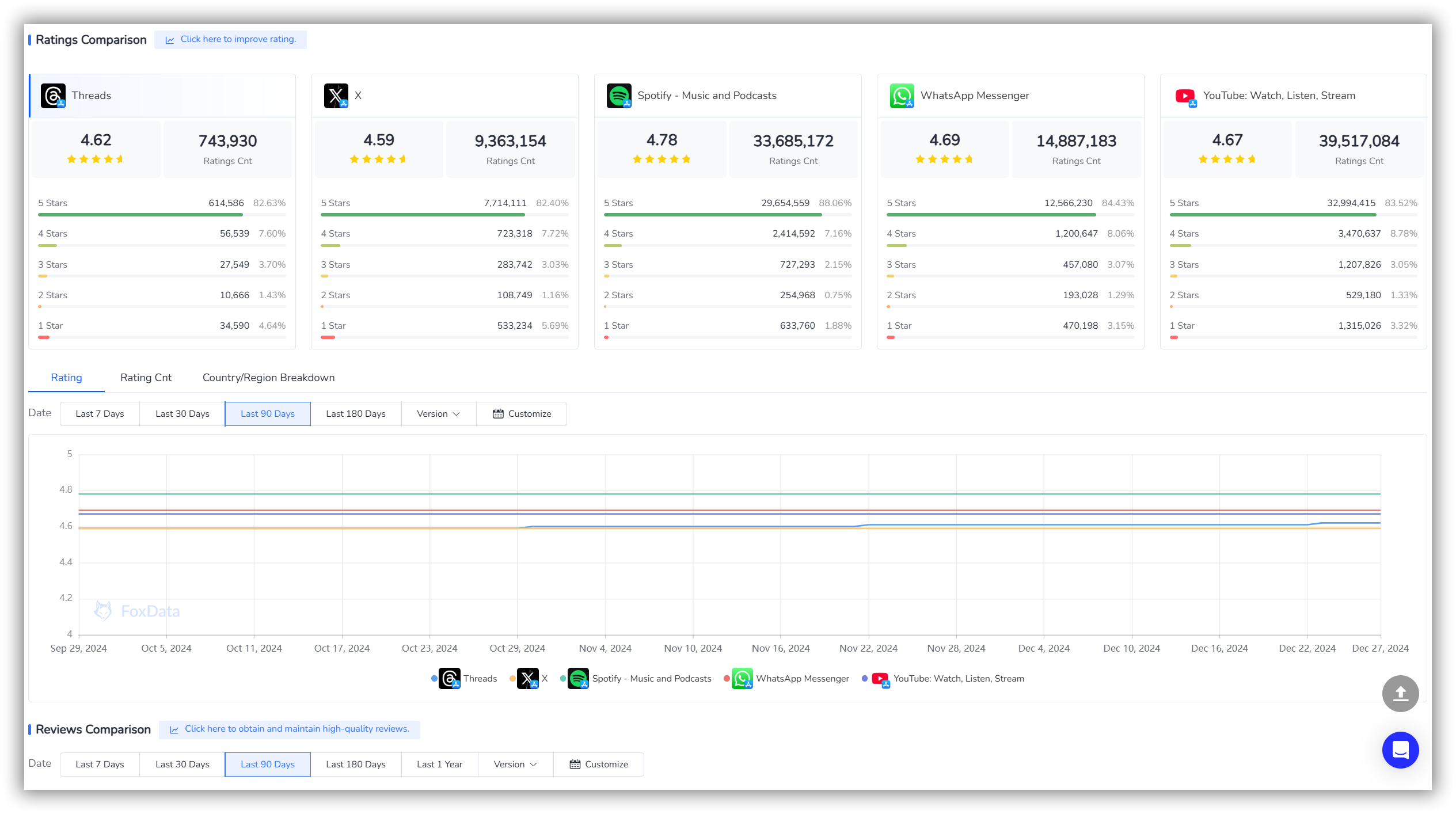
In competitive analysis, examining Ratings & Reviews is a key step to understand user satisfaction, app strengths and weaknesses, and market feedback.
By conducting an in-depth analysis of ratings and reviews, you can gain valuable user insights about competitors' products, which can guide product optimization and market strategies.
Simply click on "Rating & Reviews" to navigate to "Rating & Reviews-Competitors" for competitor ratings and reviews research.
FoxData allows you to conduct a Rating Comparison and Reviews Comparison to gain deeper insights into competitors' user feedback and market performance.
💡Read More: How to Craft a Targeted Marketing Strategy With the "Review & Ratings" Feature
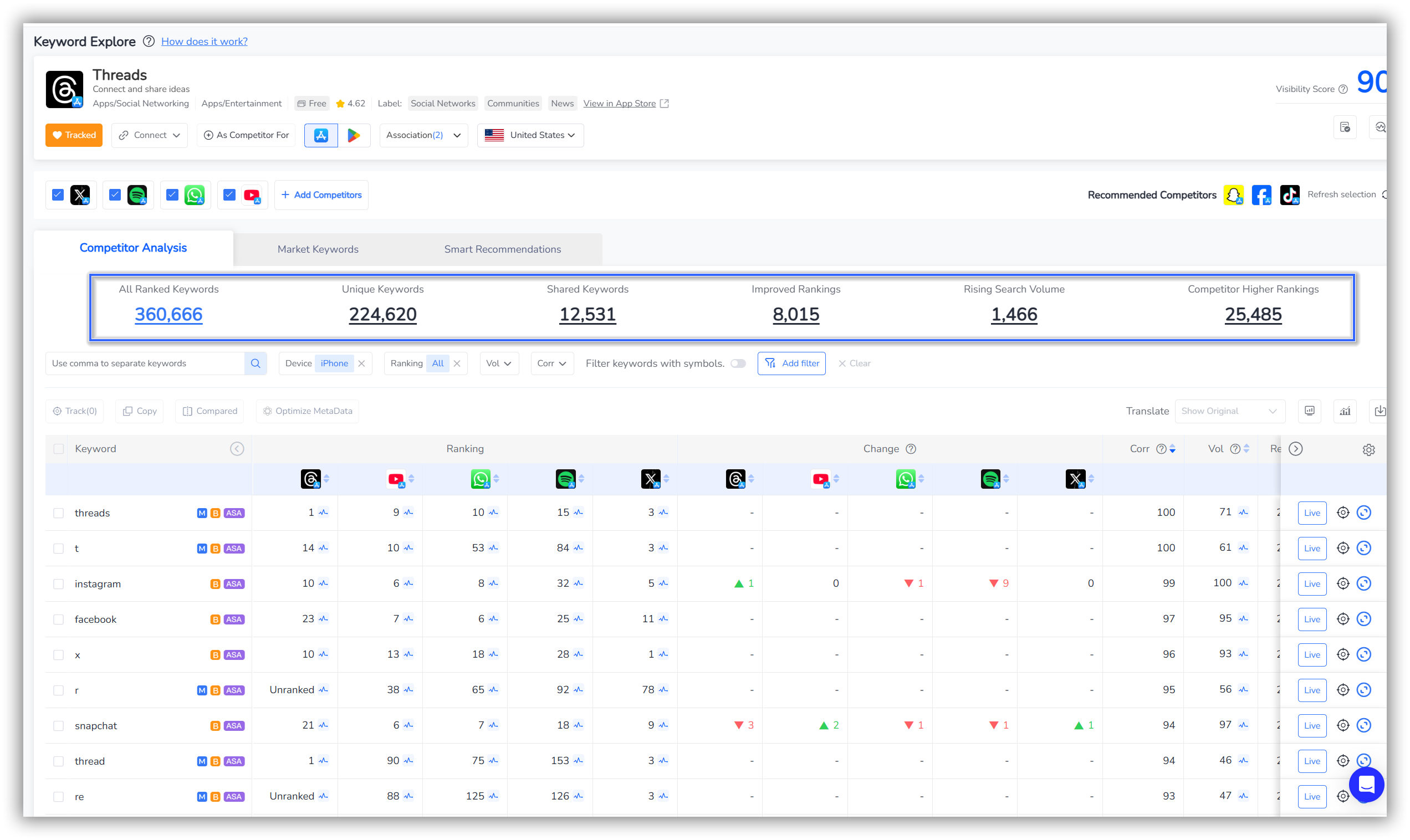
Conducting a Keywords analysis of competitors is a crucial step to understand their App Store Optimization (ASO) strategy, market positioning, and user acquisition tactics.
By analyzing competitors' keyword usage, you can identify opportunities, optimize your own keyword strategy, and increase your app's visibility and downloads.
Simply click on "Keywords" to navigate to "Keyword Explore-Competitors" for competitor keyword research.
You can directly click on "All Keywords," "Unique Keywords," "Shared Keywords," "Improved Rankings," "Rising Search Volume," and "Competitor Higher Rankings" to access specific keyword data for each section.
💡Read More: How to Enhance Your App's Visibility With "ASO Keywords"
"App-Competitor" feature holds significant value for developers aiming to enhance their market position and optimize their strategies.
Competitor analysis equips businesses with the insights needed to refine their competitive strategy, improve their products, and better meet customer needs, ultimately leading to enhanced market success and growth.
A: The "Competitor" is a feature designed to help you conduct competitor analysis effectively with multiple dimensions to enhance their market position and optimize your strategies.
A: Yes, FoxData's "App-Competitor" feature supports both iOS and Android platforms, providing insights for apps across both ecosystems.
A: If your competitor's app is completely free, then there won't be any corresponding revenue data.
A: Yes, FoxData offers comprehensive tutorials and support documentation to help you make the most of the "App-Competitor" feature. You can find them in FoxData blogs or help center.
© 2020-2026 FoxData. All Rights Reserved.



