






Explore More Possibilities for Your Business
Full-cycle scenario construction to meet your needs from App research, development, and release to operation.
Ready for your soaring growth
If you search for the best app analytics tools, you will mostly find lists written for product teams at funded startups: platforms with six-figure annual contracts, onboarding calls, and feature sets that assume you have a dedicated data analyst. That is not your reality.
As a solo developer or small team, your analytics stack needs to answer a narrow but critical set of questions. Where are my users coming from? Why are they leaving? Why is my app not ranking for the keywords I care about? And what is the single most important thing I can do this week to move the numbers?
This guide covers the tools that actually serve those questions well, organized by what job each one does. No filler, no enterprise tools dressed up as indie-friendly. Just an honest breakdown of what exists, what each tool costs, what it does well, and where it falls short, so you can build an indie developer stack that fits the way you actually work.
The tools you choose need to match the constraints you are operating under, and indie development has a very specific set of them.
You are probably managing analytics yourself, or splitting that responsibility with one other person.
You do not have time to spend three hours a week inside a dashboard interpreting raw data.
You are working with a limited budget, which means every paid tool needs to earn its place.
And you are likely running on two storefronts simultaneously, which doubles the surface area of everything you need to track.
Research shows that 65% of app downloads on the App Store happen directly after a search. That means organic discoverability is not a secondary channel for most indie apps. It is the channel.
Getting keyword strategy right, keeping your ratings healthy, and ensuring your store listing converts at a competitive rate are not optional growth tactics. They are the core of the business. And none of that happens without data.
The global indie game market was valued at approximately $9.9 billion in 2024 and is poised for continued growth due to a Compound Annual Growth Rate (CAGR) of over 12%. That growth reflects real opportunity, but also real competition.
The developers who win in that environment are the ones who understand their data and act on it consistently.
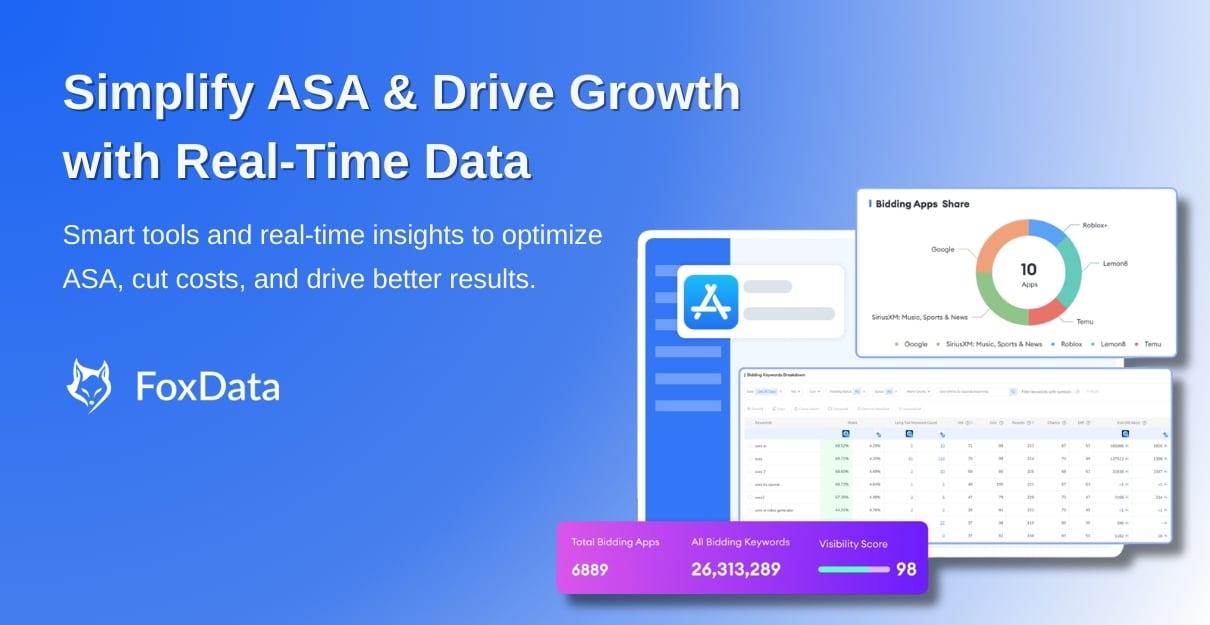
Discover keyword opportunities, monitor competitors, and improve campaign performance using FoxData’s ASA analytics tools.
Before getting into specific tools, it helps to understand that no single platform does everything well. A practical indie developer stack typically covers three distinct layers.
In-app behavior analytics tracks what users do inside your app after they install:
Most indie developers need all three layers, though the depth of investment in each will vary depending on your stage and priorities.
Firebase is the default starting point for most indie developers tracking in-app behavior, and for good reason. The core analytics are free, the SDK integrates cleanly with both iOS and Android, and automatic event tracking covers sessions, installs, in-app purchases, and crashes without additional configuration.
For mobile games specifically, Firebase's custom event system lets you define and track gameplay milestones: level completions, power-up usage, and drop-off points in your onboarding. The integration with BigQuery allows for deeper analysis when you are ready for it, and connections to Google Ads and AdMob are built in.
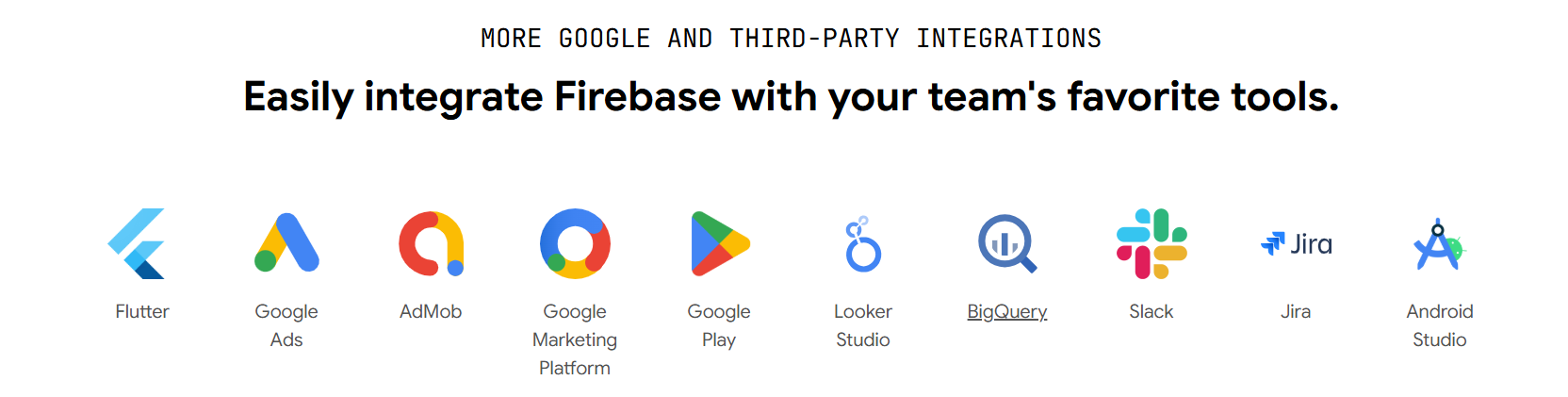
The limitations are manageable. Firebase requires meaningful configuration before it becomes genuinely useful beyond basic metrics. Funnel analysis and retention cohorts are available but need setup. The interface is designed for Google's broader ecosystem rather than for indie game developers specifically.
Best for: Developers already in the Google ecosystem, or anyone who needs solid baseline in-app tracking at no cost.
Pricing: Free for core analytics. BigQuery export costs apply at scale. Learn more: https://firebase.google.com/pricing

GameAnalytics is purpose-built for mobile games, which makes it a more natural fit than Firebase for developers who do not want to spend time configuring generic event tracking for game-specific metrics. The platform comes pre-loaded with gaming KPIs: DAU, ARPDAU, session length, progression funnels, economy analysis, and A/B testing.
Industry benchmarks are built in, so you can see how your retention curves compare to games in your genre rather than interpreting numbers in isolation.
The free tier is genuinely generous and covers the needs of most indie titles with a user base under a few million monthly actives.

The tradeoff: GameAnalytics is strong on gameplay behavior but lighter on monetization depth and has no ASO or store visibility capability. It tells you what players do inside your game. It cannot help you get more of them.
Best for: Indie game developers who want game-native analytics with solid benchmarks and a meaningful free tier.
Pricing: Free up to 5 billion events per month. Paid plans for additional features and higher volume. Learn more: https://www.gameanalytics.com/pricing

If you build in Unity, Unity Analytics integrates natively without an additional SDK. You get real-time player journey data, level progression tracking, in-app purchase stats, and A/B testing through Unity's Remote Config, all within the engine you are already using.
The limitation is portability. If you ever move away from Unity or need to combine data across platforms, its usefulness drops sharply. It is also less flexible than Firebase or GameAnalytics for custom event structures.
Best for: Unity developers who want zero-friction analytics setup and do not need cross-engine flexibility.
Pricing: Included with Unity plans. Learn more: https://unity.com/products
This is where a large portion of indie developers underinvest, and where the gap between growing apps and stagnant ones often lives. Native storefronts show you your own data. They cannot show you keyword opportunities, competitor behavior, or where your listing is losing conversions relative to others in your category.
These are mandatory, not optional. Both platforms provide impression data, conversion rates, download trends, crash reports, and basic retention metrics directly from the source. Their product page analytics have improved meaningfully in recent years and are more capable than many developers realize.
Use them as your baseline and source of truth for raw performance numbers. Their core limitation is context: you see your data in isolation, with no external benchmarks, no keyword ranking visibility, and no competitor intelligence.
Best for: Every developer, as a foundational data source.
Pricing: Free.
FoxData is an ASO and app market analytics platform designed specifically for indie developers and small teams managing app marketing on a budget. It covers the gaps that native dashboards leave open: keyword research across both the App Store and Google Play, ranking tracking for target terms over time, competitor monitoring, review aggregation, and ASO impact analysis that connects metadata changes to measurable ranking and conversion outcomes.
For keyword research, FoxData surfaces search volume, keyword difficulty, ranking potential, and long-tail opportunities, along with visibility into which terms your competitors are targeting. This is the core of any organic growth strategy, and it is information that simply does not exist inside App Store Connect or Play Console.
The ASO Impact Analysis feature is particularly useful for small teams. It records when you make a store listing change and overlays that event against your download and ranking trends, so you can see whether an update to your title, keywords, or screenshots actually moved the needle. Most developers make these changes and then guess at whether they worked. This closes that loop.
Review management is aggregated across storefronts and includes sentiment analysis, which helps you identify patterns in negative feedback without reading every review individually. A free trial is available.
Best for: Indie developers and small teams who want keyword intelligence, competitor visibility, and ASO tracking without enterprise pricing.
Pricing: Free trial available. Paid plans are designed with indie developer budgets in mind. Visit FoxData to learn more.

AppsFlyer is the industry standard for mobile attribution, and its free tier covers the needs of many indie developers running small-scale campaigns. You can track which ad networks are driving installs, measure campaign-level conversion rates, and see cohorted retention data by acquisition source. The platform integrates with most major ad networks and has strong fraud detection.
The paid tiers become relevant when you are running significant paid UA spend and need deeper attribution windows, custom audiences, or advanced cohort analysis. For early-stage developers doing mostly organic growth with occasional small campaigns, the free tier is functional.
Best for: Developers running paid user acquisition who need to know which channels convert.
Pricing: Free up to a volume threshold. Paid tiers for scale. Learn more: https://www.appsflyer.com/pricing/
Adjust is a direct alternative to AppsFlyer with comparable core attribution capabilities. It is particularly strong on privacy compliance and SKAdNetwork support for iOS, which matters as Apple's privacy framework has made attribution more complex. Pricing is quote-based and tends to be more accessible than AppsFlyer at smaller volumes.
For solo developers not yet running meaningful paid campaigns, attribution tools can wait. Start here when paid acquisition becomes a real part of your strategy.
Best for: Teams scaling paid UA who need robust attribution with strong privacy tooling.
Pricing: Custom quotes. Generally more accessible at lower volumes than AppsFlyer's paid tiers.
The goal is not to use every tool on this list. It is to cover each layer of the stack with the minimum tooling that does the job well.
A practical starting point for most indie developers: Firebase or GameAnalytics for in-app behavior, App Store Connect and Google Play Console for baseline store performance, and an ASO platform for keyword tracking, competitor monitoring, and store optimization.
Add attribution tooling when paid campaigns become part of your strategy.
That stack covers the three questions that matter most: what users do after they install, how your store listing is performing, and what to do to improve organic discoverability. It is manageable by one person and scales as your app grows.
The common mistake is treating analytics as a passive function: set it up, glance at it occasionally, and assume something will stand out when it needs attention.
The developers who grow consistently treat their analytics stack as an active workflow. Weekly keyword check. Monthly competitor review. Quarterly creative refresh based on conversion data. Those habits, applied consistently with the right tools, compound into real, measurable growth.
Using only native dashboards and calling it analytics. App Store Connect and Play Console are necessary starting points, not a complete analytics setup. Without external keyword data and competitor visibility, you are managing performance without understanding the market context around you.
Choosing tools based on feature lists rather than actual use. The best tool for an indie developer is the one you will actually open regularly. Complexity you do not use is cost you do not need. Evaluate tools based on whether the interface surfaces the specific decisions you need to make.
Changing your metadata too frequently. Updating keywords, title, or screenshots every week looking for a shortcut increases ranking volatility and makes it impossible to measure what is actually working. Make deliberate changes, give each one time to register, and measure the outcome before changing again.
Ignoring your reviews. Research consistently shows that apps with ratings above 4.0 see significantly higher conversion rates and better store visibility than those below 3.5. Responding to negative reviews and acting on recurring product issues are not community management tasks. They are growth levers.
Not tracking competitors until it is too late. By the time you notice that your rankings dropped because a competitor updated their metadata, the damage is already done. Passive competitor monitoring as a regular habit costs very little time and prevents reactive decision-making.
Building a useful analytics stack as an indie developer is not about having the most tools. It is about having the right coverage for the questions that actually drive your decisions: what users do in your app, how your store listing performs, and what you can do to improve organic discoverability.
The tools in this guide each do a specific job well. The ones that earn a place in your stack are the ones you will actually use on a regular basis to make better decisions than you would make without them.
For the ASO and store performance layer specifically, that means going beyond what native dashboards can show you. Keyword intelligence, competitor tracking, and measurable ASO impact are not advanced features for large studios. They are foundational for any developer trying to grow organically in a competitive category.
If you are looking for an ASO and app analytics platform built with indie developer workflows and budgets in mind, take a closer look at FoxData's tools for indie developers and small teams. It covers keyword research, competitor monitoring, store conversion analytics, and review management in one place, without the pricing or complexity of enterprise platforms.
You need enough to cover the three layers: in-app behavior, store performance and ASO, and attribution. In practice, that means two to three tools for most early-stage developers. One in-app analytics platform, one ASO and keyword tracking platform, and native dashboards as your baseline. Attribution tooling can be added when paid campaigns become meaningful. More tools than that often means duplication and noise rather than better decisions.
As soon as organic installs matter to your growth model, which for most apps is from the moment of launch. Free tools tell you what is happening with your downloads. Paid ASO tools tell you why, and what to do about it. Keyword rankings, competitor activity, and conversion rate data are not available in native dashboards.
If you are trying to grow organic installs without tracking keywords, you are optimizing blindly.
If you are building a game and want game-native metrics with built-in benchmarks and minimal configuration, GameAnalytics is the more focused choice. If you are already in the Google ecosystem, need cross-platform coverage, or want deeper integration with Google Ads and BigQuery, Firebase is the stronger fit.
Start with your store listing conversion rate alongside your keyword rankings for your top three to five target terms. These two signals tell you whether users can find you and whether your listing convinces them to install. Both are directly actionable and directly tied to organic growth.
Ready to make your app shine? Optimize your app's visibility with FoxData, the ultimate ASO tool! Maximize downloads and rankings by leveraging our powerful insights today.
App Growth & ASO Tools by FoxData
FoxData supports every stage of app growth with specialized ASO and app analytics tools, helping teams improve keyword visibility, user acquisition, and retention through reliable data.
🔍 Store Keyword Research Tools
Research high-intent keywords, search volume, and competition to strengthen your app store optimization strategy.
📈 App Store Keyword Tools
Analyze keyword rankings and performance across the Apple App Store and Google Play to refine ASO execution.
📊 ASO Monitoring Tools
Monitor keyword ranking changes, visibility trends, and ASO impact over time with continuous performance tracking.
👥 User Activity Monitoring Tools
Understand in-app user behavior, engagement, and retention with real-time user activity analytics.
Together, these tools form FoxData’s ASO analytics and app intelligence ecosystem, designed to help developers, marketers, and growth teams make data-driven decisions and scale sustainably.
Explore it today!
👉 Learn more about FoxData here | 👉 Book a demo with FoxData team today!
© 2020-2026 FoxData. All Rights Reserved.



