




Explore More Possibilities for Your Business
Full-cycle scenario construction to meet your needs from App research, development, and release to operation.
Ready for your soaring growth
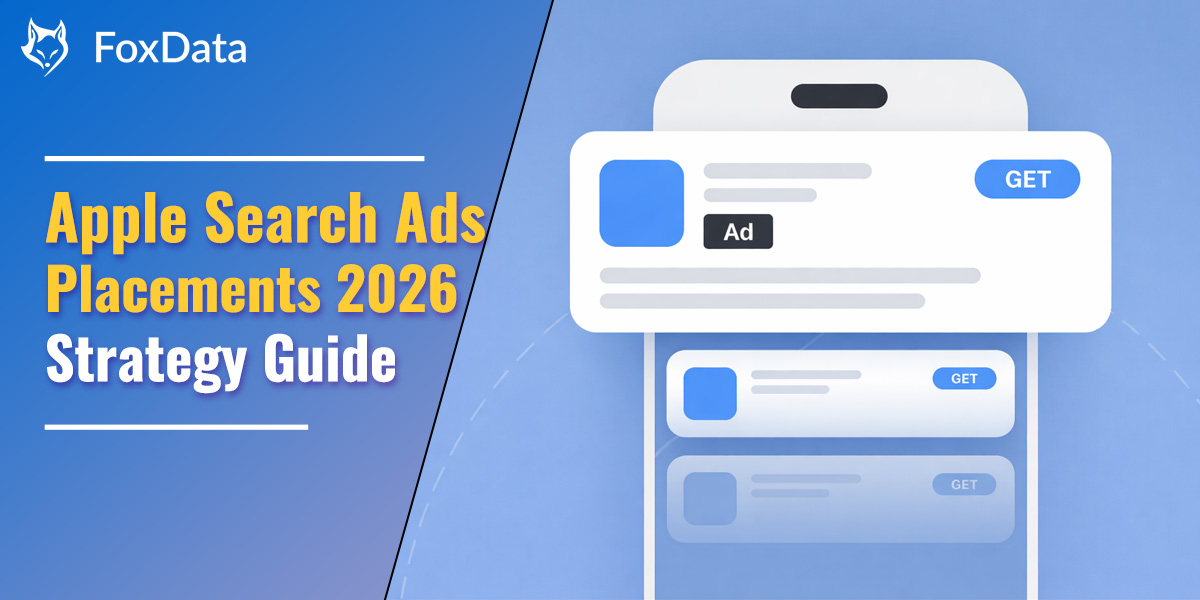
Apple Ads is rolling out a major update to App Store search advertising — introducing a second ad placement in search results. The update is launching first in the United Kingdom and Japan, with a global rollout expected by the end of the month.
This expansion significantly increases ad inventory and competition in App Store search, making Apple Ads even more critical for app visibility and user acquisition. As more advertisers enter the auction, understanding each ad placement and optimizing campaigns strategically will be essential for maintaining growth.
Apple Ads (formerly Apple Search Ads) has four placements:
Use these placements strategically across the funnel: Today Tab and Search Tab for awareness, Search Results for conversions, Product Pages for competitor interception. FoxData ASA tools make it easy to track campaigns, discover top keywords and optimize for more traffic and installs.
In 2016, Apple launched Apple Search Ads (ASA) to help developers promote apps in search results. Over time, Apple expanded ad inventory to include Today Tab ads and Product Page ads, allowing marketers to reach users at multiple stages of the App Store journey.
For developers, understanding how each placement captures user intent is critical. Placements impact:
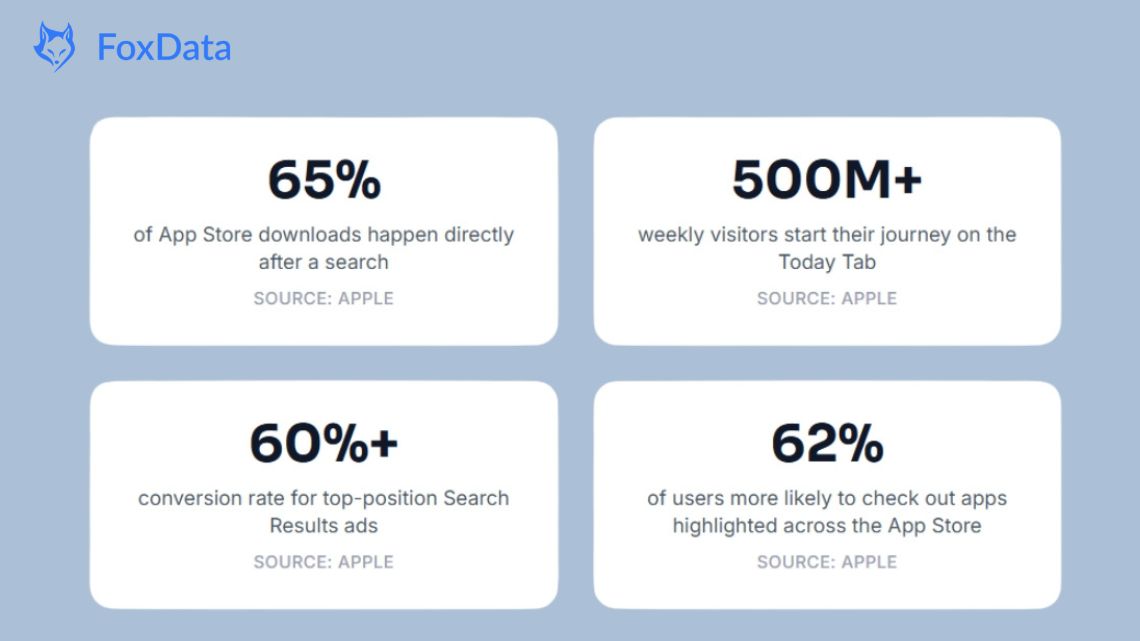
With Apple Search Ads’ expanded placements, teams can now coordinate campaigns for full-funnel impact. A platform like FoxData makes it easier to track placement performance, optimize bidding strategies and monitor keywords across campaigns.
Apple Search Ads currently offers these four placement types:
1. Today Tab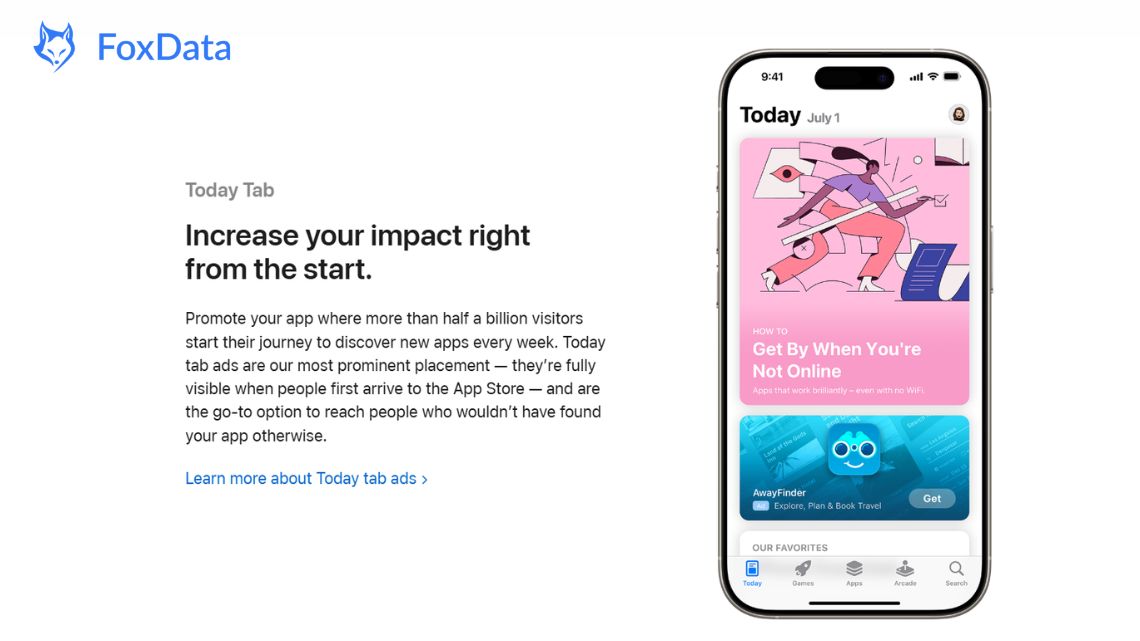
The Today Tab is the first screen users see when they open the App Store, making this placement ideal for building brand awareness and broad reach. Ads here feature your app name, icon and subtitle and use a Custom Product Page (CPP) you choose as the tap destination.
Today Tab requires strong creative investment. Your custom product page assets — screenshots, app previews, backgrounds — do all the heavy lifting. If your creative doesn't stop the scroll, the placement won't deliver. This isn't the place for generic screenshots.
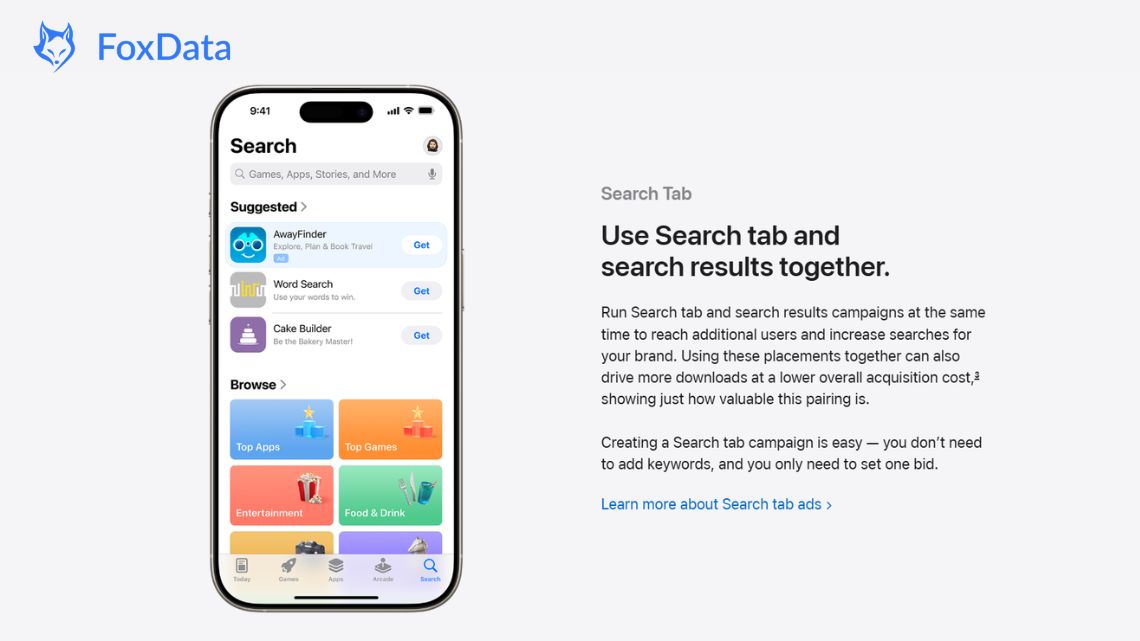
Search Tab ads appear at the top of the suggested apps list on the Search tab before a user types any query.
💡 Key Insight: Search Tab is the simplest Apple Search Ads placement to set up. No keyword research, no bid management per keyword — just one audience, one bid, one budget. If you're running Search Results campaigns but skipping Search Tab, you're leaving low-cost discovery on the table.
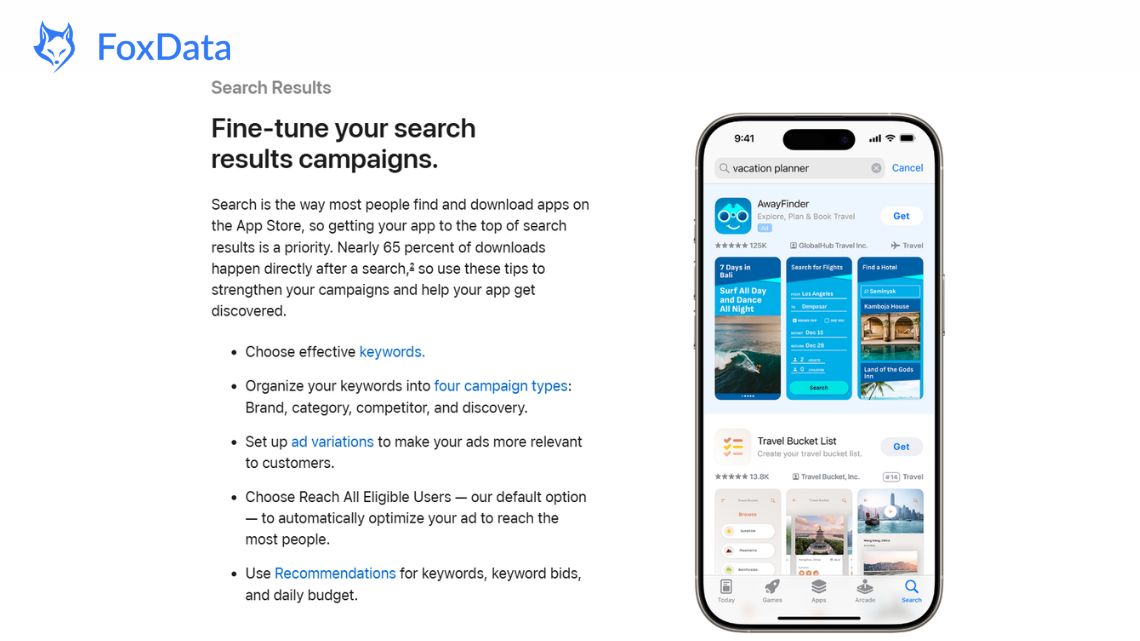
This is what people historically think of when they hear “Apple Search Ads”. Ads appear at the top of relevant search results when users search for specific terms you’re targeting.
📌 Tip: Create ad variations using custom product pages (CPPs). Align your screenshots and messaging with keyword intent. CPPs lift conversion rates by 5.9% for apps and up to 8% for games.
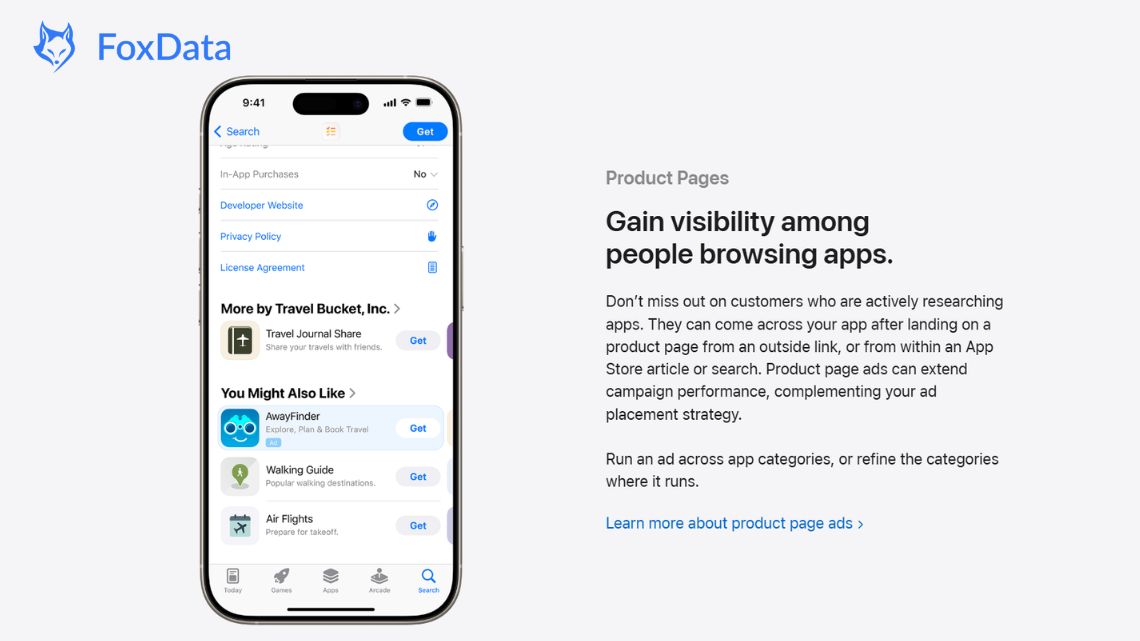
Product page ads show up at the top of the “You Might Also Like” section on App Store product pages.
💡 Key Insight: Product Pages is the only placement where your ad appears within the context of a specific competitor's listing. Use category refinement to ensure your ads appear on relevant product pages -- not random ones. Start broad to identify where performance is strongest, then narrow your category targeting.
Apple Search Ads placements aren’t isolated — they work best as part of a cohesive strategy. Here’s how to think about them:
Running multiple placements together often increases overall campaign performance, improves brand recall and smooths out performance volatility across different user behaviors.
|
Placement |
Funnel Stage |
Intent |
Best For |
|
Today Tab |
Awareness |
Low |
Launch & brand exposure |
|
Search Tab |
Pre-search |
Medium |
Demand shaping |
|
Search Results |
Intent capture |
High |
ROI & performance |
|
Product Pages |
Comparison |
Medium-High |
Competitor targeting |
Each placement captures a different moment in the App Store journey, from broad discovery to final app comparison.
Discover keyword opportunities, monitor competitors, and improve campaign performance using FoxData’s ASA analytics tools.
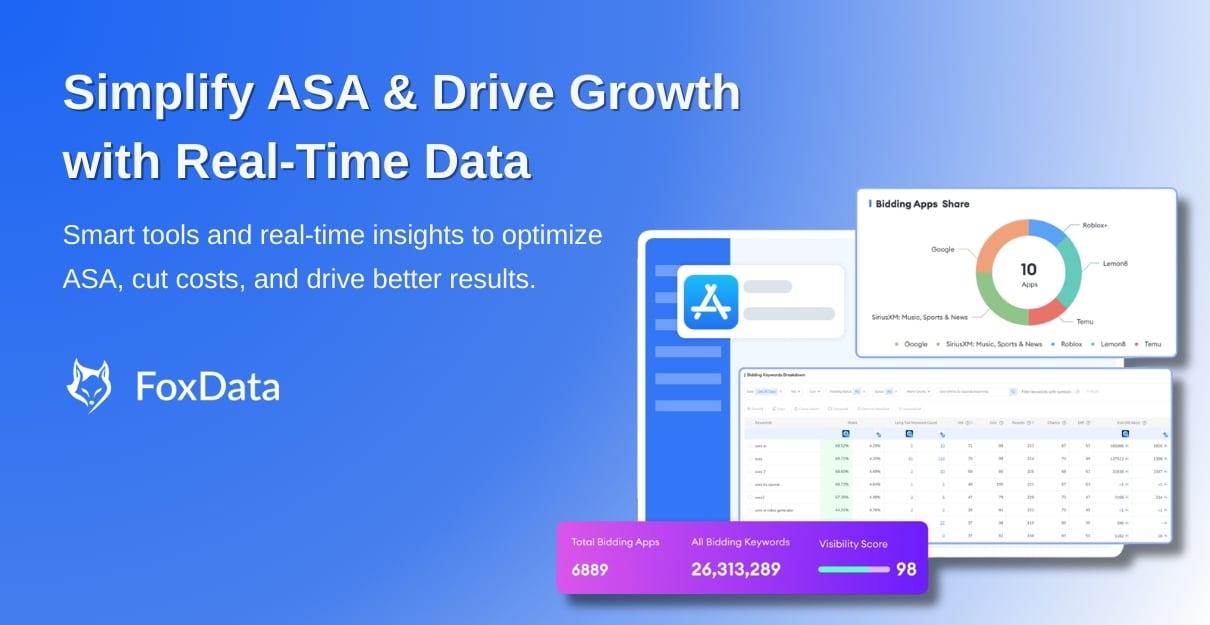 Optimize Apple Search Ads with Real-Time Data
Explore Now
Optimize Apple Search Ads with Real-Time Data
Explore Now
No single placement covers the entire user journey. The right mix depends on where your app sits and what you're trying to achieve. Here's a practical framework:
Lead with: Today Tab + Search Results
Support with: Search Tab + Product Pages
You need awareness (nobody knows your app exists) and conversion (you need installs to build momentum). Today Tab creates the initial wave of visibility. Search Results captures users who are already looking for what you offer. Search Tab and Product Pages extend your reach at low incremental cost.
Lead with: Search Results (brand + category + competitor campaigns)
Support with: Search Tab + Product Pages
Your brand has some recognition. The priority is efficient acquisition at scale. Search Results is your workhorse — segment campaigns by brand, category, and competitor keywords. Search Tab feeds additional discovery. Product Pages picks up users who are comparing you against alternatives.
Lead with: Today Tab
Support with: Search Results
Time-sensitive campaigns need maximum visibility in a short window. Today Tab delivers massive impressions on the App Store's most prominent real estate. Pair it with Search Results to convert the intent that Today Tab generates.
Lead with: Search Results only
If your budget is limited, concentrate on the placement with the highest conversion rate and clearest ROI attribution. Start with brand defense (protect your name) and category campaigns (capture relevant intent). Add other placements only when you have headroom.
|
Placement |
Budget Share |
Rationale |
|
Search Results |
60-70% |
Primary performance driver; highest conversion |
|
Search Tab |
10-15% |
Low-cost discovery and brand lift |
|
Today Tab |
10-15% |
Awareness; especially during launches and events |
|
Product Pages |
5-10% |
Supplementary competitive conquest |
Adjust based on observed performance. Let campaigns run for at least two weeks before making significant budget shifts.
Search Results is essential, but it only captures users who already know what to search for. Today Tab and Search Tab generate the awareness that feeds search volume. Without them, you're fishing only in the pond — not filling it.
A 0.32% TTR looks bad on a dashboard. But Today Tab's primary output is brand impression, not direct tap. Use view-through install data (available since mid-2024) to measure its real impact on your funnel.
Each placement has different creative requirements. Today Tab needs custom product page assets. Search Results benefits from ad variations aligned to keyword intent. Product Pages shows only your default listing. One-size-fits-all creative underperforms everywhere.
"Why would I bid on my own name?" Because your competitors will. If you don't defend your brand keywords, a competitor's ad will appear when users search for you — and at a 50% conversion rate, they'll capture a meaningful share of your traffic.
Apple Search Ads placements interact with each other. An increase in Today Tab spend may lower your Search Results CPI. A new competitor entering your category may change your Product Pages performance. Review cross-placement performance regularly, not just individual campaigns in isolation.
🔍 The Smartest Way to Structure Apple Search Ads
A: Today Tab, Search Tab, Search Results and Product Pages. Each placement captures a different user intent stage.
A: Not necessarily. Apple Search Ads charges only when someone taps. Today Tab and Search Tab give free impressions for awareness. Start with Search Results, test small budgets on Search Tab, then expand to Today Tab and Product Pages.
A: No. Each placement requires a separate campaign within Apple Search Ads. This is by design — each placement has different targeting, creative and bidding options. Separate campaigns give you independent budget control and performance visibility.
A: Existing Search Results campaigns automatically qualify—no changes needed. Ads may now show lower in search results, boosting impressions and possibly lowering cost-per-tap, giving more reach with no extra effort.
A: FoxData links ASO to Apple Search Ads. Track keywords, analyze competitors, find high-potential terms and see market trends—so you can optimize bids, placements and budgets with confidence.
Apple Search Ads in 2026 is a multi-placement system, not a single-channel tactic. The four placements — Today Tab, Search Tab, Search Results and Product Pages — each serve a distinct role in the user journey, from passive awareness to active comparison. Advertisers who manage them as an integrated system consistently see lower acquisition costs and higher total installs.
Adjust your strategy as your app grows and the competitive landscape changes. The data is available — use it to invest where each dollar drives the most value.
With FoxData, you can track campaigns, discover high-impact keywords, automate campaigns, and manage bulk operations efficiently.
🚀 Start Your 7-day FREE Trial with FoxData and optimize your Apple Search Ads placements globally.
🏷️ Recommended Reading:
© 2020-2026 FoxData. All Rights Reserved.



