






Explore More Possibilities for Your Business
Full-cycle scenario construction to meet your needs from App research, development, and release to operation.
Ready for your soaring growth
💡 Data Solution for ASO & ASA Agencies
FoxData all-in-one app data analysis agency - helps you streamline store optimization, uncover winning keywords with AI, deliver actionable insights faster, and boost user retention.
App Store Optimization (ASO) is the process of increasing the visibility and exposure of your mobile app in the app store. ASO marketers employ various strategies to improve their app's ranking and increase downloads.
One crucial step in enhancing your ASO approach is conducting a competitor analysis. By analyzing your competitors, you can gain insights into their strategies and identify opportunities for your app. Performing an ASO analysis offers numerous benefits.
Competing in crowded app stores can be challenging. Conducting an ASO competitor analysis provides several justifications for understanding your app's competition:
Now that you understand the importance of ASO competitor analysis, let's explore some specific suggestions for conducting it:
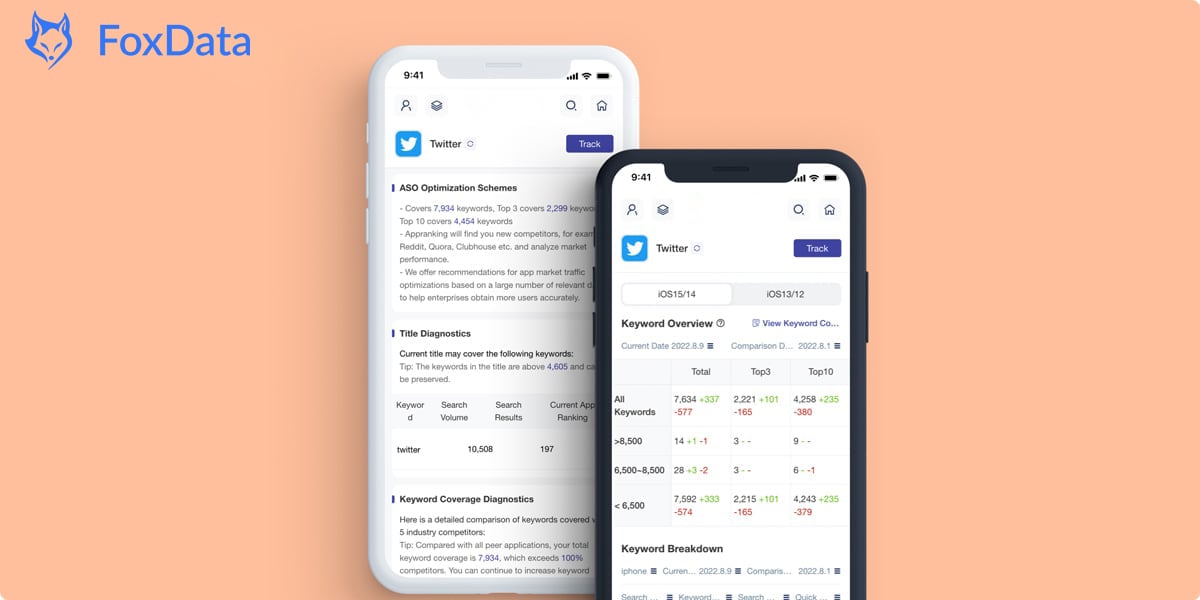
Identify the keywords your app is currently ranked for and use a keyword research tool to find potential keywords. You can track keywords and other research services using FoxData.
Determine your main rivals in the iOS app store or Google Play in different categories:
a. Direct rival apps: Apps that fulfill the same demand as yours in your industry.
b. Indirect competitors: Apps that share your target market but have a different focus.
c. Keyword competitors: Apps that compete with you for higher rankings in the app store's search results.
Examine the creative assets of your competitors, including titles, descriptions, icons, videos, and images. Note any strengths or weaknesses and consider how you can showcase the advantages and features of your app.
Pay attention to the advertisements and messaging of your competitors to improve your own app's content. Learn from their successful copy, optimal visuals, and advertising channels.
Now that you have gathered valuable information about your app's competitors, here are some essential actions to take:
Performing a competitor analysis is crucial for standing out in the app stores and improving your app's visibility. By understanding your competitors' strategies and identifying opportunities, you can enhance your app's ASO and increase your chances of success.
Focus on apps that prioritize store optimization as part of their marketing plan. Utilize search queries to find your competitors and consider apps that have been in the app stores for a longer time. Keyword research and analyzing creative assets and messaging are key steps in conducting an effective competitor analysis.
Choose FoxData as your partner for ASO, Apple Search Ads, and other relevant services to ensure the growth and success of your app.
© 2020-2026 FoxData. All Rights Reserved.



