




Explore More Possibilities for Your Business
Full-cycle scenario construction to meet your needs from App research, development, and release to operation.
Ready for your soaring growth
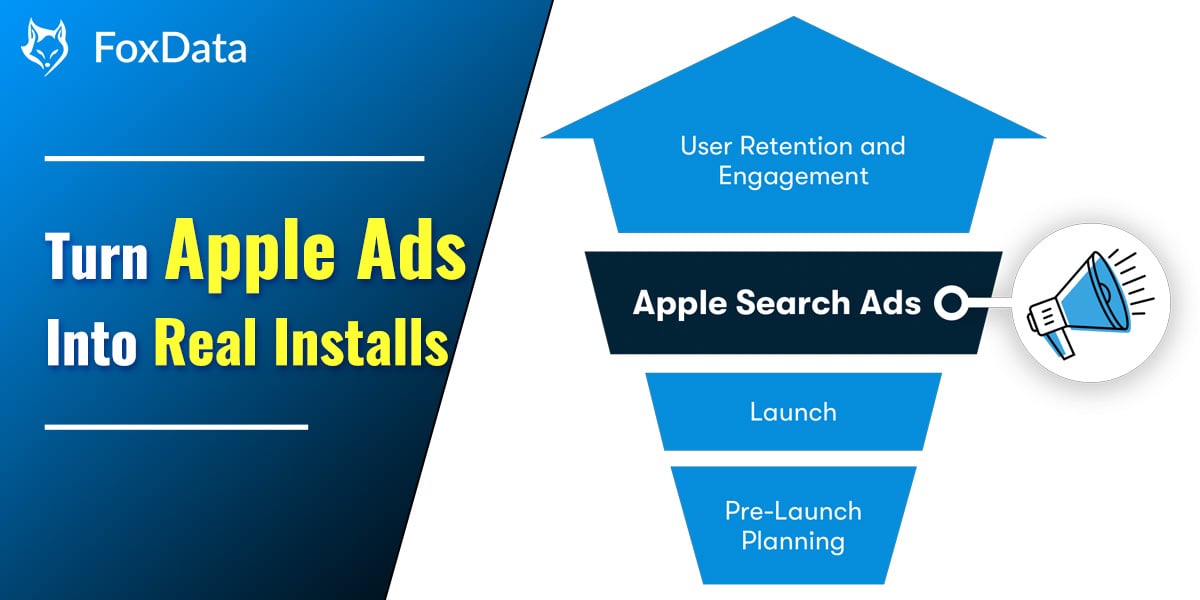
If you’ve ever run Apple Search Ads (ASA), you know the setup looks easy — but turning it into real installs? That’s where most developers struggle.
The truth is, Apple Search Ads work. But most teams lose money because they can’t see what’s actually happening behind the numbers:
That visibility gap is exactly what FoxData was built to solve.
Whether you’re an indie studio or a UA manager running multiple titles, this guide breaks down how to build and optimize ASA campaigns the smart, data-driven way — the way that scales.
At first glance, Apple Search Ads seem straightforward:
But here’s the problem — simplicity hides guesswork.
Many developers start bidding without knowing:
❓ Which keywords their competitors already dominate
❓ What those competitors actually pay per tap
❓ Which high-volume keywords have low competition
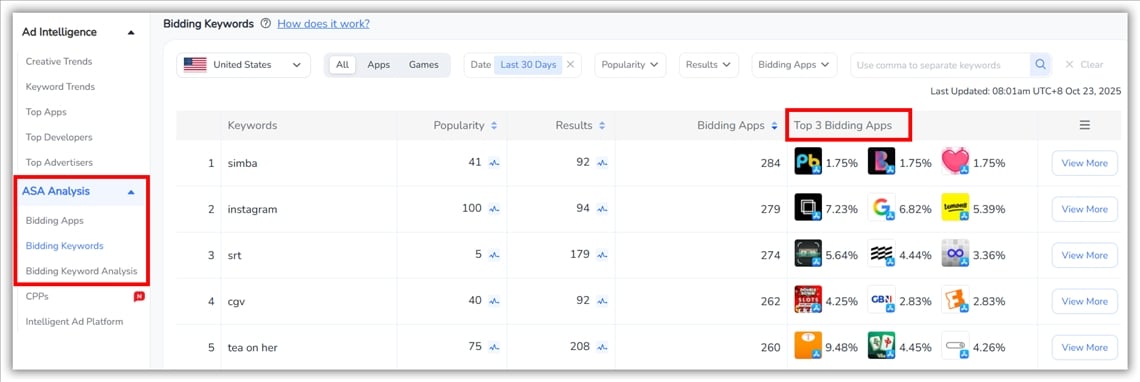
👉 With FoxData’s ASA Analysis, you don’t have to guess.
Instead of guessing which keywords “might” work, you can:
Result: your campaigns launch with clarity, not trial and error.
🔍 Find Out More: Apple Search Ads Account Structure: The Scalable Blueprint for 2025
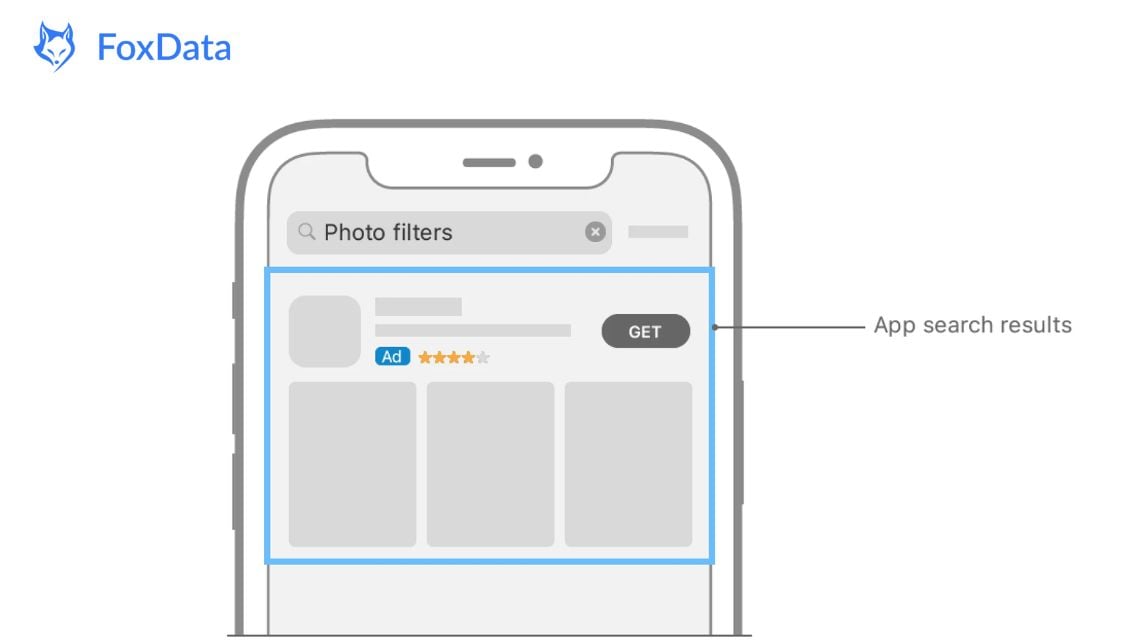
Apple Search Ads offers two versions:
Basic (for automated setup) and Advanced (for full control).
If you’re promoting fewer than 50 apps and prefer a set-and-forget model, ASA Basic works. But keep in mind:
For most developers aiming for consistent installs and measurable ROI, ASA Advanced is worth the effort.
👉 Learn More: Apple Search Ads Guide for Beginners
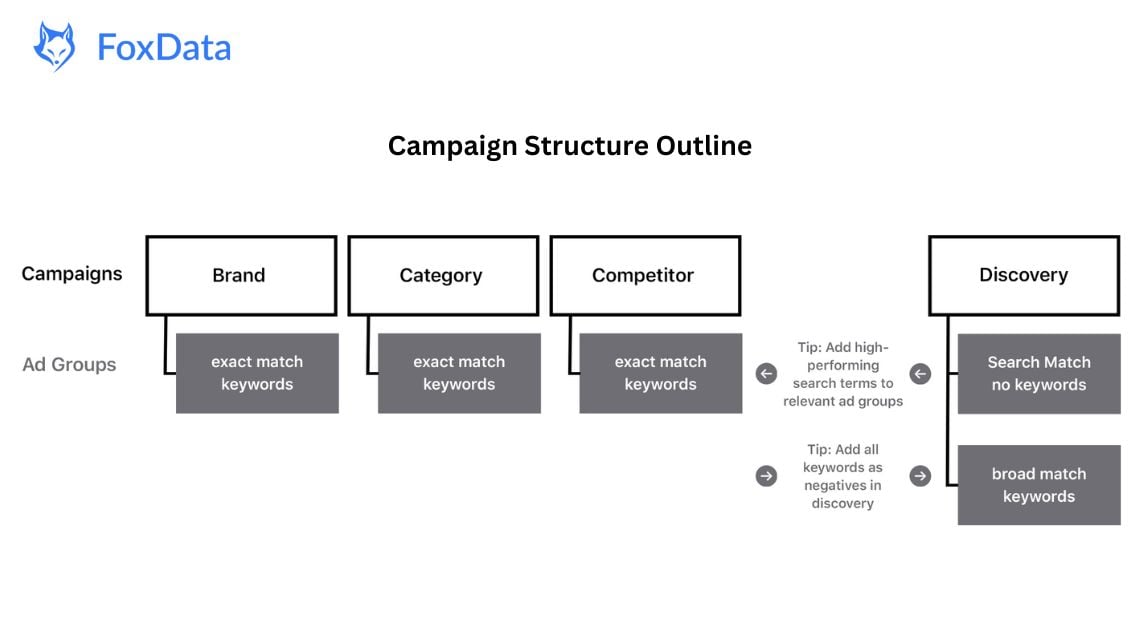
Most high-performing developers separate campaigns by intent:
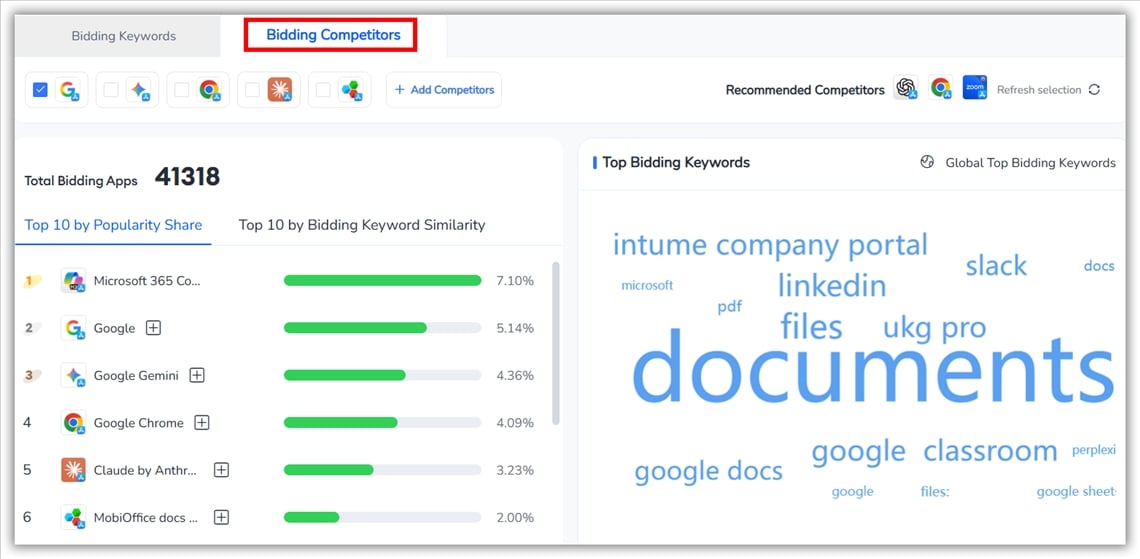
Here’s where FoxData’s ASA Bidding Competitors gives you an edge:
Even before launching, you can uncover which competitor brand keywords drive the strongest results — and spot opportunities to outbid them at lower CPTs.
The feature also highlights trending Discovery keywords within your niche, powered by real App Store data. This means no more guesswork — just clear insights that help you save hours of testing and hundreds in ad spend.

Discover how FoxData enhances data protection and security standards to keep your analytics safe and reliable.
Apple’s suggested bids often look helpful — until you realize they’re too generic or inflated.
With Bidding Keyword Analysis, you can fine-tune your bids using real market data:
Clicking on any app takes you directly to its App Profile page, where you can dive deeper into its ad performance and keyword coverage.
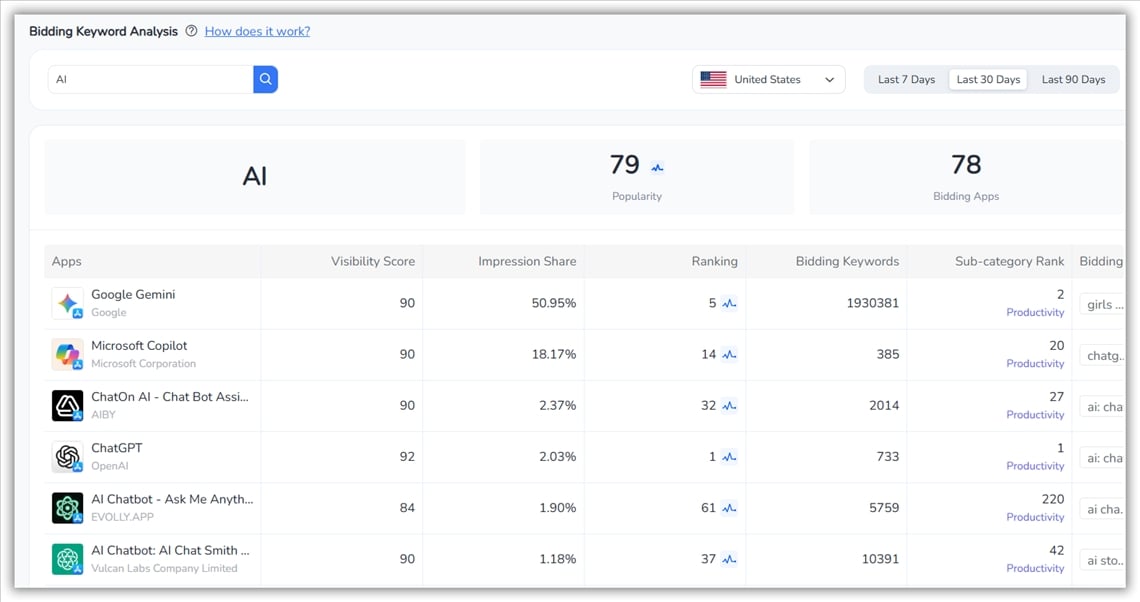
💡 Pro Tip: FoxData users have cut wasted ASA spend by 20–30% simply by spotting overpriced keywords and shifting budgets toward underpriced, high-intent terms.
Launching a campaign isn’t the finish line — it’s the start of an optimization loop.
Questions your team should revisit weekly:
FoxData closes this monitoring gap with real-time keyword performance tracking. Through Live Search Insights (like the example below for “Instagram”), you can see exactly which apps are actively bidding, their impression share, category ranking, and keyword volume trends.
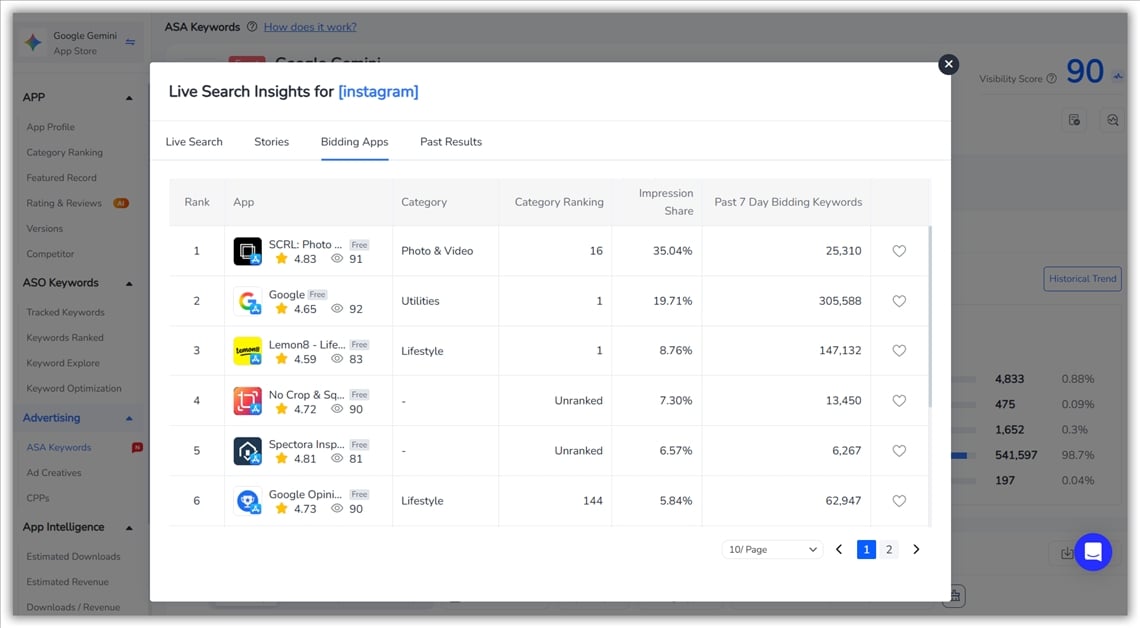
This lets you spot competitor movements instantly — whether a photo-editing app like SCRL suddenly takes 35% impression share, or a lifestyle app like Lemon8 starts increasing bids.
With this visibility, you can react fast, adjust your bids, and keep your campaign efficient — instead of overpaying or losing visibility overnight.
Even perfect targeting can fail if your ad creatives underperform.
That’s why top teams review App Metadata Analysis inside FoxData:
You’ll know which visuals convert taps into installs — not just impressions into taps.
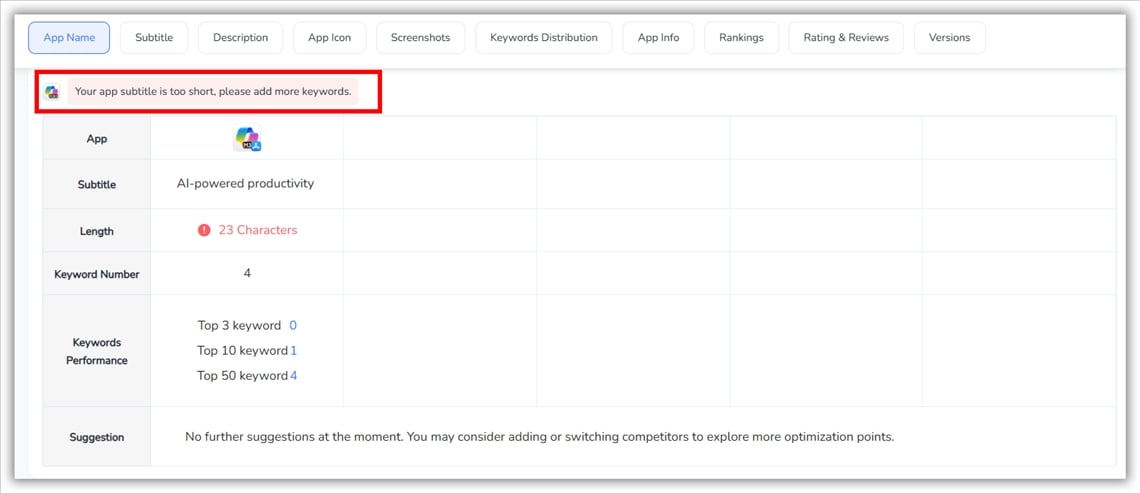
Once your campaigns stabilize, scaling shouldn’t mean guessing again.
With FoxData, you can confidently reinvest where the data proves ROI.
Because every keyword, bid, and creative decision comes with visibility — not blind faith.
Apple Search Ads is one of the most efficient UA channels on iOS — but only if you have clarity.
FoxData gives developers and marketers that clarity:
✅ Find winning keywords before your competitors.
✅ Track bids, rankings, and creative performance in one place.
✅ Optimize for installs and retention — not just clicks.
Don’t let your ASA budget disappear into data you can’t see.
👉 Start your FREE TRIAL on FoxData and experience how data visibility turns ASA into predictable, scalable growth.
© 2020-2026 FoxData. All Rights Reserved.



