





Explore More Possibilities for Your Business
Full-cycle scenario construction to meet your needs from App research, development, and release to operation.
Ready for your soaring growth

Ask any mobile growth team what slows them down, and the answer is rarely creativity or budget. It is usually data.
Specifically, it is the grind of pulling numbers from different places, reconciling formats that do not match, and trying to make decisions from a patchwork of spreadsheets and dashboards that were never designed to talk to each other.
For enterprise game publishers and UA managers running multiple titles across regions, this problem compounds fast. A study found that enterprise mobile teams spend an average of 30 percent of their work week just on data aggregation and preparation, time that could go toward actual optimization.
The good news is that this is a solvable problem. The path forward is standardization through a purpose-built app store data API that feeds clean, structured data directly into your existing workflows.

Discover how FoxData enhances data protection and security standards to keep your analytics safe and reliable.
The mobile app market is enormous and getting harder to navigate. Estimated global mobile app revenue at over $935 billion, with games accounting for more than half of all consumer spending. At that scale, even a marginal improvement in how you read and respond to market signals translates to meaningful competitive advantage.
For enterprise teams specifically, the challenge is not access to data. It is consistency. When your ASO manager in one region is working from a different data source than your UA team in another, your strategy drifts.
Keywords get optimized against stale benchmarks. Competitor moves get spotted late. Creative decisions get made on gut feeling rather than evidence.
Three signals in particular require reliable, real-time data to act on effectively: keyword rankings across stores and geographies, competitor download and revenue trends, and category-level benchmark shifts. Without a unified data layer, tracking all three simultaneously across multiple titles is practically impossible at scale.
Companies using integrated data pipelines for competitive intelligence were 2.4 times more likely to respond to market shifts within 48 hours compared to teams relying on manual reporting.
Standardization does not mean everyone uses the same dashboard. It means everyone draws from the same underlying data, regardless of their role or region.
For enterprise mobile organizations, that typically requires four things working together:
A single source of truth for store data.
Downloads, ratings, keyword rankings, and revenue estimates should flow from one pipeline into whatever BI tool or reporting layer your team already uses. This eliminates version conflicts and cuts down on the "whose numbers are we using?" conversations that slow down weekly reviews.
Automated refresh cycles tied to business rhythms.
Your keyword rankings on Monday morning should reflect the weekend, not last Wednesday. API-driven data pulls replace manual exports and give teams confidence that what they are looking at is current.
Cross-title and cross-market comparability.
When data is structured consistently across all your titles and all your target markets, benchmarking becomes straightforward. You can compare Day 1 keyword performance for a new launch against your existing catalog using the same methodology every time.
Audit-ready data history.
Enterprise reporting often requires traceability. API-delivered data can be stored and versioned in ways that manual CSV exports simply cannot support at scale.
The practical starting point for most enterprise teams is identifying where the current data flow breaks down. Common pain points include ASO teams manually checking rankings each morning, UA managers exporting competitor data from separate tools and reformatting it in Excel, and finance teams waiting on product to compile revenue estimates for quarterly reviews.
An enterprise mobile analytics API solves these by acting as a programmable data layer between the raw store data and your internal systems. Here is what a standardized workflow looks like in practice:
Step 1: Identify your core data needs by team.
ASO needs keyword rank tracking, review monitoring, and store listing performance. UA needs estimated download volumes, competitor creative trends, and category-level benchmarks. Product and finance need revenue estimates and market share context.
Step 2: Map those needs to API endpoints.
A well-structured app analytics API should expose endpoints for each of these data types, with consistent field naming, reliable pagination, and documented rate limits.
Before committing to any platform, verify that the API covers both the App Store and Google Play, and that it supports all your target geographies.
Step 3: Build the pipeline, not the report.
The goal is to push data into your existing BI stack, whether that is Tableau, Looker, Power BI, or a custom internal tool, rather than building yet another standalone reporting layer. This keeps your analytics team in control and avoids creating a new tool that needs to be maintained separately.
Step 4: Set alerts and thresholds for action.
Once data flows automatically, you can configure triggers based on changes that matter: a competitor's keyword ranking surpassing yours in a key market, a category benchmark shifting by more than ten percent, or a new app entering the top ten in your genre. Reacting to signals in near-real time is only possible when the data is live.
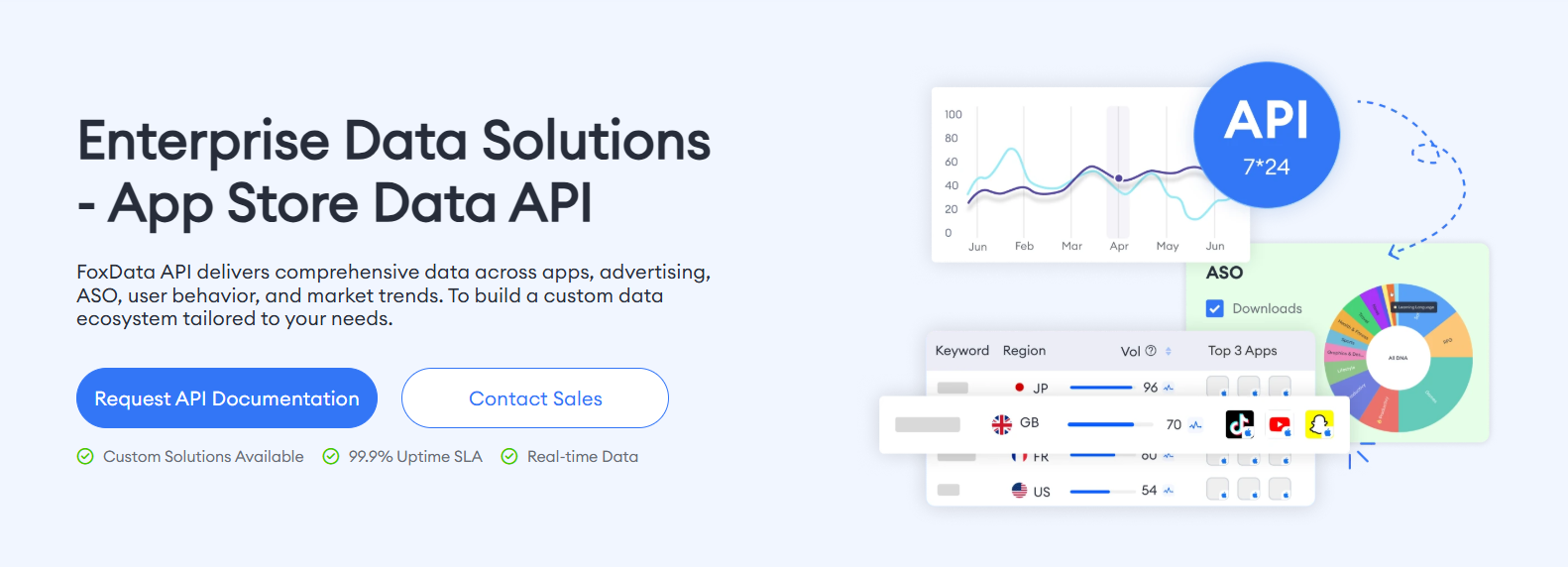
FoxData's app store data API is built specifically for this kind of enterprise integration. It covers keyword intelligence, estimated downloads and revenue, competitor tracking, and category analytics across both major stores, with endpoints designed for programmatic access rather than manual use.
Getting the infrastructure right is only half the battle. Teams that invest in an API layer often still run into the following avoidable mistakes:
Pulling too much data without a clear use case. Access to extensive data is tempting, but volume without purpose creates noise. Before connecting an endpoint, every team should define what decision that data will inform and on what cadence.
Treating estimated data as exact figures. Download and revenue figures from third-party sources are estimates based on modeled methodologies. They are directionally reliable and excellent for competitive benchmarking, but should not be used as the basis for precise financial projections without internal validation.
Skipping data governance. When multiple teams pull from the same API, you need a shared data dictionary that defines what fields mean, how estimates are calculated, and what the known limitations are. Without this, you end up with conflicting interpretations even when the underlying data is identical.
Neglecting to update competitive tracking lists. App markets shift constantly. New competitors emerge, old ones pivot. A tracking configuration that made sense six months ago may miss entirely new entrants that now matter. Schedule regular audits of which apps and keywords you are monitoring.
Building a pipeline and then not using it. This sounds obvious, but many enterprise teams invest in API integration only to have the data sit unused because no one defined ownership. Assign a specific team member or function to be responsible for each data stream.
The mobile market rewards teams that move fast and make informed decisions.
That speed is not possible when your data is fragmented, delayed, or inconsistent across teams and regions. Standardizing around a purpose-built data API is not a technical project for your engineering department. It is a strategic investment that directly supports your ASO, UA, and product teams.
The competitive teams winning in mobile today are not necessarily the ones with the biggest budgets. They are the ones whose data infrastructure lets them spot opportunities faster and act with more confidence.
If your enterprise is ready to move beyond manual data collection and build a scalable market intelligence pipeline, explore what FoxData's enterprise-grade app analytics API can do for your team. Designed for game publishers, UA managers, and mobile growth teams, it gives you the programmatic access to app store data your strategy depends on.
What is an app store data API and why do enterprises need one?
An app store data API is a programmatic interface that delivers structured data about apps, keywords, rankings, and market trends directly to your internal systems. Enterprises need one because manual data collection does not scale across multiple titles, regions, and teams.
An API creates a consistent, automated data layer that supports faster and more reliable decision-making.
How is an enterprise mobile analytics API different from a standard analytics dashboard?
A dashboard shows you data in a fixed format. An API gives you the raw data so your team can shape it, combine it with internal data sources, and build the reporting views that match your specific workflows.
For enterprise teams with existing BI infrastructure, API access is almost always more valuable than another standalone dashboard.
Can an app analytics API be integrated with tools like Tableau, Looker, or Power BI?
Yes. Most enterprise-grade APIs are designed to integrate with standard BI tools through REST endpoints, and some offer pre-built connectors. The key is verifying that the API's data structure and refresh cadence match your reporting requirements before beginning integration.
How accurate is the download and revenue data available through app market intelligence APIs?
Accuracy varies by provider and methodology. Reputable platforms use a combination of panel data, store ranking signals, and statistical modeling to produce estimates.
These estimates are reliable for competitive benchmarking and trend analysis, but should be treated as directional rather than exact. Always validate against internal first-party data where possible.
Ready to make your app shine? Optimize your app's visibility with FoxData, the ultimate ASO tool! Maximize downloads and rankings by leveraging our powerful insights today.
App Growth & ASO Tools by FoxData
FoxData supports every stage of app growth with specialized ASO and app analytics tools, helping teams improve keyword visibility, user acquisition, and retention through reliable data.
🔍 Store Keyword Research Tools
Research high-intent keywords, search volume, and competition to strengthen your app store optimization strategy.
📈 App Store Keyword Tools
Analyze keyword rankings and performance across the Apple App Store and Google Play to refine ASO execution.
📊 ASO Monitoring Tools
Monitor keyword ranking changes, visibility trends, and ASO impact over time with continuous performance tracking.
👥 User Activity Monitoring Tools
Understand in-app user behavior, engagement, and retention with real-time user activity analytics.
Together, these tools form FoxData’s ASO analytics and app intelligence ecosystem, designed to help developers, marketers, and growth teams make data-driven decisions and scale sustainably.
Explore it today!
👉 Learn more about FoxData here | 👉 Book a demo with FoxData team today!
© 2020-2026 FoxData. All Rights Reserved.



