




Explore More Possibilities for Your Business
Full-cycle scenario construction to meet your needs from App research, development, and release to operation.
Ready for your soaring growth
For most ASO teams, the real challenge isn’t making updates — it’s knowing which updates actually move the needle.
Titles are rewritten, subtitles tested, descriptions expanded and contracted. Versions go live, in-app events launched, prices adjusted, creatives rotated.
Weeks later, the same questions remain:
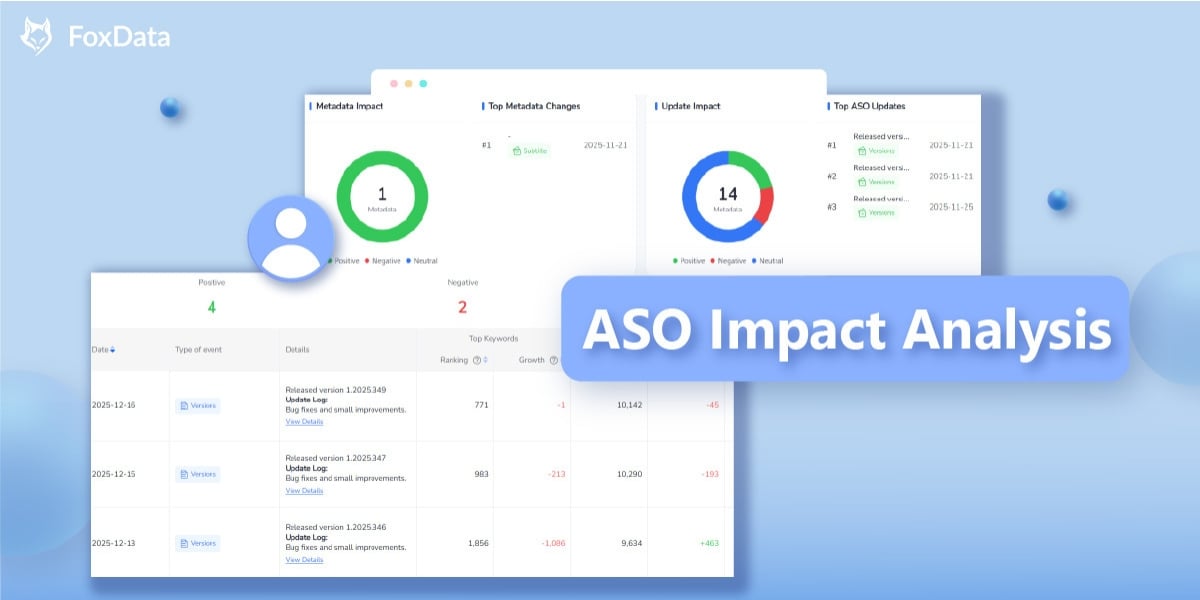
This uncertainty is exactly where FoxData’s ASO Impact Analysis comes in.
Building on existing event tracking, this enhanced feature helps teams classify ASO events by real download impact, link actions to performance trends, and turn updates into measurable growth signals.
Traditional ASO tools are good at logging what changed:
But most tools stop there.
What ASO teams actually need to know is far more practical:
Was this change beneficial, harmful or neutral to downloads?
Without this layer of insight, teams are forced to rely on intuition, anecdotal evidence, or post-hoc explanations. In environments where updates are frequent and mistakes are costly, that approach doesn’t scale.
ASO Impact Analysis is designed for teams that need provable outcomes, not just activity logs:
If your goal is to link ASO work directly to performance outcomes, this approach fits naturally into your workflow.
The core upgrade in FoxData’s ASO Impact Analysis is event classification based on download behavior, not assumptions.
All ASO-related events are evaluated and grouped into three categories:
Events where downloads accelerate after a change.
Events where downloads slow down or decline.
Not every update impacts downloads — and that’s valuable to know.
Not all apps respond to updates on the same timeline. FoxData supports:
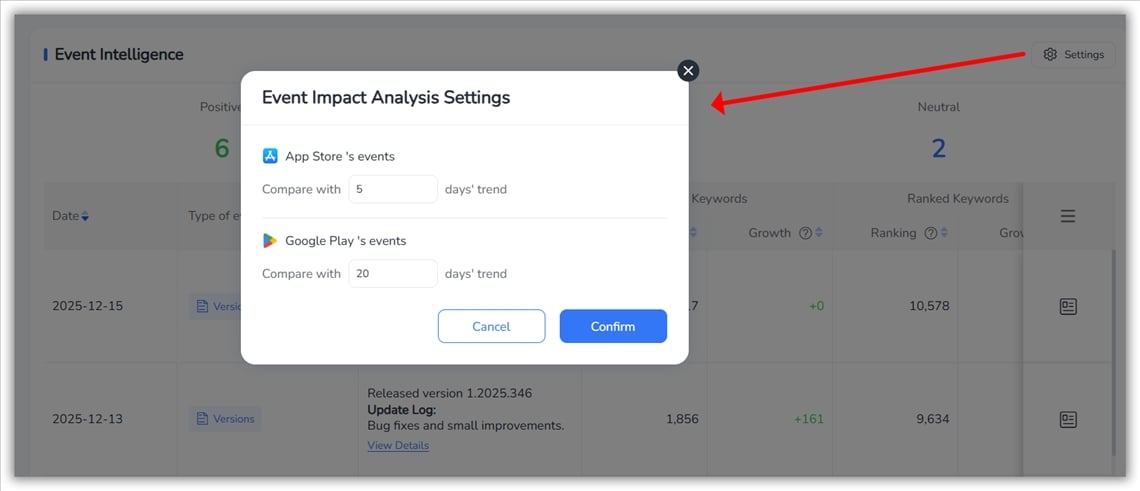
This flexibility is critical for:
Discover keyword opportunities, monitor competitors, and improve campaign performance using FoxData’s ASA analytics tools.
 Optimize Apple Search Ads with Real-Time Data
Explore Now
Optimize Apple Search Ads with Real-Time Data
Explore Now
Once events are classified, FoxData moves beyond labeling and into decision support.
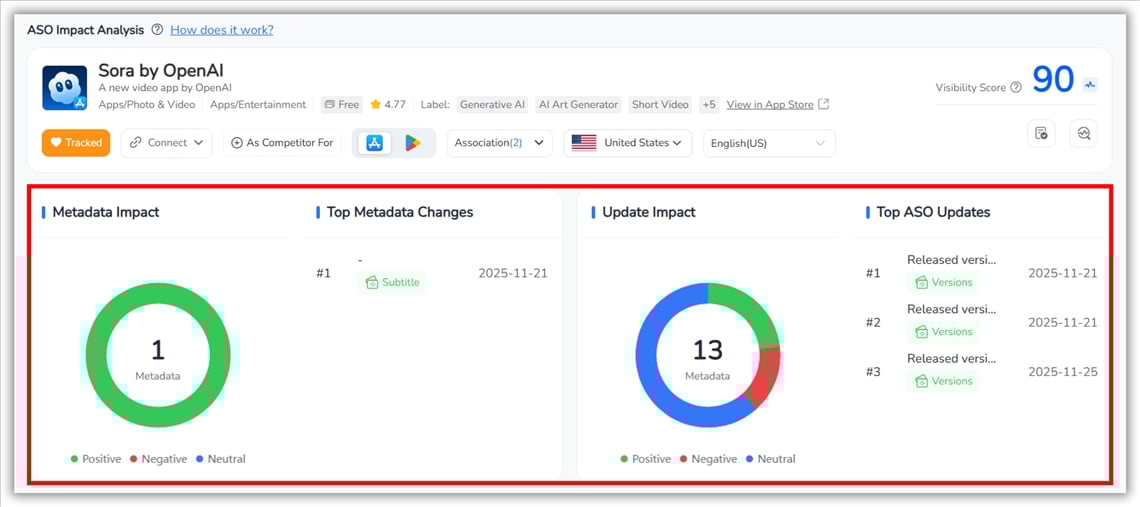
This makes it easy to answer questions like:
This helps align ASO, UA, and product decisions around shared performance metrics, rather than isolated KPIs.
Classification alone isn’t enough — context matters.
FoxData overlays ASO events directly onto performance trends, including:
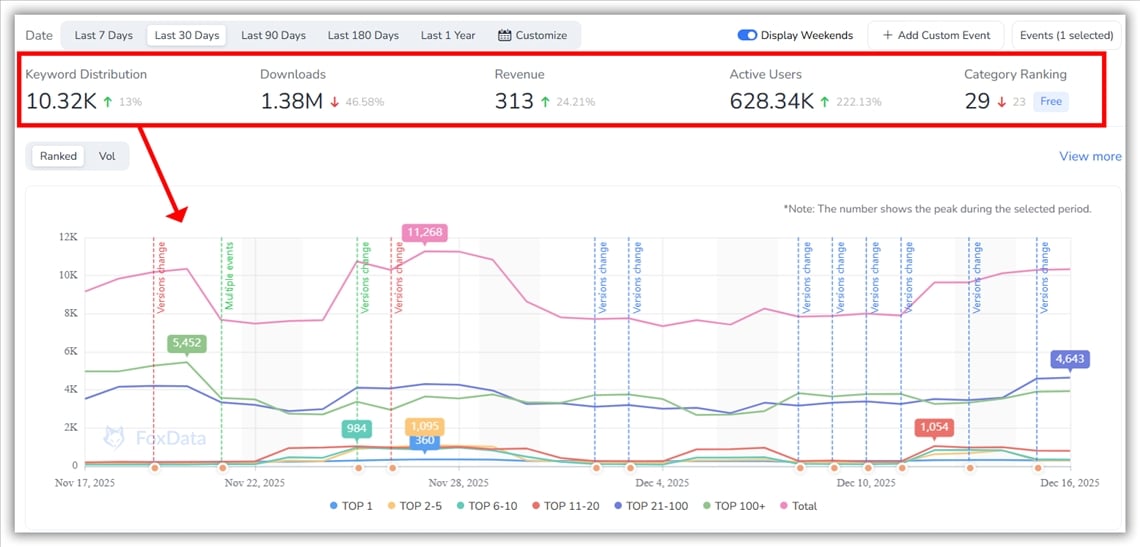
This view combines keyword coverage and search demand into a single timeline, helping teams assess whether metadata changes lead to broader, higher-quality search visibility.
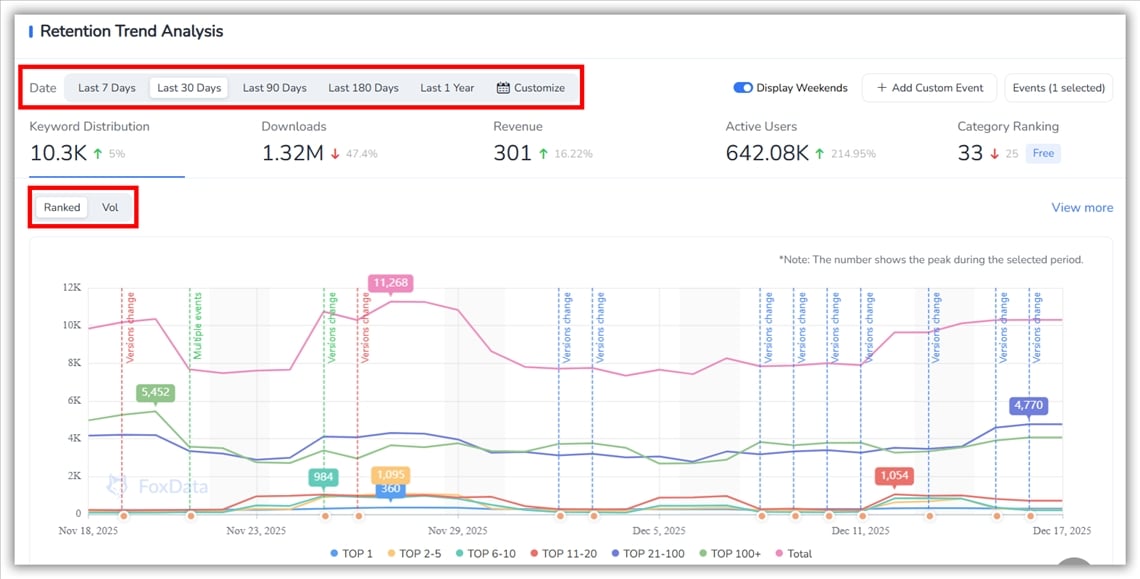
Key capabilities include:
📒 Note: Values reflect the peak keyword coverage within the selected time range, as indicated in the UI.
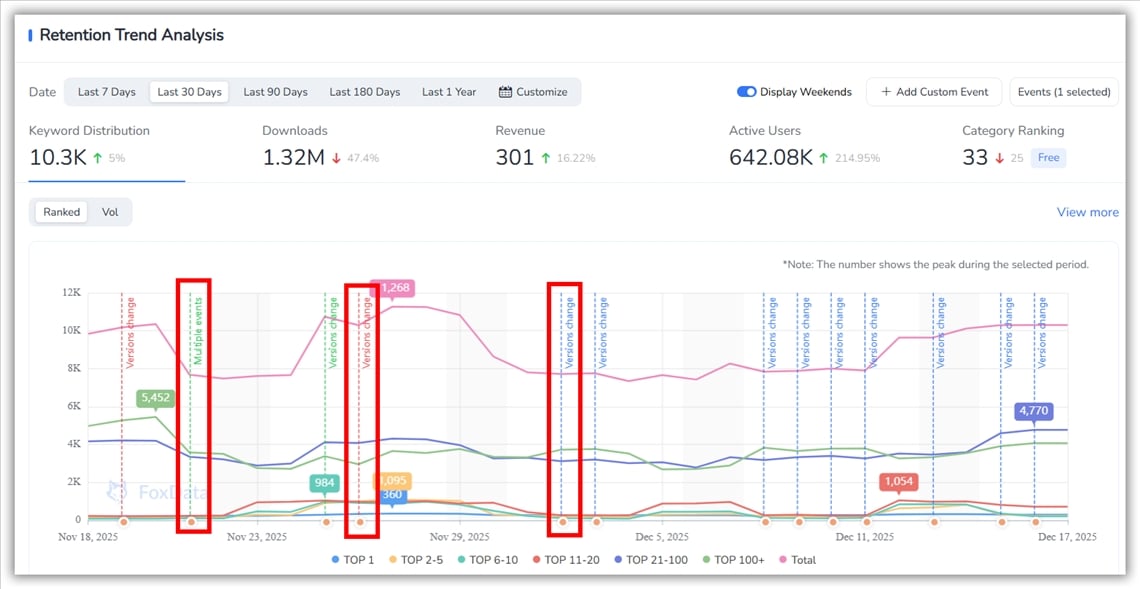
The chart supports overlaying ASO-related events directly onto performance trends, including:
Events appear as dashed vertical lines, color-coded by event type, making it easy to correlate:
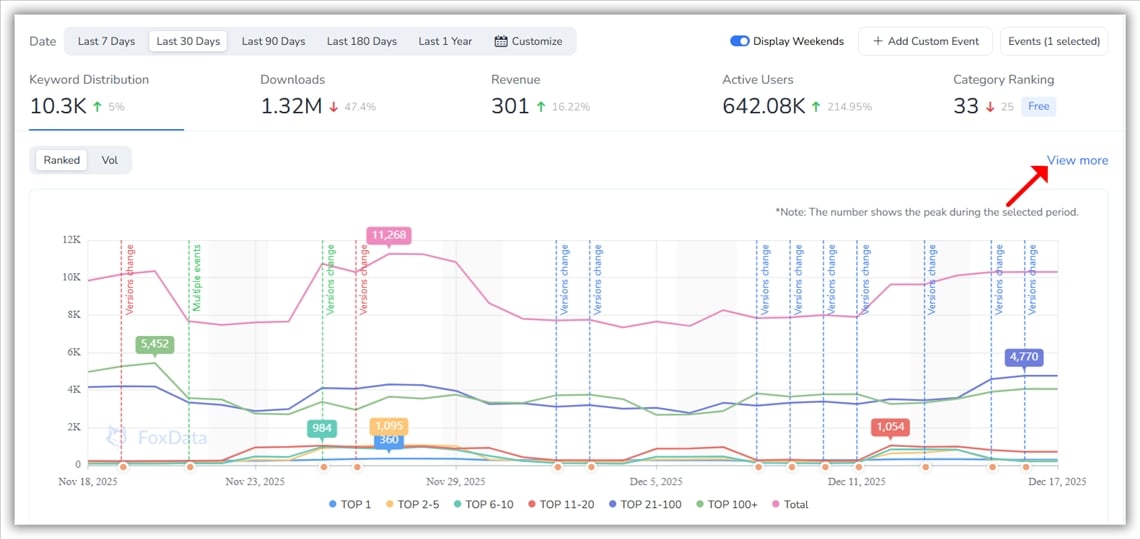
Clicking “View more” leads directly to the ASO Keyword module for deeper analysis.
The Downloads Trend Analysis tracks how an app’s download performance evolves over time, highlighting real momentum shifts.
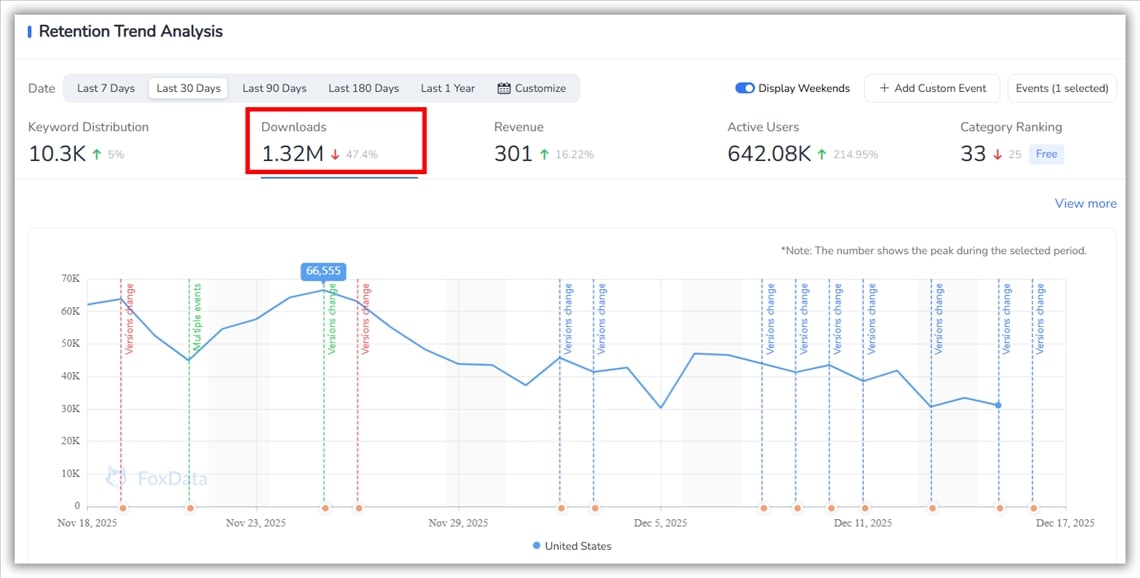
Clicking “View more” opens the Estimated Download module for deeper insights.
The Revenue Trend Analysis tracks how an app’s revenue evolves over time, highlighting the impact of ASO changes and updates.
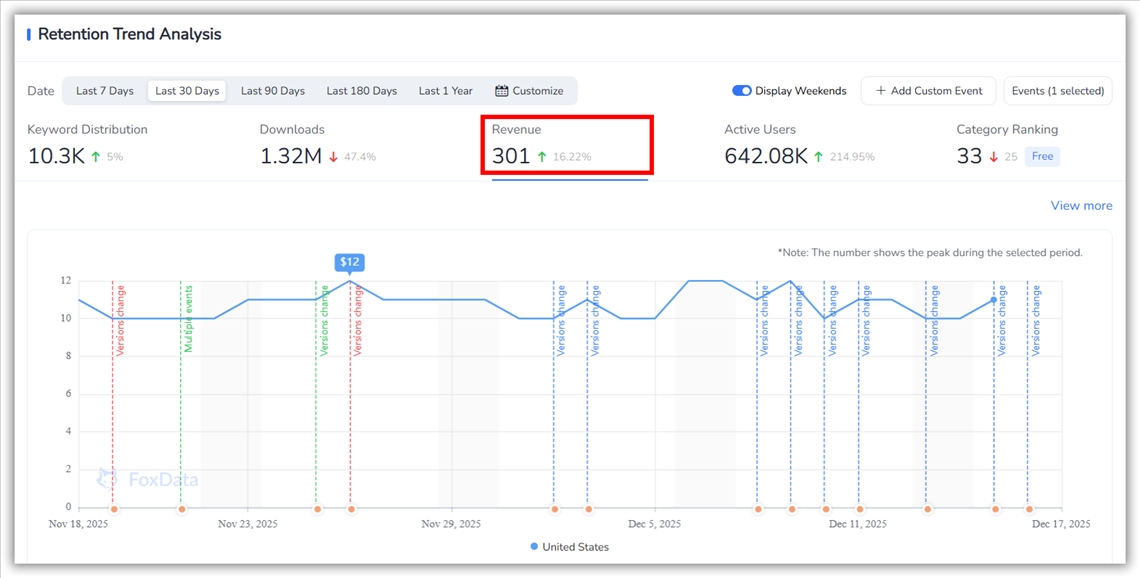
Clicking “View more” opens the Estimated Revenue module for deeper insights.
The Active Users Trend Analysis tracks how user engagement evolves over time, showing post-install impact. It displays trends for the selected period, with the final day as a reference. Event overlays indicate how updates and changes affect user engagement.
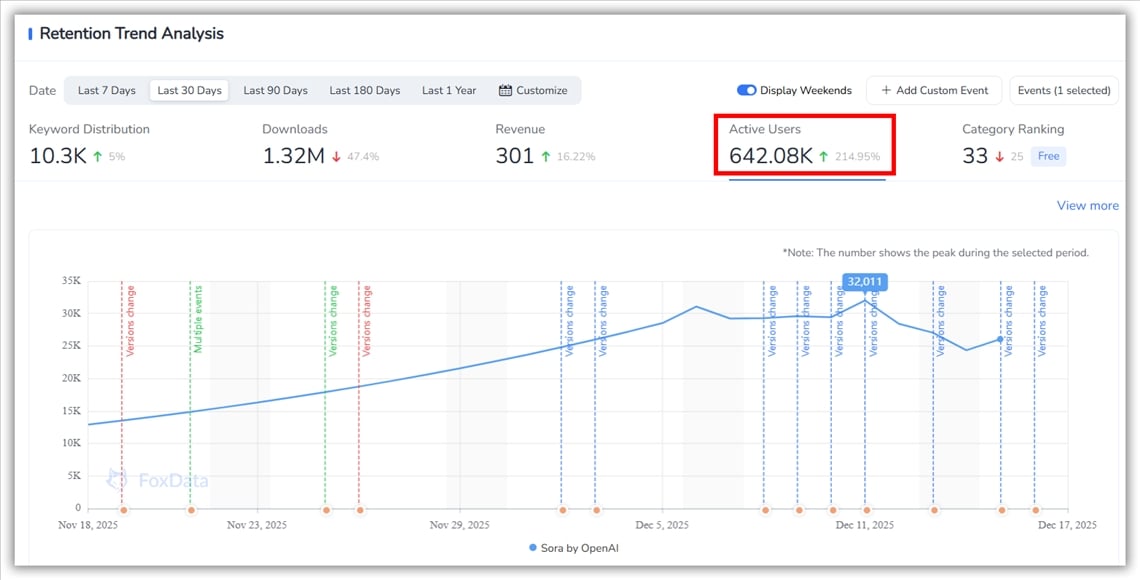
Clicking “View more” opens the User Activity Analysis module for deeper insights.
The Category Ranking Trend Analysis visualizes an app’s performance across different ranking lists over time. It combines overall, subcategory, and list-type rankings with event markers to help ASO teams evaluate how metadata changes, releases, and other actions impact category competitiveness and market position.
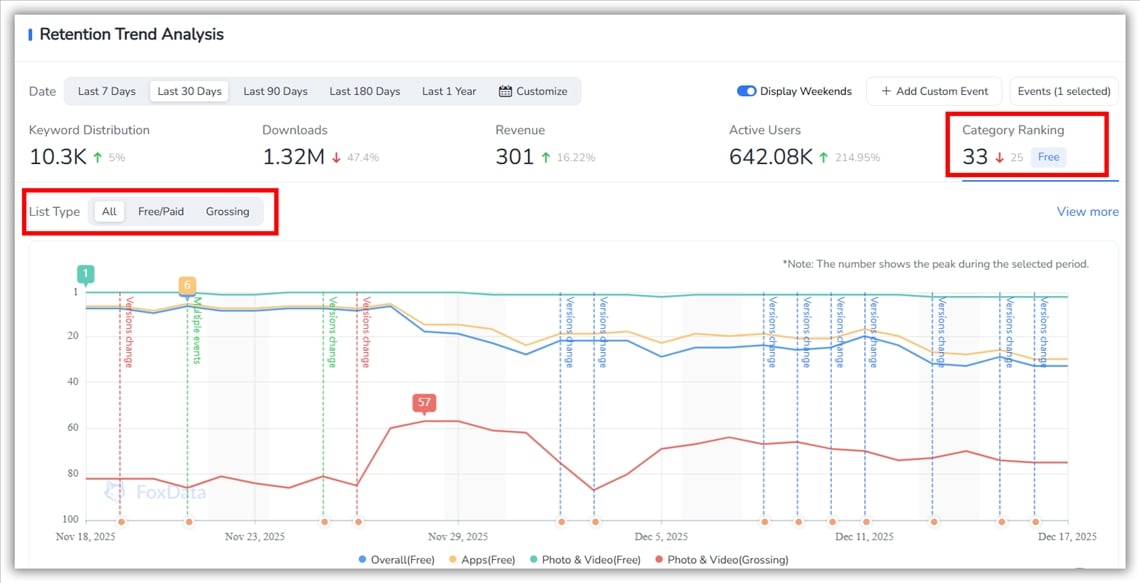
📒 Note: Rankings are influenced by multiple factors, and trends should be interpreted alongside event markers to avoid misjudging isolated changes.
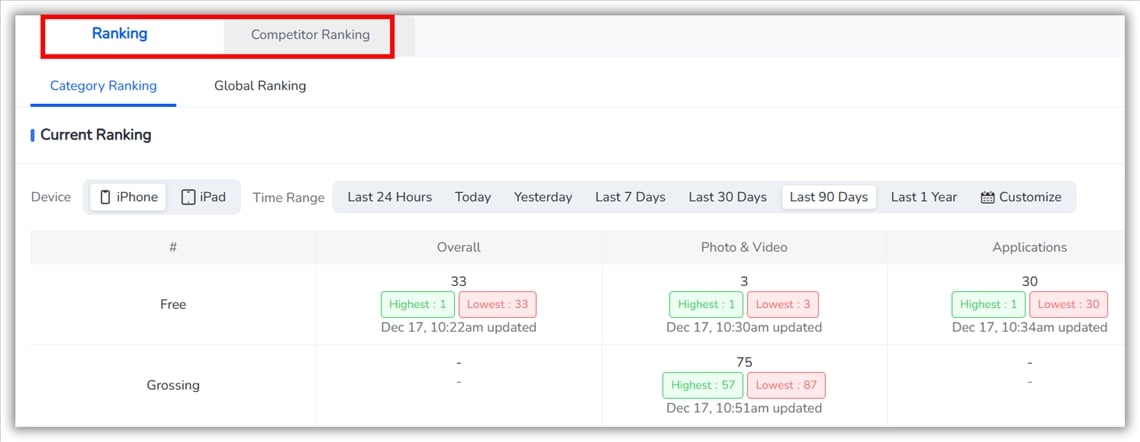
Clicking “View more” navigates to the Category Ranking module, where you can explore:
Each ASO event appears as a dashed marker on the chart, clearly color-coded to show whether the impact was a gain, a loss or stable. Hovering over any marker instantly reveals the event type, key details and whether multiple changes occurred on the same day.
This makes it possible to visually connect:
No more guessing which update caused what.
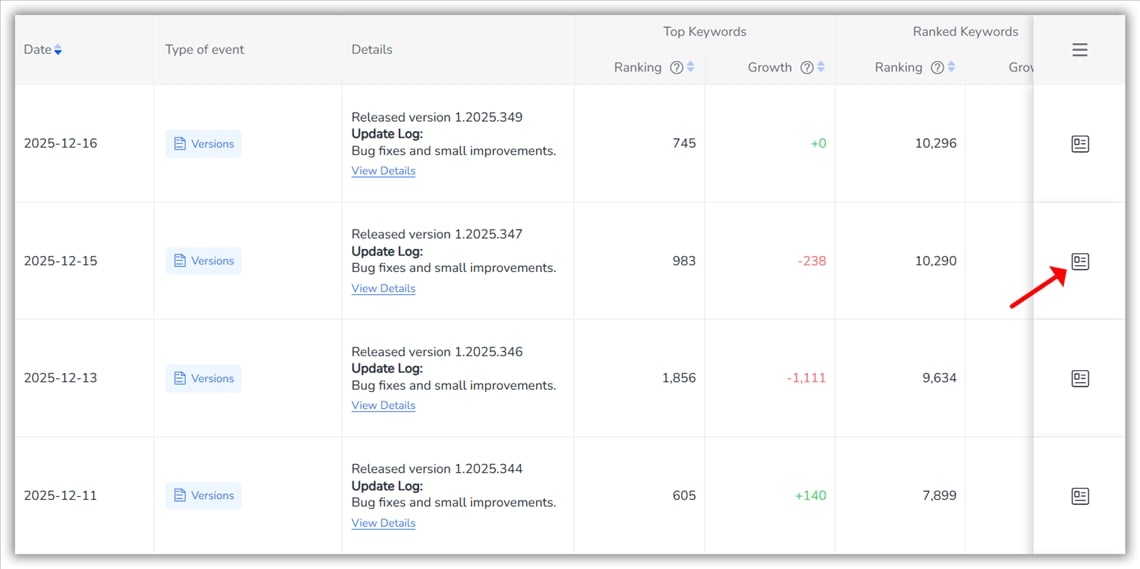
For teams that need operational precision, ASO Impact Analysis offers a daily event-level view tied directly to performance metrics.
For each date, teams can evaluate:
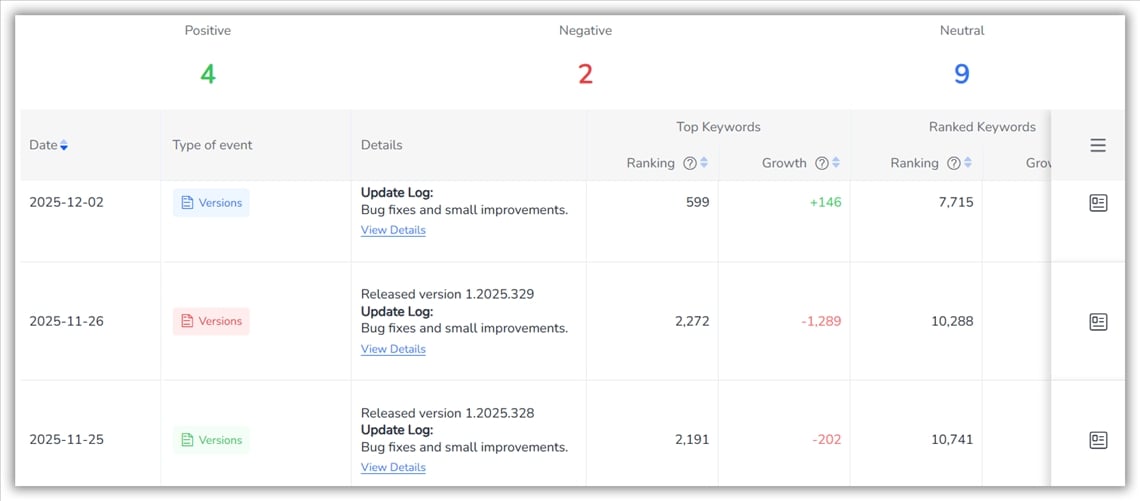
Each date can be expanded into a detailed view that captures the full context of keyword and metadata changes for that day. This allows teams to understand how performance evolves before and after important updates.
Key insights available in this view include:
Brand and generic keywords are presented separately, making it easy to distinguish brand-driven performance from broader market demand. For each keyword, you can also explore the Top 5 Apps, preview app details on hover and track keywords or apps for ongoing monitoring.
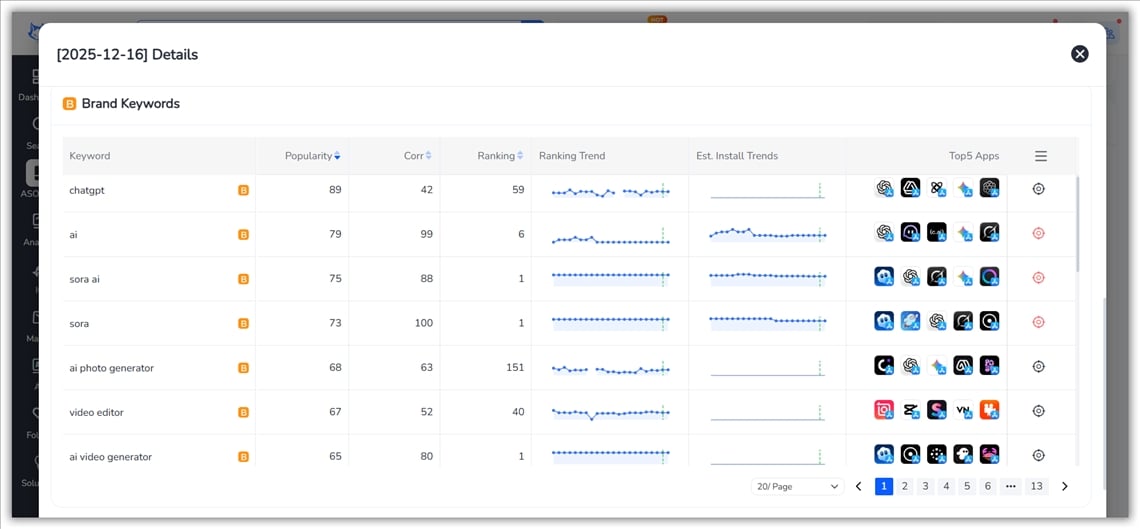
This is where insight turns into execution — enabling teams to build repeatable ASO playbooks grounded in real performance outcomes.
A: Yes. Both App Store and Google Play windows are adjustable up to 30 days, ideal for long-tail apps or event-driven growth patterns.
A: No. FoxData automatically logs and analyzes metadata updates and app behavior events, ranking gain-driving actions without guesswork.
A: Yes, FoxData offers comprehensive tutorials and support documentation to help you make the most of the "ASO Impact Analysis" feature. You can find them in FoxData blogs or help center.
Winning in ASO isn’t about doing more updates — it’s about knowing which updates deserve to be repeated. FoxData’s ASO Impact Analysis gives teams the clarity to make that decision with confidence.
👉 See the Impact for Yourself — Unlock Smarter ASO Decisions with FoxData!
© 2020-2026 FoxData. All Rights Reserved.



